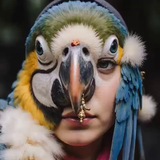
[photograph of a person], EXPERT PHOTO RESTORATION AND COLORIZATION WORKFLOW:
1. RESTORE: remove scratches, dust, stains, fix blur, enhance details
2. COLORIZE: (colorized by nano banana:1.3), natural historically accurate colors
3. ENHANCE: upscale to 4k, perfect lighting, sharp focus, photorealistic
STRICT RULE: preserve original face features, hairstyle, clothing, background composition 100%
Negative prompt: low quality, deformed, asymmetric face, damaged photo, faded colors, blurry eyes, synthetic look, overprocessed
model Nano Banana Pro #vikadavidai
❤2
Transform this photo of a drawing into a high-quality fine art reproduction for professional printing, faithfully preserving the artistic style of VIKADAVIDART.
Key objectives:
    Perspective & Cleanup: Correct perspective to make the image perfectly flat, like a scan. Remove all shadows, creases, and background noise. Set background to pure white (RGB 255,255,255).
    Graphic Lines: Meticulously preserve and emphasize the expressiveness of the original graphite/colored pencil work. Maintain the clarity and unique character of the artist's strokes.
    Tonal Depth: Focus on subtle tonal rendering. Preserve all nuances of light and shadow, and smooth gradations of gray (if monochrome). If color is present, ensure colors are accurate and vibrant but avoid excessive saturation; maintain the author's authentic palette and airy quality.
Atmosphere: Crucially, retain the lyrical depth and meditative mood of the original artwork.
    Material Texture: Gently preserve the texture of the original support (paper or cardboard) where it contributes to the artwork's character.
   Sharpening: Apply sharpening very delicately, only to enhance line clarity without creating artificial halos or a digital look.
The final image should look like a perfect, museum-quality print that captures the artist's soul and technique, not just a cleaned-up scan.
model Nano Banana Pro #vikadavidai
A historical framed artwork hanging on a solid dark navy blue museum wall. The frame is classic museum style — dark wood with a thin gold inner trim, slightly ornate but elegant. Inside the frame is the original artwork. The artwork is centered in the frame, fully visible. The wall is plain, single-tone dark navy blue, no texture, no other objects, no other frames, no labels, no plaques, no QR codes, no text. Soft museum lighting from above and slightly from the sides — gentle even illumination with subtle shadows cast by the frame. Photorealistic, museum exhibition quality, 8Kmodel Nano Banana Pro #vikadavidai
Enhance this image to fine art quality. Preserve EXACT composition, object positions, shapes, and elements — do not add, remove, or rearrange anything.
AUTOMATIC TEXTURE DETECTION AND ENHANCEMENT:
Analyze the image and identify ALL materials present. For each detected material, add maximally natural, photorealistic textures:
- SKIN (faces, hands, any exposed body parts): natural pores, fine wrinkles, creases, cuticles, nails, veins, hair follicles, natural oil sheen, tonal variations. No plastic smoothness.
- FABRICS (any type): identify the type (cotton, linen, wool, silk, satin, velvet, brocade, etc.) and add appropriate texture — thread weave, pile, sheen, folds, draping, pilling, natural creases.
- PAPER / PARCHMENT / SCROLLS: fibrous structure, rough edges, age discoloration, ink absorption, natural grain.
- METALS (buttons, jewelry, weapons, utensils): polished or brushed finish, micro-scratches, patina, specular highlights, crisp edges, sense of weight.
- WOOD: grain, annual rings, knots, scratches, wear, matte or oiled finish.
- GLASS / CERAMICS: transparency, reflections, highlights, glaze, micro-cracks, surface irregularities.
- STONE (walls, floors, sculptures): grain, veins, chips, weathering, matte or polished texture.
- EARTH / SAND / SOIL (in landscapes): granularity, clods, cracks, tracks, vegetation.
- SKY / CLOUDS: natural cloud texture, gradients, softness, no banding.
- PLANTS (leaves, grass, flowers): veins, petal texture, edge irregularities, natural waxy or matte sheen.
GENERAL TEXTURE REQUIREMENTS:
- Maximally natural, no AI-smoothing
- High detail visible on close inspection
- Natural color and tonal variations (no uniformity)
- Realistic lighting consistent with the scene
- Soft transitions between materials
TECHNICAL: No motion blur, no noise, no JPEG artifacts, no halos, no plastic surfaces, no digital smoothing, no airbrushed look. Museum-grade detail, 8K, natural color reproduction.
--no plastic, smoothness, airbrush, waxy surface, digital smoothing, fake reflections, cartoon, illustration, HDR look, oversaturation
model Nano Banana 2 #vikadavidai
❤3🔥2
Top-down flat lay photography, exact straight overhead view (90-degree angle) of a single pharmaceutical blister pack, perfectly centered. The blister pack has exactly 8 slots arranged in 2 rows of 4 cells. All 8 slots are sealed and intact — no opened cells, no torn foil, no empty cavities. Isolated on a white watercolor paper background with a very subtle, fine, natural paper texture — not pure flat white (not RGB 255,255,255), just a gentle linen/cotton grain visible upon close inspection, soft off-white warmth. No shadows cast from the blister onto the paper.
Shot on Canon Mark III with 100mm f/2.8 macro lens, 4k, ultra-detailed, even focus across the entire blister surface.
Blister construction: The top face (visible from above) is made of thin, clear, transparent pharmaceutical-grade plastic — slightly glossy, allowing a full view of the objects inside. The back side (bottom) is covered with opaque silver metallic foil — no light passes through from behind. The objects sit between the clear plastic top and the silver foil bottom.
All 8 slots contain the human taken directly from the reference photo with different poses. Save face's details.
All objects share the same size and same shape as shown in the reference photo. However, color may vary slightly between objects (if applicable to the reference material) — subtle natural hue shifts while remaining visually consistent with the reference.
Each object sits naturally inside its cell — not perfectly aligned or rotated identically. The objects are positioned at slightly different angles — one may be rotated a few degrees clockwise, another counterclockwise, another tilted subtly within its cavity. This mimics real pharmaceutical packing variance.
The objects appear natural and authentic inside the blister — they are not floating or glued; they rest gently on the silver foil bottom, with tiny air gaps visible around some edges. Very small dust specks or micro-scratches on the plastic are acceptable and add realism. The objects are visible through the clear plastic top with minimal refraction distortion.
Lighting is consistent and identical for all objects — soft diffused overhead light source, uniform across the entire frame. The clear plastic top creates very subtle, natural reflections (not harsh glare), and the silver foil bottom reflects a soft diffuse glow back up through the objects.
The foil on the back side remains completely intact, smooth, unbroken. No text, no logos, no numbers anywhere on the blister. Soft diffused overhead lighting, no harsh glare, clinical pharmaceutical aesthetic. Macro shot, sharp focus, 4k resolution.
model Nano Banana 2 #vikadavidai
🔥1
Keep the exact same composition, layout, object positions, framing, and camera angle as the input image. Preserve all proportions. Transform the style only.
Style: a naive, crude drawing made in Microsoft Paint with a mouse, drawn by a human hand — not a computer algorithm.
Key requirements:
- Natural colors: preserve the exact color palette from the reference image (realistic skin tones, sky, objects — no pop-art colors)
- Hand-drawn with a mouse: uneven, wobbly, jagged lines typical of mouse movement. Visible mouse cursor trails. Lines have inconsistent thickness. No perfectly straight lines.
- Shading and halftones: done manually by the "artist" using rough scribbles, uneven zigzags, messy clusters of pixels, or uneven cross-hatching with a mouse. NO checkerboard dithering. NO pixel grid patterns. NO mathematically repeating patterns. Everything looks hand-placed pixel by pixel in a clumsy way.
- Pixelated appearance: low resolution, blocky, with visible individual pixels — but the irregularities come from human mouse movements, not from algorithms.
- Flat color fills: uneven, leaving white gaps near the edges. Sometimes overlapping colors. "Color bleed" where the mouse slipped outside the lines.
- No smooth gradients, no anti-aliasing, no soft blending, no automatic tools.
- Background option: [choose one — white / transparent / Windows 98 / notebook grid — see previous message]
Critical:
- Keep original composition and proportions
- Preserve natural colors from reference
- NO dithering (no checkerboard patterns)
- NO regular grid-like halftones
- Everything must look like a beginner drew it with a mouse, pixel by pixel, with shaky hand movements
Model Nano Banana Pro #vikadavidai
Keep the exact same composition, layout, object positions, framing, and camera angle as the input image. Preserve all proportions. Transform the style only.
Style: a naive, crude drawing made in Microsoft Paint with a mouse, drawn by a human hand — not a computer algorithm.
Key requirements:
- Natural colors: preserve the exact color palette from the reference image (realistic skin tones, sky, objects — no pop-art colors)
- Hand-drawn with a mouse: uneven, wobbly, jagged lines typical of mouse movement. Visible mouse cursor trails. Lines have inconsistent thickness. No perfectly straight lines.
- Shading and halftones: done manually by the "artist" using rough scribbles, uneven zigzags, messy clusters of pixels, or uneven cross-hatching with a mouse. NO checkerboard dithering. NO pixel grid patterns. NO mathematically repeating patterns. Everything looks hand-placed pixel by pixel in a clumsy way.
- Pixelated appearance: low resolution, blocky, with visible individual pixels — but the irregularities come from human mouse movements, not from algorithms.
- Flat color fills: uneven, leaving white gaps near the edges. Sometimes overlapping colors. "Color bleed" where the mouse slipped outside the lines.
- No smooth gradients, no anti-aliasing, no soft blending, no automatic tools.
- Background option: [choose one — white / transparent / Windows 98 / notebook grid — see previous message]
Critical:
- Keep original composition and proportions
- Preserve natural colors from reference
- NO dithering (no checkerboard patterns)
- NO regular grid-like halftones
- Everything must look like a beginner drew it with a mouse, pixel by pixel, with shaky hand movements
Model Nano Banana Pro #vikadavidai
❤1
Keep the exact same composition, layout, object positions, framing, and camera angle as the input image. Preserve all proportions. Transform the style only.
Style: a naive, crude drawing made in Microsoft Paint with a mouse, drawn by a human hand — not a computer algorithm. Now combined with bold POP ART lighting and colors.
COLORS & LIGHTING (Pop Art):
- Overall palette: high-contrast pop art colors — not natural anymore
- Skin tones become bright pink, peach, or pale yellow
- Shadows become deep cyan, magenta, or black
- Highlights become pure white or bright yellow
- Sky becomes electric blue, hot pink, or lime green
- Grass/ground becomes bright orange, yellow, or cyan
- Use only 3–5 flat, saturated colors per area (no gradients)
- Lighting is hard and graphic — like a silkscreen print by Andy Warhol or Roy Lichtenstein
- No realistic shading — only large flat areas of contrasting colors
HAND-DRAWN WITH MOUSE (preserved from original):
- Uneven, wobbly, jagged lines typical of mouse movement
- Visible mouse cursor trails
- Lines have inconsistent thickness
- No perfectly straight lines
SHADING & HALFTONES (NO DITHERING):
- Shading done manually with rough scribbles, uneven zigzags, messy clusters of pixels
- NO checkerboard dithering
- NO pixel grid patterns
- NO mathematically repeating patterns
- Everything looks hand-placed pixel by pixel in a clumsy way
PIXELATED APPEARANCE:
- Low resolution, blocky, with visible individual pixels
- Flat color fills uneven, leaving white gaps near edges
- Color bleed where the mouse slipped outside the lines
BACKGROUND (Pop Art style):
- Choose one: bright single color (magenta, cyan, yellow), or two-color split (e.g., cyan sky + yellow ground), or Warhol-style repeating colored panels
- Fill is uneven — some white pixels remain near edges
- No gradients, no smooth transitions
CRITICAL:
- Keep original composition and proportions
- NO dithering (no checkerboard patterns)
- NO regular grid-like halftones
- NO smooth gradients, NO anti-aliasing, NO soft blending
- Everything must look like a beginner drew it with a mouse, pixel by pixel, but using pop art colors
Model Nano Banana Pro #vikadavidai
❤1
Preserve exact composition and proportions. Transform into naive MS Paint mouse drawing (human hand, no dithering, jagged wobbly lines, messy pixel shading). no gradients. NO dithering, NO checkerboard patterns. Uneven fills, color bleed, white gaps.Model Nano Banana Pro #vikadavidai