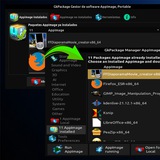
Forwarded from Gioank
GkPackage4.mp4 - Google Drive
https://drive.google.com/file/d/1yC0G70FVXGDW_OIgmEeWui1tAeFqVRUI/view
https://drive.google.com/file/d/1yC0G70FVXGDW_OIgmEeWui1tAeFqVRUI/view
Google Docs
GkPackage4.mp4
Forwarded from Gioank
gk4fromwebHD.mp4 - Google Drive
https://drive.google.com/file/d/1h1fNRUSYc7AuzTw7Uk4axtJDUvFaCML-/view
https://drive.google.com/file/d/1h1fNRUSYc7AuzTw7Uk4axtJDUvFaCML-/view
Google Drive
gk4fromwebHD.mp4
Forwarded from Jessé Moreira
kdenlive-21.08.2-x86_64.appimage
172.4 MB
Forwarded from Gioank
Media is too big
VIEW IN TELEGRAM
Forwarded from Gioank
Sweet_Home_3D_6.6a-x86_64.AppImage
66.1 MB
Forwarded from Gioank
FFmpeg-git-20210611-static-x86_64.AppImage
56.3 MB
Forwarded from Gioank
Google_Earth-x86_64.AppImage
78 MB
🚀 We're happy to announce the release of GkPackage 12.0! 🎉
Simplify the way in which you manage your AppImages!
Simplify the way in which you manage your AppImages!
Forwarded from GkPackage
This media is not supported in your browser
VIEW IN TELEGRAM
Important Note:
The AppImage repositories are 7z files named > name.GkRepo, and they are compatible with GitLab, GitHub, Dropbox, Google Drive (experimental, not recommended), or other websites, or directly from the AppImage developer's website.
This alternative is primarily aimed at experts or Linux distribution developers interested in installing GkPackage by default, choosing which AppImage of GkPackage should be included for their Linux distribution.
Moreover, those who wish to contribute to the distribution of the software in AppImage format through the GkPackage repositories will find everything much simpler.
Even users who want to create custom repositories can do so without any problem.
The AppImage repositories are 7z files named > name.GkRepo, and they are compatible with GitLab, GitHub, Dropbox, Google Drive (experimental, not recommended), or other websites, or directly from the AppImage developer's website.
This alternative is primarily aimed at experts or Linux distribution developers interested in installing GkPackage by default, choosing which AppImage of GkPackage should be included for their Linux distribution.
Moreover, those who wish to contribute to the distribution of the software in AppImage format through the GkPackage repositories will find everything much simpler.
Even users who want to create custom repositories can do so without any problem.
This media is not supported in your browser
VIEW IN TELEGRAM
Video demo on creating a group repository
Important note about GkPackage 12 If you installed version 4.0, you can upgrade without reinstalling; all AppImages already installed with GkPackage 4.0 will remain intact. Large icons from the previous version will be automatically converted to the GkPackage 12.0 format. This new version of GkPackage allows you to uninstall it in two ways: The first option removes only GkPackage and keeps all AppImages and their Start menu icons. The second option removes GkPackage along with all AppImages and their Start menu icons. This uninstall option is available in the main GkPackage interface, under the Tools section.