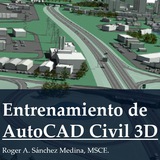
https://www.autodesk.com/support/technical/article/caas/sfdcarticles/sfdcarticles/Panning-and-zooming-is-jerky-and-laggy-when-an-aerial-photo-is-attached-in-Civil-3D.html
Solution:
Try one or more of the following:
Set IMAGEQUALITY to DRAFT.
If the drawing and image files are stored on a network, make local copies and test performance. Work with your IT department if the network is found to be the cause
Configure network security and Antivirus to allow for unrestricted access to Image files
Verify files are hosted on a support network, see Autodesk Support for Non-Microsoft Networks
Convert the imagery to a different accepted file format. For example, you could convert .jp2 image files to .jpg files using AutoCAD Raster Design.
Try using the IMAGEATTACH & MAPIINSERT commands and check if the performance is better than connecting to the imagery via the Task Pane
When the connection is made: zoom to the needed part of the imagery -> right-click on the imagery in Task Pane -> Resample Raster
Solution:
Try one or more of the following:
Set IMAGEQUALITY to DRAFT.
If the drawing and image files are stored on a network, make local copies and test performance. Work with your IT department if the network is found to be the cause
Configure network security and Antivirus to allow for unrestricted access to Image files
Verify files are hosted on a support network, see Autodesk Support for Non-Microsoft Networks
Convert the imagery to a different accepted file format. For example, you could convert .jp2 image files to .jpg files using AutoCAD Raster Design.
Try using the IMAGEATTACH & MAPIINSERT commands and check if the performance is better than connecting to the imagery via the Task Pane
When the connection is made: zoom to the needed part of the imagery -> right-click on the imagery in Task Pane -> Resample Raster
Autodesk
Panning and zooming is jerky and laggy when an aerial photo is attached in Civil 3D
Zooming and panning is slow and jerky when an aerial photo is loaded in Civil 3D. Try one or more of the following: Set IMAGEQUALITY to DRAFT. If the drawing and image files are stored on a network, make local copies and test performance
❤4
Base GNSS RTK STEC transmitiendo por NTRIP usando internet de router Wifi o Starlink
https://www.instagram.com/reel/DTyhMLBj4GV/?igsh=dmRtem16cTRlaWpw
https://www.instagram.com/reel/DTyhMLBj4GV/?igsh=dmRtem16cTRlaWpw
❤3
AutoCAD Civil 3D - Tutoriales y Mas
https://www.instagram.com/reel/DT0ShiRD7mu/?utm_source=ig_web_copy_link&igsh=NTc4MTIwNjQ2YQ==
Paso a paso
Configuración de base modo Dual GNSS STEC SV1 - para transmisión por NTRIP con SIM y por Radio
https://youtu.be/9ly5h8FORRQ?si=mO6UQru1VZs0tOzg
Configuración de base modo Dual GNSS STEC SV1 - para transmisión por NTRIP con SIM y por Radio
https://youtu.be/9ly5h8FORRQ?si=mO6UQru1VZs0tOzg
YouTube
Configuración de base modo Dual GNSS STEC SV1 - para transmisión por NTRIP con SIM y por Radio
Configuración de base modo Dual equipo STEC SV1 para transmisión de correcciones por NTRIP usando Internet de SIM y por Radio a la vez
datos de servidor NTRIP:
STEC Caster - NTRIP SERVER
IP
8.219.49.129
PUERTO
6060
USUARIO
anton
CLAVE
anton
datos de servidor NTRIP:
STEC Caster - NTRIP SERVER
IP
8.219.49.129
PUERTO
6060
USUARIO
anton
CLAVE
anton
❤2
Forwarded from Fotogrametria LIDAR Drones - RG
❤1
https://www.autodesk.com/support/technical/article/caas/sfdcarticles/sfdcarticles/Right-click-and-quick-click-Enter-do-not-work-properly.html
como restaurar Menu de click derecho en Civil 3D
Solution:
To resolve this issue, attempt the following:
Set PICKFIRST system variable to 1:
Type in PICKFIRST on the command line, and select 'Enter'.
Type in 1 when prompted, and select 'Enter'.
Set SHORTCUTMENU system variable to 11 (default):
Type in SHORTCUTMENU on the command line, and select 'Enter'.
Type in 11 when prompted, and select 'Enter'.
Verify that Windows Standard Behavior is being utilized within AutoCAD:
Type in OPTIONS on the command line, and select 'Enter'.
Select the 'User Preferences' tab.
Verify that the options under 'Windows Standard Behavior' are selected.
como restaurar Menu de click derecho en Civil 3D
Solution:
To resolve this issue, attempt the following:
Set PICKFIRST system variable to 1:
Type in PICKFIRST on the command line, and select 'Enter'.
Type in 1 when prompted, and select 'Enter'.
Set SHORTCUTMENU system variable to 11 (default):
Type in SHORTCUTMENU on the command line, and select 'Enter'.
Type in 11 when prompted, and select 'Enter'.
Verify that Windows Standard Behavior is being utilized within AutoCAD:
Type in OPTIONS on the command line, and select 'Enter'.
Select the 'User Preferences' tab.
Verify that the options under 'Windows Standard Behavior' are selected.
Autodesk
Right-click shortcut and quick-click do not work properly in AutoCAD
AutoCAD preferences are set up in the Right-Click Customization dialog box so that a quick right-click should be Enter and a longer click should open the shortcut menu, but the function isn't working correctly and the Help Window opens. Several things may…
❤6
Forwarded from Fotogrametria LIDAR Drones - RG
🟢 *¡MAÑANA EMPEZAMOS!*
Mañana lunes iniciamos el *Curso de GNSS RTK a las 10:00 p.m.* (hora de Brasil).
🔥 En *la Clase 1*, descubrirás cuáles son los *servicios más rentables en 2026* para quienes *dominan el GNSS RTK*, _incluso empezando desde cero_.
1️⃣ *Activa la notificación de la Clase 1 en YouTube*
👉 https://www.youtube.com/watch?v=QxrAAMJWB3M
2️⃣ _Instala el Simulador de RTK en tu celular_
👉 https://youtu.be/3JxB3oJm8uM
Asegúrate de que YouTube te avise en el segundo exacto en que arranquemos.
*Gabriel Santos* 🛰️
Mañana lunes iniciamos el *Curso de GNSS RTK a las 10:00 p.m.* (hora de Brasil).
🔥 En *la Clase 1*, descubrirás cuáles son los *servicios más rentables en 2026* para quienes *dominan el GNSS RTK*, _incluso empezando desde cero_.
1️⃣ *Activa la notificación de la Clase 1 en YouTube*
👉 https://www.youtube.com/watch?v=QxrAAMJWB3M
2️⃣ _Instala el Simulador de RTK en tu celular_
👉 https://youtu.be/3JxB3oJm8uM
Asegúrate de que YouTube te avise en el segundo exacto en que arranquemos.
*Gabriel Santos* 🛰️
❤2
🚨 *[EXCLUSIVO] ¿Por qué deberías estar en vivo hoy?*
_Faltan solo 2 horas_ y media para la *Clase 1, a las 10:00 p.m. (hora de Brasil)*.
*Esto es lo que te estás asegurando al participar esta noche:*
1️⃣ Las formas de rentabilizar tus servicios con GNSS RTK
2️⃣ El derecho a liberar el Material de Apoyo
3️⃣ Paso necesario para recibir tu Certificado
*Toca el enlace y activa la NOTIFICACIÓN para entrar en el primer segundo:*
👉 https://www.youtube.com/watch?v=QxrAAMJWB3M
No dejes para después la evolución técnica que tu carrera necesita hoy.
*Gabriel Santos* 🛰️
_Faltan solo 2 horas_ y media para la *Clase 1, a las 10:00 p.m. (hora de Brasil)*.
*Esto es lo que te estás asegurando al participar esta noche:*
1️⃣ Las formas de rentabilizar tus servicios con GNSS RTK
2️⃣ El derecho a liberar el Material de Apoyo
3️⃣ Paso necesario para recibir tu Certificado
*Toca el enlace y activa la NOTIFICACIÓN para entrar en el primer segundo:*
👉 https://www.youtube.com/watch?v=QxrAAMJWB3M
No dejes para después la evolución técnica que tu carrera necesita hoy.
*Gabriel Santos* 🛰️
❤4