
Forwarded from Techish
Google’s Android Messages will now let you text from your Computer
https://tech-ish.com/2018/06/19/googles-android-messages-will-now-let-you-text-from-your-computer/
https://tech-ish.com/2018/06/19/googles-android-messages-will-now-let-you-text-from-your-computer/
Techish Kenya
Google's Android Messages will now let you text from your Computer
Android Messages now let's you text from Computer
Forwarded from RL channels
RL Comic Books
Join this channel to download digital comic books for free, and read them anywhere on your phone, tablet or PC.
▶️ CLICK HERE TO JOIN ◀️
Join this channel to download digital comic books for free, and read them anywhere on your phone, tablet or PC.
▶️ CLICK HERE TO JOIN ◀️
💰🇰🇪
Safaricom subscribers will now be charged a 12% fee on every transaction. Here are the new M-Pesa transaction charges effective tomorrow.
@techByte
Safaricom subscribers will now be charged a 12% fee on every transaction. Here are the new M-Pesa transaction charges effective tomorrow.
@techByte
Forwarded from RL channels
Get Ksh 300 ($3) bonus for free when you sign up, bet and win real money, withdraw from as low as $1.
Use this link to get the bonus:
https://goo.gl/5yUnLN
Use this link to get the bonus:
https://goo.gl/5yUnLN
affiliate.gamemania.cc
usiachwe nyuma kuja tuekeze.
I mabonus kibao kwa kila mtu.
Tech Byte™ via @bold
Forwarded from RL Movies
Have a Telegram channel📢, group💬 or bot🤖 you want to get more followers👥 to? Or maybe it's your brand new YouTube channel, Instagram or Twitter fanpage?
👍I got you covered, I'll advertise your products on my Telegram platforms for a very affordable price and make sure you reach that target you set. Gather loads of views, visits, likes, follows or subs depending on your advert.
Pricing:
$3 for a day
$6 for 3 days
$14 for a week
$35 for a month
💰I accept payments via PayPal, Bitcoin, Etherium or M-Pesa💵
Simply contact me on Telegram or on any of my social media handles for advertising and feedback.
- @romL3N #RLad
👍I got you covered, I'll advertise your products on my Telegram platforms for a very affordable price and make sure you reach that target you set. Gather loads of views, visits, likes, follows or subs depending on your advert.
Pricing:
$3 for a day
$6 for 3 days
$14 for a week
$35 for a month
💰I accept payments via PayPal, Bitcoin, Etherium or M-Pesa💵
Simply contact me on Telegram or on any of my social media handles for advertising and feedback.
- @romL3N #RLad
Tech Byte™ pinned «Have a Telegram channel📢, group💬 or bot🤖 you want to get more followers👥 to? Or maybe it's your brand new YouTube channel, Instagram or Twitter fanpage? 👍I got you covered, I'll advertise your products on my Telegram platforms for a very affordable price…»
Microsoft Office 2019 Preview
x64 v16.0.9
Features:
Office Word
Office Excel
Office PowerPoint
Office Access
Outlook
One Note
@techBYTE
x64 v16.0.9
Features:
Office Word
Office Excel
Office PowerPoint
Office Access
Outlook
One Note
@techBYTE
🔥 Run Kali Linux Natively On Your Windows 10 🔥
😁Great News For Hackers😁
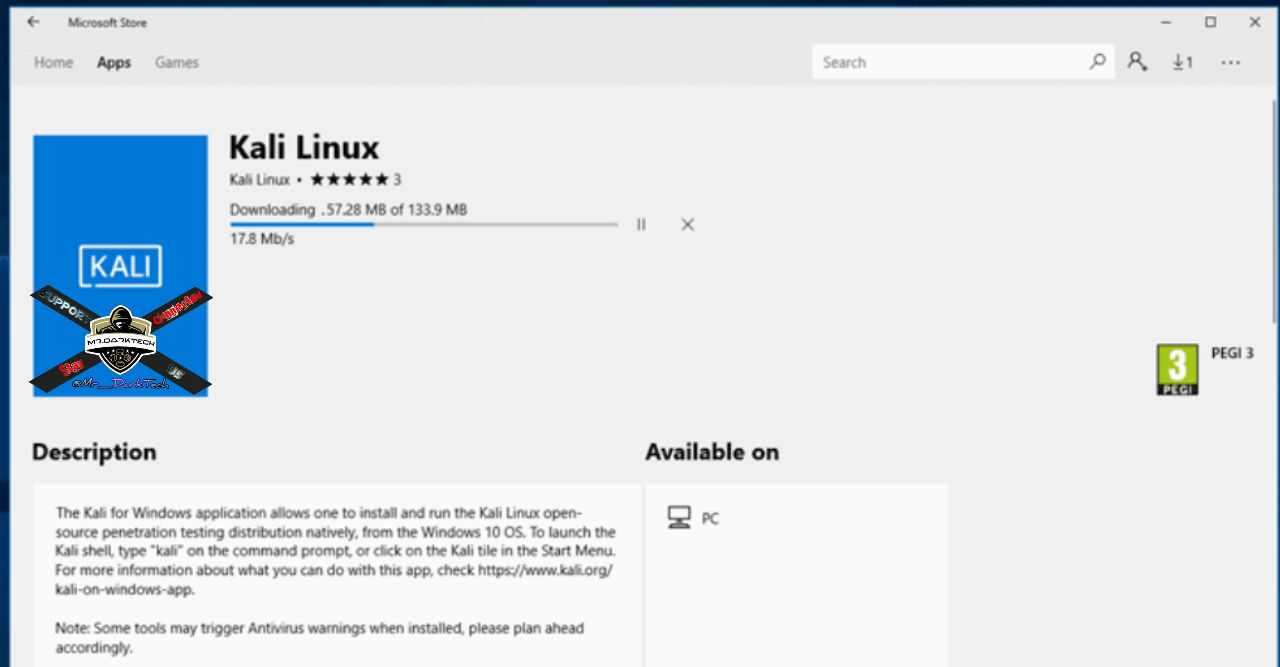
Now you can download and install Kali Linux directly from the Microsoft App Store on Windows 10 just like any other application.
I know it sounds crazy, but it’s true!
Kali Linux, a very popular, free, and open-source Linux-based operating system widely used for hacking and penetration testing, is now natively available on Windows 10, without requiring dual boot or virtualization.
Kali Linux is the latest Linux distribution to be made available on the Windows App Store for one-click installation, joining the list of other popular distribution such as Ubuntu, OpenSUSE and SUSE Enterprise Linux.In Windows 10, Microsoft has provided a feature called “Windows Subsystem for Linux” (WSL) that allows users to run Linux applications directly on Windows.
“For the past few weeks, we’ve been working with the Microsoft WSL team to get Kali Linux introduced into the Microsoft App Store as an official WSL distribution, and today we’re happy to announce the availability of the ‘Kali Linux’ Windows application,” Kali Linux said while announcing the news.
How to Download and Run Kali Linux on Windows 10
If this is your first time using Windows Subsystem for Linux (WSL), you need to enable this optional Windows feature before getting the Kali Linux app.
Follow these simple steps to enable WSL:
• Navigate to Control Panel and go to “Apps and features”
• Select “Programs and Features” from the right panel
•
Click the “Turn Windows features on or off” from the left menu.
•Select the “Windows Subsystem for Linux” and save it
•Reboot your system
• You can even do the same by opening PowerShell as Administrator and running the following command and restart your computer.
Enable-WindowsOptionalFeature -Online -FeatureName Microsoft-Windows-Subsystem-Linux
Now search for Kali Linux on Windows Store download it with just a single click. Once you launch the application, it automatically completes Kali installation and will open the console window.
😁Great News For Hackers😁
Now you can download and install Kali Linux directly from the Microsoft App Store on Windows 10 just like any other application.
I know it sounds crazy, but it’s true!
Kali Linux, a very popular, free, and open-source Linux-based operating system widely used for hacking and penetration testing, is now natively available on Windows 10, without requiring dual boot or virtualization.
Kali Linux is the latest Linux distribution to be made available on the Windows App Store for one-click installation, joining the list of other popular distribution such as Ubuntu, OpenSUSE and SUSE Enterprise Linux.In Windows 10, Microsoft has provided a feature called “Windows Subsystem for Linux” (WSL) that allows users to run Linux applications directly on Windows.
“For the past few weeks, we’ve been working with the Microsoft WSL team to get Kali Linux introduced into the Microsoft App Store as an official WSL distribution, and today we’re happy to announce the availability of the ‘Kali Linux’ Windows application,” Kali Linux said while announcing the news.
How to Download and Run Kali Linux on Windows 10
If this is your first time using Windows Subsystem for Linux (WSL), you need to enable this optional Windows feature before getting the Kali Linux app.
Follow these simple steps to enable WSL:
• Navigate to Control Panel and go to “Apps and features”
• Select “Programs and Features” from the right panel
•
Click the “Turn Windows features on or off” from the left menu.
•Select the “Windows Subsystem for Linux” and save it
•Reboot your system
• You can even do the same by opening PowerShell as Administrator and running the following command and restart your computer.
Enable-WindowsOptionalFeature -Online -FeatureName Microsoft-Windows-Subsystem-Linux
Now search for Kali Linux on Windows Store download it with just a single click. Once you launch the application, it automatically completes Kali installation and will open the console window.
For Airtel Kenya subscribers
Visit this link using an Airtel SIM card and watch the 30-sec ad to get 6MB free: 172.16.11.71
(Tip: Before playing the ad, open this link on 2 or 3 different ads and play the ad on all of them to get free 18MB of data)
Wakenya ni kisaidiana
Visit this link using an Airtel SIM card and watch the 30-sec ad to get 6MB free: 172.16.11.71
(Tip: Before playing the ad, open this link on 2 or 3 different ads and play the ad on all of them to get free 18MB of data)
Wakenya ni kisaidiana
Forwarded from RL advertisements
PremiAD
PremiAD is an advertising program through which Telegram channel owners can earn real money by posting advertisements on their channels.
https://t.me/joinchat/AAAAAEsQS7mbCH_NN6iiVw
PremiAD is an advertising program through which Telegram channel owners can earn real money by posting advertisements on their channels.
https://t.me/joinchat/AAAAAEsQS7mbCH_NN6iiVw
Forwarded from RL channels
Facebook Research Program
Get paid for installing an app
Research conducted by the testing platform utest pays you for installing and keeping an app on your phone. The app monitors and collects usage data, all you need to do is register, install it and you're done.
• You will be paid $10 for the first 30days you keep the app installed and $5 after your first month
• You will also be paid $10 per month for each referral that signs up for the project after 30 days of you joining the program, for every month they participate
• Earn a $20 bonus per month for every five referrals that were also active in the program (e.g., if you have 10 referrals that were active in a given month, you will earn a $40 bonus that month; if you have 15, you will earn $60, etc.)
• Payments are made on the 15th of every month to your PayPal account.
The research started in April 2018 and is a limited time program, also, you register by getting referred by someone.
To get referred by me, send your e-mail address, country you live in and name to @romL3N. You will receive an e-mail giving you instructions on how to register.
Send the details to @romL3N
Get paid for installing an app
Research conducted by the testing platform utest pays you for installing and keeping an app on your phone. The app monitors and collects usage data, all you need to do is register, install it and you're done.
• You will be paid $10 for the first 30days you keep the app installed and $5 after your first month
• You will also be paid $10 per month for each referral that signs up for the project after 30 days of you joining the program, for every month they participate
• Earn a $20 bonus per month for every five referrals that were also active in the program (e.g., if you have 10 referrals that were active in a given month, you will earn a $40 bonus that month; if you have 15, you will earn $60, etc.)
• Payments are made on the 15th of every month to your PayPal account.
The research started in April 2018 and is a limited time program, also, you register by getting referred by someone.
To get referred by me, send your e-mail address, country you live in and name to @romL3N. You will receive an e-mail giving you instructions on how to register.
Send the details to @romL3N