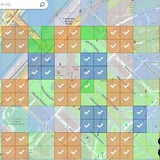
Zoltan did 11 scans today in Budapest, Hungary. He recorded screen video of the process (it helps developers to tune up the scanning) and posted it as Instagram stories with #SpheroidEarth hashtag
https://t.me/pokossu/6288
For theese 10 scans he will receive a reward of 370 SGB.
1 SGB = 1 USD for buying Orange Spaces
You too can take part in the scanning with an iPhone. Android version is coming in February
https://t.me/supo21/151
https://t.me/pokossu/6288
For theese 10 scans he will receive a reward of 370 SGB.
1 SGB = 1 USD for buying Orange Spaces
You too can take part in the scanning with an iPhone. Android version is coming in February
https://t.me/supo21/151
Telegram
Zoltan Laszlo in Spheroid Universe Projects Office chat
This is my 8. submission:
Budapest - Hungary - St. Stephen's Basilica
Budapest - Hungary - St. Stephen's Basilica
Erwin was scanning today in Utrecht for Spheroid.Earth
He has reported his scan in Instagram.
https://t.me/pokossu/6271
He has reported his scan in Instagram.
https://t.me/pokossu/6271
Telegram
Kostya. Will not write you first in Spheroid Universe Projects Office chat
Thank you @Erriej for submitting your scan!
SU Community Project Office pinned «Jan 14, 2022 - Spheroid Universe Projects Office news See updated conditions here https://t.me/supo21/173 🚀Spheroid Universe Projects Office is announcing the beginning of "Spheroid.Earth Promotion" project. 📯The big goal is: promoting Spheroid.Earth as…»
🔆I passed to the Spheroid.Earth devs a question you asked:
❓Can we do several small scans of one object from different points A, B and C?
Or should we take one longer scan going from A to B to C?
✅Their answer is - we should do one longer scan, and we should do one Scanning Session starting at A and finishing at C.
This is about scanning for Spheroid.Earth project using XR Hub app and iPhone. (We expect Android version to be available in February.)
At this time Spheroid Universe Projects Office rewards you for scanning and posting in social media about it. Also for involving your friends into scanning. See details here https://t.me/supo21/151
🗽Today the developers ask us to do scans of objects like monuments and the best buildings in your cities. Do one scan from all sides, move your phone slowly.
🎥If you do screen recording, activate it before beginning the scan https://t.me/pokossu/6380
❓Can we do several small scans of one object from different points A, B and C?
Or should we take one longer scan going from A to B to C?
✅Their answer is - we should do one longer scan, and we should do one Scanning Session starting at A and finishing at C.
This is about scanning for Spheroid.Earth project using XR Hub app and iPhone. (We expect Android version to be available in February.)
At this time Spheroid Universe Projects Office rewards you for scanning and posting in social media about it. Also for involving your friends into scanning. See details here https://t.me/supo21/151
🗽Today the developers ask us to do scans of objects like monuments and the best buildings in your cities. Do one scan from all sides, move your phone slowly.
🎥If you do screen recording, activate it before beginning the scan https://t.me/pokossu/6380
Telegram
Spheroid Universe Projects Office Announcements
🚀Spheroid Universe Projects Office is announcing the beginning of "Spheroid.Earth Promotion" project.
📯The big goal is: promoting Spheroid.Earth as a project of Earth digitalization by introducing as many people as possible to the scanning process. By involving…
📯The big goal is: promoting Spheroid.Earth as a project of Earth digitalization by introducing as many people as possible to the scanning process. By involving…
Forwarded from Kostya (I never DM you first, never ask for funds or DM)
Hi everybody, Spheroid Universe CEO likes what we do here in Projects Office group about Spheroid.Earth. He suggested that we move Spheroid.Earth activity to main SU group https://t.me/spheroiduniverseio
So let's try to move our
Talk about Spheroid.Earth,
Reports about scanning,
Reports about social media posts,
Screen videos,
Screenshots -
to the main SU group.
Thank you!
So let's try to move our
Talk about Spheroid.Earth,
Reports about scanning,
Reports about social media posts,
Screen videos,
Screenshots -
to the main SU group.
Thank you!
Telegram
Spheroid Universe IO
Official Spheroid Universe International Group: https://t.me/spheroiduniverseio
Website: https://www.spheroiduniverse.io
Spheroid Universe iOS App:
https://apple.co/3G16Z4G
Spheroid Universe Android App:
http://bit.ly/Spheroid_Android
Website: https://www.spheroiduniverse.io
Spheroid Universe iOS App:
https://apple.co/3G16Z4G
Spheroid Universe Android App:
http://bit.ly/Spheroid_Android
Forwarded from Kostya (I never DM you first, never ask for funds or DM)
you can post video to Projects Office group and then write a post to IO group and include a link to your message with the video.
Erwin scanned inside the shopping mall https://t.me/pokossu/6420
Erwin scanned inside the shopping mall https://t.me/pokossu/6420
Telegram
Erwin in Spheroid Universe Projects Office chat
Forwarded from Reski
Spheroid.Earth reconstruction
Kossuth Monument
Hungary, Budapest
47.508261, 19.047227
https://goo.gl/maps/QvsLT5MhFfnGRcVRA
Kossuth Monument
Hungary, Budapest
47.508261, 19.047227
https://goo.gl/maps/QvsLT5MhFfnGRcVRA
Forwarded from Reski
The best way is to walk around the object. There should be many similar pictures taken from different angles.
Forwarded from Erwin
See here an example of inside scanning of a shopping mall, great job devs! https://t.me/pokossu/6420
Telegram
Erwin in Spheroid Universe Projects Office chat
🏰Scanning for Spheroid.Earth
We passed your questions to the devs.
❓You asked:
1. Can I move iPhone up and down when I'm scanning an object?
2. Can I turn my iPhone up and down to capture first the roof of the building and then the ground level?
✅Devs reply:
Yes, you should do all of this.
🙋🏻♂️How I understand it:
Sounds like iPhone has the ability to track all this - the height, the rotation.
More about scanning for Spheroid.Earth https://t.me/supo21/151
We passed your questions to the devs.
❓You asked:
1. Can I move iPhone up and down when I'm scanning an object?
2. Can I turn my iPhone up and down to capture first the roof of the building and then the ground level?
✅Devs reply:
Yes, you should do all of this.
🙋🏻♂️How I understand it:
Sounds like iPhone has the ability to track all this - the height, the rotation.
More about scanning for Spheroid.Earth https://t.me/supo21/151
Telegram
Spheroid Universe Projects Office Announcements
🚀Spheroid Universe Projects Office is announcing the beginning of "Spheroid.Earth Promotion" project.
📯The big goal is: promoting Spheroid.Earth as a project of Earth digitalization by introducing as many people as possible to the scanning process. By involving…
📯The big goal is: promoting Spheroid.Earth as a project of Earth digitalization by introducing as many people as possible to the scanning process. By involving…
SU Community Project Office
Jan 14, 2022 - Spheroid Universe Projects Office news See updated conditions here https://t.me/supo21/173 🚀Spheroid Universe Projects Office is announcing the beginning of "Spheroid.Earth Promotion" project. 📯The big goal is: promoting Spheroid.Earth as…
📱Scanning for Spheroid.Earth
✅Please don't interrupt your Scanning Session to preserve the data you've collected https://t.me/pokossu/6380
🎁More details on getting rewards for scanning for Spheroid.Earth https://t.me/supo21/151
✅Please don't interrupt your Scanning Session to preserve the data you've collected https://t.me/pokossu/6380
🎁More details on getting rewards for scanning for Spheroid.Earth https://t.me/supo21/151
Telegram
Kostya. Will not write you first in Spheroid Universe Projects Office chat
Here is a piece of feedback I received from the devs:
✅When recording screen video of your scan please do this:
1. Start XR Hub
2. Launch Spheroid.Earth (you'll see a blue button "Start reconstruction".
3. Initiate screen video recording.
4. Press "Start…
✅When recording screen video of your scan please do this:
1. Start XR Hub
2. Launch Spheroid.Earth (you'll see a blue button "Start reconstruction".
3. Initiate screen video recording.
4. Press "Start…
Some info on [Upload] "Later" button. You can use it to upload scanned data later when you are on faster internet connection.
Erwin Project, [25.01.2022 01:29]
Today I ran some tests. I did two minor scans without uploading (hit button 'later') and uploaded in wifi at home. I will now discuss with the developers if both arrived. If so, I will try next time with more data. I forgot to screencapture so made a printscreen instead. The second trial i did was to scan a dune passage in a line as i walked. I wonder what it would capture and if it captures the trail only or also some surroundings. For some locations this might be the only way to capture things, or perhaps you really want to have the passage mapped. I will update here when i know more
Kostya [25.01.2022 02:04]
you have "Later" button? I don't seem to have it
Erwin Project, [25.01.2022 02:05]
Yeah i had a later button, but so far the church (my first scan of the day) hasnt arrived yet... But it might be still processing
Erwin Project, [25.01.2022 13:29]
The church came through! So we can scan multiple spots and upload in bulk, now we can test how scalable that is (e.g. Is there a limit to the data?)
Erwin Project, [27.01.2022 03:14]
Also, today i did a scan and today i did not have the 'later' option.. So i clicked cross instead, seems all data is lost now and it was too hot to redo it 🙈 so never click cross. But i wonder what happened to the 'later' button
Kostya [27.01.2022 03:31]
good question, we should ask the devs
Kostya [27.01.2022 15:02]
I asked and got a reply that "Later" button has some kind of connection to "Pause" (during upload) button.
I experimented with "Pause" button and on the next test scan I got "Later" button.
More on scanning for Spheroid.Earth https://t.me/supo21/151
Erwin Project, [25.01.2022 01:29]
Today I ran some tests. I did two minor scans without uploading (hit button 'later') and uploaded in wifi at home. I will now discuss with the developers if both arrived. If so, I will try next time with more data. I forgot to screencapture so made a printscreen instead. The second trial i did was to scan a dune passage in a line as i walked. I wonder what it would capture and if it captures the trail only or also some surroundings. For some locations this might be the only way to capture things, or perhaps you really want to have the passage mapped. I will update here when i know more
Kostya [25.01.2022 02:04]
you have "Later" button? I don't seem to have it
Erwin Project, [25.01.2022 02:05]
Yeah i had a later button, but so far the church (my first scan of the day) hasnt arrived yet... But it might be still processing
Erwin Project, [25.01.2022 13:29]
The church came through! So we can scan multiple spots and upload in bulk, now we can test how scalable that is (e.g. Is there a limit to the data?)
Erwin Project, [27.01.2022 03:14]
Also, today i did a scan and today i did not have the 'later' option.. So i clicked cross instead, seems all data is lost now and it was too hot to redo it 🙈 so never click cross. But i wonder what happened to the 'later' button
Kostya [27.01.2022 03:31]
good question, we should ask the devs
Kostya [27.01.2022 15:02]
I asked and got a reply that "Later" button has some kind of connection to "Pause" (during upload) button.
I experimented with "Pause" button and on the next test scan I got "Later" button.
More on scanning for Spheroid.Earth https://t.me/supo21/151
Telegram
Spheroid Universe Projects Office Announcements
🚀Spheroid Universe Projects Office is announcing the beginning of "Spheroid.Earth Promotion" project.
📯The big goal is: promoting Spheroid.Earth as a project of Earth digitalization by introducing as many people as possible to the scanning process. By involving…
📯The big goal is: promoting Spheroid.Earth as a project of Earth digitalization by introducing as many people as possible to the scanning process. By involving…
Examples of the upload prompt with "Later" button and without it.
Erwin Project, [27.01.2022 15:25]
Aaah so i should hit upload first then pause and hit later?
Kostya [27.01.2022 15:38]
no, it's more complicated. Looks like something they can improve on.
As I understand, if you have never used "Pause" button then every time you'll see "Later" option.
If you used "Pause" button during an upload then after the next scan you will not see "Later" button.
I used "Pause" button again and it seems to reset this thing. And after my next scan I saw "Later" button.
I hope it makes sense to you.
Erwin Project, [27.01.2022 15:42]
Aah ok, yeah so it is a bug i suppose, would be good to always have the later button.
And maybe a 'are you sure you dont want to upload screen' when hitting the cross haha
Erwin Project, [27.01.2022 15:25]
Aaah so i should hit upload first then pause and hit later?
Kostya [27.01.2022 15:38]
no, it's more complicated. Looks like something they can improve on.
As I understand, if you have never used "Pause" button then every time you'll see "Later" option.
If you used "Pause" button during an upload then after the next scan you will not see "Later" button.
I used "Pause" button again and it seems to reset this thing. And after my next scan I saw "Later" button.
I hope it makes sense to you.
Erwin Project, [27.01.2022 15:42]
Aah ok, yeah so it is a bug i suppose, would be good to always have the later button.
And maybe a 'are you sure you dont want to upload screen' when hitting the cross haha