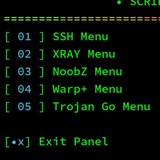
When using SSH, there are key security protocols you should know to keep your data safe:
1. **Public Key Authentication**: This is more secure than passwords. Generate key pairs and use the public key on the server to verify your identity, not a password.
2. **Encryption**: All data transferred is encrypted. Make sure your SSH client and server support strong encryption algorithms for better security.
3. **Firewall Configurations**: Limit SSH access using firewall rules. Only allow trusted IPs to connect to your SSH servers.
4. **Regular Updates**: Ensure your SSH server and client are up to date with the latest security patches. This helps protect against vulnerabilities.
5. **Disable Root Login**: For an extra layer of security, disable direct root login via SSH. Use regular user accounts instead and escalate privileges as needed.
These protocols aren't just guidelines; they are essential practices. Stay smart about your security. 🔑💻
#SSH #CyberSecurity #InternetPrivacy #TechTips
1. **Public Key Authentication**: This is more secure than passwords. Generate key pairs and use the public key on the server to verify your identity, not a password.
2. **Encryption**: All data transferred is encrypted. Make sure your SSH client and server support strong encryption algorithms for better security.
3. **Firewall Configurations**: Limit SSH access using firewall rules. Only allow trusted IPs to connect to your SSH servers.
4. **Regular Updates**: Ensure your SSH server and client are up to date with the latest security patches. This helps protect against vulnerabilities.
5. **Disable Root Login**: For an extra layer of security, disable direct root login via SSH. Use regular user accounts instead and escalate privileges as needed.
These protocols aren't just guidelines; they are essential practices. Stay smart about your security. 🔑💻
#SSH #CyberSecurity #InternetPrivacy #TechTips
When it comes to securing your internet access, let’s get real about SSH.
SSH, or Secure Shell, gives you a reliable way to encrypt your data. This means your online activities remain private, making it difficult for anyone to track what you're doing. It grants remote access to servers securely, which is useful if you need to manage files or applications from afar.
Furthermore, SSH helps you bypass those annoying firewalls and content restrictions. If you find yourself limited in terms of access to certain websites or services, this tool can be a game-changer.
Using SSH isn't just about protection; it's about having control over your online experience. If you want straightforward, effective privacy measures, consider integrating SSH into your online habits.
What’s your experience with SSH? Let’s discuss it! 🔒💻
#SSH #InternetSecurity #Privacy #DataProtection
📢 Made with Inside
SSH, or Secure Shell, gives you a reliable way to encrypt your data. This means your online activities remain private, making it difficult for anyone to track what you're doing. It grants remote access to servers securely, which is useful if you need to manage files or applications from afar.
Furthermore, SSH helps you bypass those annoying firewalls and content restrictions. If you find yourself limited in terms of access to certain websites or services, this tool can be a game-changer.
Using SSH isn't just about protection; it's about having control over your online experience. If you want straightforward, effective privacy measures, consider integrating SSH into your online habits.
What’s your experience with SSH? Let’s discuss it! 🔒💻
#SSH #InternetSecurity #Privacy #DataProtection
Please open Telegram to view this post
VIEW IN TELEGRAM
✅ CUENTA SSH CREADA
━━━━━━━━━━━━━━━━━━
👤 Usuario:
🔑 Pass:
📅 Exp: 2026-08-20
🔐 IPs: 1 | 📦 Datos: Ilimitado
━━━━━━━━━━━━━━━━━━
🔌 PUERTOS PRINCIPALES
• SSH WS:
• SSL WS:
• DROPBEAR:
• SLOWDNS:
━━━━━━━━━━━━━━━━━━
🌐 Dominio:
📱 FORMATOS DE CONEXIÓN
• HTTP Custom:
🐢 SLOW DNS PORT 5300:
• Key:
• Ns Subdominio:
━━━━━━━━━━━━━━━━━━
👤 Usuario:
Redlight
🔑 Pass:
Follow
📅 Exp: 2026-08-20
🔐 IPs: 1 | 📦 Datos: Ilimitado
━━━━━━━━━━━━━━━━━━
🔌 PUERTOS PRINCIPALES
• SSH WS:
80 8080
• SSL WS:
443
• DROPBEAR:
443 109
• SLOWDNS:
5300
━━━━━━━━━━━━━━━━━━
🌐 Dominio:
xdnx.scriptdarnix.icu
📱 FORMATOS DE CONEXIÓN
• HTTP Custom:
xdnx.scriptdarnix.icu:443@Redlight:Follow
xdnx.scriptdarnix.icu:80@Redlight:Follow
xdnx.scriptdarnix.icu:2082@Redlight:Follow
🐢 SLOW DNS PORT 5300:
• Key:
763b6283f16e61b78dbbcdf861aa8a5eeaaaf15538156c9d2eaf3d0dc33e212b
• Ns Subdominio:
dnx.scriptdarnix.icu
❤1
SSH is more than just a technical tool; it’s a reliable solution for securing your online activities. Using SSH helps you cloak your internet traffic, making it much harder for anyone to snoop on your data or track your online behavior. It encrypts your connections, ensuring that third parties can’t intercept or manipulate your information. You’ll enjoy enhanced privacy and security, especially when using public Wi-Fi. Don't underestimate the value of having a secure remote connection – it can make a huge difference in your browsing experience. Stay safe online! 🚀 #SSH #InternetSecurity #Privacy
📢 Made with Inside
Please open Telegram to view this post
VIEW IN TELEGRAM
You want to navigate the internet securely? Our upcoming tutorial series will lay out the basics of setting up different VPN and SSH protocols. No fluff, just clear, straightforward guidance on how to get your online privacy game on point. 🔒
From SSH to Warp+ and everything in between, we’ll take you through the process step-by-step. Here, you know what you’re getting: real insights and practical advice to enhance your security and access.
So, which protocol do you plan to set up first? Let us know in the comments!
#VPN #SSH #InternetPrivacy #TutorialSeries
📢 Made with Inside
From SSH to Warp+ and everything in between, we’ll take you through the process step-by-step. Here, you know what you’re getting: real insights and practical advice to enhance your security and access.
So, which protocol do you plan to set up first? Let us know in the comments!
#VPN #SSH #InternetPrivacy #TutorialSeries
Please open Telegram to view this post
VIEW IN TELEGRAM
✅ CUENTA SSH CREADA
━━━━━━━━━━━━━━━━━━
👤 Usuario:
🔑 Pass:
📅 Exp: 2026-08-21
🔐 IPs: 1 | 📦 Datos: Ilimitado
━━━━━━━━━━━━━━━━━━
🔌 PUERTOS PRINCIPALES
• SSH WS:
• SSL WS:
• DROPBEAR:
• SLOWDNS:
━━━━━━━━━━━━━━━━━━
🌐 Dominio:
📱 FORMATOS DE CONEXIÓN
• HTTP Custom:
🐢 SLOW DNS PORT 5300:
• Key:
• Ns Subdominio:
━━━━━━━━━━━━━━━━━━
👤 Usuario:
Block
🔑 Pass:
Jazz
📅 Exp: 2026-08-21
🔐 IPs: 1 | 📦 Datos: Ilimitado
━━━━━━━━━━━━━━━━━━
🔌 PUERTOS PRINCIPALES
• SSH WS:
80 8080
• SSL WS:
443
• DROPBEAR:
443 109
• SLOWDNS:
5300
━━━━━━━━━━━━━━━━━━
🌐 Dominio:
xdnx.scriptdarnix.icu
📱 FORMATOS DE CONEXIÓN
• HTTP Custom:
xdnx.scriptdarnix.icu:443@Block:Jazz
xdnx.scriptdarnix.icu:80@Block:Jazz
xdnx.scriptdarnix.icu:2082@Block:Jazz
🐢 SLOW DNS PORT 5300:
• Key:
763b6283f16e61b78dbbcdf861aa8a5eeaaaf15538156c9d2eaf3d0dc33e212b
• Ns Subdominio:
dnx.scriptdarnix.icu
✅ CUENTA SSH CREADA
━━━━━━━━━━━━━━━━━━
👤 Usuario:
🔑 Pass:
📅 Exp: 2026-08-21
🔐 IPs: 1 | 📦 Datos: Ilimitado
━━━━━━━━━━━━━━━━━━
🔌 PUERTOS PRINCIPALES
• SSH WS:
• SSL WS:
• DROPBEAR:
• SLOWDNS:
━━━━━━━━━━━━━━━━━━
🌐 Dominio:
📱 FORMATOS DE CONEXIÓN
• HTTP Custom:
🐢 SLOW DNS PORT 5300:
• Key:
• Ns Subdominio:
━━━━━━━━━━━━━━━━━━
👤 Usuario:
Green
🔑 Pass:
Light
📅 Exp: 2026-08-21
🔐 IPs: 1 | 📦 Datos: Ilimitado
━━━━━━━━━━━━━━━━━━
🔌 PUERTOS PRINCIPALES
• SSH WS:
80 8080
• SSL WS:
443
• DROPBEAR:
443 109
• SLOWDNS:
5300
━━━━━━━━━━━━━━━━━━
🌐 Dominio:
xdnx.scriptdarnix.icu
📱 FORMATOS DE CONEXIÓN
• HTTP Custom:
xdnx.scriptdarnix.icu:443@Green:Light
xdnx.scriptdarnix.icu:80@Green:Light
xdnx.scriptdarnix.icu:2082@Green:Light
🐢 SLOW DNS PORT 5300:
• Key:
763b6283f16e61b78dbbcdf861aa8a5eeaaaf15538156c9d2eaf3d0dc33e212b
• Ns Subdominio:
dnx.scriptdarnix.icu
❤1
🚀 Want to set up your VPN or SSH? Here’s the no-nonsense guide you need. We'll walk you through different VPNs and SSH protocols, step by step.
💡 Understanding how to set up these tools can greatly enhance your internet privacy and help you access restricted content. We’ll cover SSH, XRAY, Warp+, and Trojan Go. Get ready to roll up your sleeves and start configuring for secure and private browsing. Stay tuned for our tutorials!
👉 Have questions about a specific protocol? Drop them in the comments! #VPN #SSH #Privacy #InternetSecurity
📢 Made with Inside
💡 Understanding how to set up these tools can greatly enhance your internet privacy and help you access restricted content. We’ll cover SSH, XRAY, Warp+, and Trojan Go. Get ready to roll up your sleeves and start configuring for secure and private browsing. Stay tuned for our tutorials!
👉 Have questions about a specific protocol? Drop them in the comments! #VPN #SSH #Privacy #InternetSecurity
Please open Telegram to view this post
VIEW IN TELEGRAM
When using SSH, it's crucial to understand these security protocols to keep your connection safe:
1. Encryption: SSH encrypts your data, which helps protect it from being intercepted by others.
2. Key Management: Use secure keys rather than passwords for better security. Ensure your private key is kept confidential and your public key is shared only with trusted servers.
3. Access Control: Restrict SSH access to specific IP addresses whenever possible. This minimizes unauthorized access to your servers.
4. Two-Factor Authentication (2FA): Implementing 2FA adds an additional layer of security, helping to prevent unauthorized logins even if your credentials are compromised.
5. Regular Updates: Keep your SSH software and server up to date to protect against vulnerabilities.
Keep these protocols in mind to enhance your security while using SSH. Remember, a secure connection starts with informed choices. 🔒
📢 Made with Inside
1. Encryption: SSH encrypts your data, which helps protect it from being intercepted by others.
2. Key Management: Use secure keys rather than passwords for better security. Ensure your private key is kept confidential and your public key is shared only with trusted servers.
3. Access Control: Restrict SSH access to specific IP addresses whenever possible. This minimizes unauthorized access to your servers.
4. Two-Factor Authentication (2FA): Implementing 2FA adds an additional layer of security, helping to prevent unauthorized logins even if your credentials are compromised.
5. Regular Updates: Keep your SSH software and server up to date to protect against vulnerabilities.
Keep these protocols in mind to enhance your security while using SSH. Remember, a secure connection starts with informed choices. 🔒
Please open Telegram to view this post
VIEW IN TELEGRAM
❤1
vmess://eyJhZGQiOiJwcml2YW5veGJvdHNzaC5rZXZpbnRlY2h0dXRvcmlhbHMuZnVuIiwiYWlkIjoiMCIsImFscG4iOiIiLCJob3N0IjoicHJpdmFub3hib3Rzc2gua2V2aW50ZWNodHV0b3JpYWxzLmZ1biIsImlkIjoiYTNmMzBhZjctNDNjNC00MWYwLWI4MTktZGZkYTAxMWMzNmE1IiwibmV0Ijoid3MiLCJwYXRoIjoiL3ZtZXNzIiwicG9ydCI6IjQ0MyIsInBzIjoiQmhhdHRpMDA3Iiwic2N5IjoiYXV0byIsInNuaSI6InByaXZhbm94Ym90c3NoLmtldmludGVjaHR1dG9yaWFscy5mdW4iLCJ0bHMiOiJ0bHMiLCJ0eXBlIjoibm9uZSIsInYiOiIyIn0=
✅ CUENTA SSH CREADA
━━━━━━━━━━━━━━━━━━
👤 Usuario:
🔑 Pass:
📅 Exp: 2026-08-23
🔐 IPs: 1 | 📦 Datos: Ilimitado
━━━━━━━━━━━━━━━━━━
🔌 PUERTOS PRINCIPALES
• SSH WS:
• SSL WS:
• DROPBEAR:
• SLOWDNS:
━━━━━━━━━━━━━━━━━━
🌐 Dominio:
📱 FORMATOS DE CONEXIÓN
• HTTP Custom:
🐢 SLOW DNS PORT 5300:
• Key:
• Ns Subdominio:
━━━━━━━━━━━━━━━━━━
👤 Usuario:
FastAccount
🔑 Pass:
Premium
📅 Exp: 2026-08-23
🔐 IPs: 1 | 📦 Datos: Ilimitado
━━━━━━━━━━━━━━━━━━
🔌 PUERTOS PRINCIPALES
• SSH WS:
80 8080
• SSL WS:
443
• DROPBEAR:
443 109
• SLOWDNS:
5300
━━━━━━━━━━━━━━━━━━
🌐 Dominio:
xdnx.scriptdarnix.icu
📱 FORMATOS DE CONEXIÓN
• HTTP Custom:
xdnx.scriptdarnix.icu:443@FastAccount:Premium
xdnx.scriptdarnix.icu:80@FastAccount:Premium
xdnx.scriptdarnix.icu:2082@FastAccount:Premium
🐢 SLOW DNS PORT 5300:
• Key:
763b6283f16e61b78dbbcdf861aa8a5eeaaaf15538156c9d2eaf3d0dc33e212b
• Ns Subdominio:
dnx.scriptdarnix.icu
Let’s keep it real: configuring your proxy settings can make or break your internet experience. Here are some best practices to stay ahead:
1) Always double-check the proxy address and port numbers – a small typo can lead to connectivity issues.
2) If you’re using a VPN, ensure it's compatible with your proxy settings to avoid a mess.
3) Test your connection after configuration to confirm everything’s working smoothly.
4) Don’t overlook security – make sure your proxy supports encryption to keep your data safe.
These straightforward tips will save you headaches and ensure a smoother online experience. What issues have you faced with your proxy setup? Let’s hear it!
📢 Made with Inside
1) Always double-check the proxy address and port numbers – a small typo can lead to connectivity issues.
2) If you’re using a VPN, ensure it's compatible with your proxy settings to avoid a mess.
3) Test your connection after configuration to confirm everything’s working smoothly.
4) Don’t overlook security – make sure your proxy supports encryption to keep your data safe.
These straightforward tips will save you headaches and ensure a smoother online experience. What issues have you faced with your proxy setup? Let’s hear it!
Please open Telegram to view this post
VIEW IN TELEGRAM
You need to know about different types of proxies if you want to navigate the web effectively. Here’s what each type can do for you:
1. HTTP Proxies: They’re simple and work best for basic web browsing. Just remember, they don’t encrypt your traffic. Use them when privacy isn’t a concern.
2. SOCKS Proxies: More flexible, these can handle various traffic types like HTTP and FTP, making them a better choice for torrenting or gaming. Keep in mind they might be a bit slower.
3. Transparent Proxies: These don’t require any configuration on your end, often used in workplaces for monitoring. However, they provide zero privacy, so don’t rely on them for anonymity.
4. Anonymous Proxies: They hide your IP but may leak other info. Use them for a little extra anonymity while browsing.
5. Elite Proxies: The best for privacy. They’re hard to detect as proxies and keep your online activities private.
Understanding when to use each type can significantly improve your online experience
📢 Made with Inside
1. HTTP Proxies: They’re simple and work best for basic web browsing. Just remember, they don’t encrypt your traffic. Use them when privacy isn’t a concern.
2. SOCKS Proxies: More flexible, these can handle various traffic types like HTTP and FTP, making them a better choice for torrenting or gaming. Keep in mind they might be a bit slower.
3. Transparent Proxies: These don’t require any configuration on your end, often used in workplaces for monitoring. However, they provide zero privacy, so don’t rely on them for anonymity.
4. Anonymous Proxies: They hide your IP but may leak other info. Use them for a little extra anonymity while browsing.
5. Elite Proxies: The best for privacy. They’re hard to detect as proxies and keep your online activities private.
Understanding when to use each type can significantly improve your online experience
Please open Telegram to view this post
VIEW IN TELEGRAM
✅ TÚNEL ZIVPN CREADO
━━━━━━━━━━━━━━━━━━
🔑 Contraseña:
📅 Expira: 2026-08-23
🌐 Servidor:
🔌 Puertos UDP:
━━━━━━━━━━━━━━━━━━
🔑 Contraseña:
Premium
📅 Expira: 2026-08-23
🌐 Servidor:
xdnx.scriptdarnix.icu:5667
🔌 Puertos UDP:
6000-19999
✅ CUENTA VLESS CREADA
━━━━━━━━━━━━━━━━━━
👤 Alias:
🔑 UUID:
📅 Exp: 2026-08-23 | 📦 Ilimitado | 🔐 1 IPs
━━━━━━━━━━━━━━━━━━
🖥️ Dominio:
🛡️ Net: WS / GRPC / XHTTP
🛣️ Path WS:
🛣️ Path gRPC:
🛣️ Path XHTTP:
━━━━━━━━━━━━━━━━━━
🔗 Link TLS (443):
🔗 Link NON-TLS (80):
🔗 Link gRPC:
🔗 Link XHTTP:
━━━━━━━━━━━━━━━━━━
📂 OpenClash:
━━━━━━━━━━━━━━━━━━
👤 Alias:
Bhatti
🔑 UUID:
670d72c7-8ec8-4689-bbb3-c6a89feef147
📅 Exp: 2026-08-23 | 📦 Ilimitado | 🔐 1 IPs
━━━━━━━━━━━━━━━━━━
🖥️ Dominio:
xdnx.scriptdarnix.icu
🛡️ Net: WS / GRPC / XHTTP
🛣️ Path WS:
/vless
🛣️ Path gRPC:
vless-grpc
🛣️ Path XHTTP:
/vless-xhttp
━━━━━━━━━━━━━━━━━━
🔗 Link TLS (443):
vless://670d72c7-8ec8-4689-bbb3-c6a89feef147@xdnx.scriptdarnix.icu:443?path=%2Fvless&security=tls&encryption=none&type=ws#Bhatti
🔗 Link NON-TLS (80):
vless://670d72c7-8ec8-4689-bbb3-c6a89feef147@xdnx.scriptdarnix.icu:80?path=%2Fvless&security=none&encryption=none&type=ws#Bhatti
🔗 Link gRPC:
vless://670d72c7-8ec8-4689-bbb3-c6a89feef147@xdnx.scriptdarnix.icu:443?mode=gun&security=tls&encryption=none&type=grpc&serviceName=vless-grpc#Bhatti
🔗 Link XHTTP:
vless://670d72c7-8ec8-4689-bbb3-c6a89feef147@xdnx.scriptdarnix.icu:443?path=%2Fvless-xhttp&security=tls&encryption=none&type=xhttp#Bhatti
━━━━━━━━━━━━━━━━━━
📂 OpenClash:
http://xdnx.scriptdarnix.icu:81/vless-Bhatti.txt
I found a great way to monetize my Telegram channel. Sharing it with you! Join Inside Ad and start earning. 💰
https://t.me/InsideAds_bot/open?startapp=r_5606778716
https://t.me/InsideAds_bot/open?startapp=r_5606778716
✅ SSH User Created
━━━━━━━━━━━━━━
👤 User:
🔑 Pass:
⏳ Days: 7
💻 Limit: 10
━━━━━━━━━━━━━━
🌐 Main IP:
🔌 ACTIVE SSH PORTS
• Direct:
• Dropbear:
• SSL Tunnel (HAProxy):
🌐 CDN / SNI CONNECTIONS
• Cloudflare:
🐢 SLOWDNS / NOIZ DNS
• NS:
• Key:
🚀 VAYDNS
• NS:
• Key:
🌊 SLIPSTREAM
• NS:
🌐 WS TLS HTTP
• WS:
• WSS:
• WS CDN:
━━━━━━━━━━━━━━
🚀 ADVANCED CLOUDFLARE PAYLOADS
1. Normal WS (Port 80)
2. WSS / TLS (Port 443 SNI)
3. HTTP Injector (SNI / Payload Mode)
🛠 HTTP CUSTOM (Copy & Paste)
• WS HTTP:
• WSS (TLS/SSL):
• Dropbear:
━━━━━━━━━━━━━━
━━━━━━━━━━━━━━
👤 User:
SSH
🔑 Pass:
Premium
⏳ Days: 7
💻 Limit: 10
━━━━━━━━━━━━━━
🌐 Main IP:
102.129.137.119
🔌 ACTIVE SSH PORTS
• Direct:
22
• Dropbear:
143,109
• SSL Tunnel (HAProxy):
443, 80, 8080
🌐 CDN / SNI CONNECTIONS
• Cloudflare:
privanoxbotssh.kevintechtutorials.fun
🐢 SLOWDNS / NOIZ DNS
• NS:
ns-privanoxbotssh.kevintechtutorials.fun
• Key:
4957259fb1cec25c97d5ebe60523def62a81a86a4af03beb073bd1e7c1933115
🚀 VAYDNS
• NS:
http://ns-privanoxbots.kevintechtutorials.fun
• Key:
cca9e2e71d9a30ee17f5e0bf02d0fe0333e17ed7a5c72ecd171df2b6ce8ff37f
🌊 SLIPSTREAM
• NS:
ns-privanoxbot.kevintechtutorials.fun
🌐 WS TLS HTTP
• WS:
ws://102.129.137.119:80
• WSS:
wss://102.129.137.119:443
• WS CDN:
ws://102.129.137.119:8080
━━━━━━━━━━━━━━
🚀 ADVANCED CLOUDFLARE PAYLOADS
1. Normal WS (Port 80)
GET / HTTP/1.1[crlf]Host: privanoxbotssh.kevintechtutorials.fun[crlf]Upgrade: websocket[crlf]Connection: Keep-Alive[crlf][crlf]
2. WSS / TLS (Port 443 SNI)
GET wss://privanoxbotssh.kevintechtutorials.fun/ HTTP/1.1[crlf]Host: privanoxbotssh.kevintechtutorials.fun[crlf]Upgrade: websocket[crlf]Connection: Keep-Alive[crlf][crlf]
3. HTTP Injector (SNI / Payload Mode)
[method] [host_port] HTTP/1.1[crlf]Host: privanoxbotssh.kevintechtutorials.fun[crlf]Upgrade: websocket[crlf]Connection: Keep-Alive[crlf][crlf]
🛠 HTTP CUSTOM (Copy & Paste)
• WS HTTP:
privanoxbotssh.kevintechtutorials.fun:80@SSH:Premium
• WSS (TLS/SSL):
privanoxbotssh.kevintechtutorials.fun:443@SSH:Premium
• Dropbear:
privanoxbotssh.kevintechtutorials.fun:143@SSH:Premium
━━━━━━━━━━━━━━
❤1