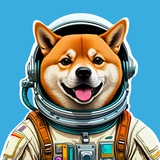
PIXCRAFT uses a text-to-image model, which is based on SDXL Turbo and Dreamshaper XL with a set of custom LORAs. This allows to obtain high-quality images in different domains - from anime and art to realistic photography.
At the moment, only one option in resolution (1024x1024) and prompting in English are supported. But we are working on improvements :)
On this channel we will inform about new functionality, talk about our plans for the future, and also share the most beautiful images and prompts. Stay tuned!
At the moment, only one option in resolution (1024x1024) and prompting in English are supported. But we are working on improvements :)
On this channel we will inform about new functionality, talk about our plans for the future, and also share the most beautiful images and prompts. Stay tuned!
👍19❤2🔥1
We have some exciting news! In the next couple of days, we will release an update for the bot.
🚀 Major improvements:
- the ability to quickly regenerate an image by pressing a button, using the last prompt. This will allow you to obtain results quickly without having to enter the command and prompt again every time
- adding an upscaler. After receiving the generation result, you can click on the button to increase its resolution
🗺 We also want to share a brief roadmap for the upcoming updates:
- increase in GPU resources, transitioning from one general model to two: one for the realistic domain, and another for art and anime
- generation by seed for more precise image editing
- ability to set the orientation and resolution of the output image
- ability to apply color filters to the result
- adding functionality for face swap (deepfake) in an image
Additionally, upon reaching a certain number of bot users and channel subscribers, we will introduce a tech support bot and open comments on the channel.
🖖 Thank you for being with us! :)
🚀 Major improvements:
- the ability to quickly regenerate an image by pressing a button, using the last prompt. This will allow you to obtain results quickly without having to enter the command and prompt again every time
- adding an upscaler. After receiving the generation result, you can click on the button to increase its resolution
🗺 We also want to share a brief roadmap for the upcoming updates:
- increase in GPU resources, transitioning from one general model to two: one for the realistic domain, and another for art and anime
- generation by seed for more precise image editing
- ability to set the orientation and resolution of the output image
- ability to apply color filters to the result
- adding functionality for face swap (deepfake) in an image
Additionally, upon reaching a certain number of bot users and channel subscribers, we will introduce a tech support bot and open comments on the channel.
🖖 Thank you for being with us! :)
❤12👍5👀1
Bot updated 🥳
- now, the image can be quickly regenerated without re-entering the prompt
- you can use an upscaler to increase the image resolution up to 2048x2048
- now, the image can be quickly regenerated without re-entering the prompt
- you can use an upscaler to increase the image resolution up to 2048x2048
❤12👍2🔥2🤔2
#guide #prompts
How to generate cool images using our bot
Creating a detailed prompt is important for obtaining the desired image. Below are the main points to consider when composing a request. It is not necessary to include all of them every time. Use this guide as a checklist to ensure that your prompt is detailed and specific enough to effectively guide the neural network.
🧸 Object and context: Clearly define what you want to see in the image. Describe an adequate amount of detail. Don't forget about context and background.
📚 Category: Specify the category to which the image is intended to belong. This could be
⛩ Style: Define the artistic style. Consider styles such as
🌒 Atmosphere: You can add keywords like
🌈 Color and lighting: Specify the overall color scheme or shades you want to see in the image. Emphasize the importance of lighting in creating a successful image. For example,
🌄 Inspiration: Use the names of artists (e.g.,
🧮 Weighting: In Pixcraft, you can use the symbols + or - to increase or decrease the importance of words in the prompt. For example, in the request a
In future updates, we will integrate ChatGPT so that you only need to briefly describe the main plot in a few words in any language. The rest will be inferred by the neural network. But if you need more control, this guide will help you.
P.S: Do not use keywords like
How to generate cool images using our bot
Creating a detailed prompt is important for obtaining the desired image. Below are the main points to consider when composing a request. It is not necessary to include all of them every time. Use this guide as a checklist to ensure that your prompt is detailed and specific enough to effectively guide the neural network.
🧸 Object and context: Clearly define what you want to see in the image. Describe an adequate amount of detail. Don't forget about context and background.
📚 Category: Specify the category to which the image is intended to belong. This could be
photography, painting, art, illustration and others.⛩ Style: Define the artistic style. Consider styles such as
hyperrealistic (suitable for photography), impressionism, pop-art, anime, and others.🌒 Atmosphere: You can add keywords like
sci-fi, cyberpunk, dark fantasy to give the work a certain atmosphere.🌈 Color and lighting: Specify the overall color scheme or shades you want to see in the image. Emphasize the importance of lighting in creating a successful image. For example,
warm sidelight, neon lighting, studio lighting, etc.🌄 Inspiration: Use the names of artists (e.g.,
van Gogh, Frida Kahlo, Hayao Miyazaki) or niche graphic platforms such as Artstation and Deviant Art (art), Instagram and Pixabay (photography), Pixiv (anime), etc. to inspire the desired style. This can help to guide the image into certain genres.🧮 Weighting: In Pixcraft, you can use the symbols + or - to increase or decrease the importance of words in the prompt. For example, in the request a
red--- cat playing with a yellow+++ ball, all else being equal, preference will be given to the yellow color of the ball and to a lesser extent to the color of the cat.In future updates, we will integrate ChatGPT so that you only need to briefly describe the main plot in a few words in any language. The rest will be inferred by the neural network. But if you need more control, this guide will help you.
P.S: Do not use keywords like
best quality, masterpiece, detailed. Such universal decorators are already built into pipeline.❤20👍15🔥6🌚1🦄1
Pixcraft - Free AI Image Generation pinned «#guide #prompts How to generate cool images using our bot Creating a detailed prompt is important for obtaining the desired image. Below are the main points to consider when composing a request. It is not necessary to include all of them every time. Use this…»
#prompts #cyberpunk #neon #art
Sometimes we will publish good examples here. So, you can easily adapt some of them to your needs. Today, Geralt of Rivia teleported into the cyberpunk universe🌅
Sometimes we will publish good examples here. So, you can easily adapt some of them to your needs. Today, Geralt of Rivia teleported into the cyberpunk universe
a lone witcher (Geralt of Rivia)+ in futuristic Tokyo at night, sitting on a bike+, cyberpunk, scifi, art, neon lights in vibrant hues, wet, trending on Artstation.Please open Telegram to view this post
VIEW IN TELEGRAM
Please open Telegram to view this post
VIEW IN TELEGRAM
👍16❤7🔥5
Yesterday an update was released 🌄
- enhanced generation quality and adherence to prompts, enabling more precise generation of complex descriptions
- now you can use less detailed and more shorter prompts, the model will infer the missing information itself 🦾
- added upscaler for faces 🧑
Give it a try if you haven't already 🪄
- enhanced generation quality and adherence to prompts, enabling more precise generation of complex descriptions
- now you can use less detailed and more shorter prompts, the model will infer the missing information itself 🦾
- added upscaler for faces 🧑
Give it a try if you haven't already 🪄
Please open Telegram to view this post
VIEW IN TELEGRAM
Please open Telegram to view this post
VIEW IN TELEGRAM
❤28👍18🔥14🦄3
🛠⚠️ Tomorrow from 8:00 to 8:30 (GMT) technical maintenance of the server is scheduled. The bot will be unavailable during this time.
❤23👍14🔥6🐳2
🔥 The former CEO of Stability AI confirmed on his Twitter the upcoming release of Stable Diffusion 3. He also mentioned that the Turbo version surpasses Midjourney 6 in terms of generation quality.
🤗 We plan to provide access to the new version of SD in our bot immediately after its release. Stay tuned!
🤗 We plan to provide access to the new version of SD in our bot immediately after its release. Stay tuned!
❤23🔥17👍13