
Lifehack of the day pinned «📷 How to check if Camera2 API is enabled at your phone All you need to do is download a simple app called ‘Manual Camera Compatibility’ from the Google Play Store and run it. 1. Install the Manual Camera Compatibility app from the Play Store. 2. Open the…»
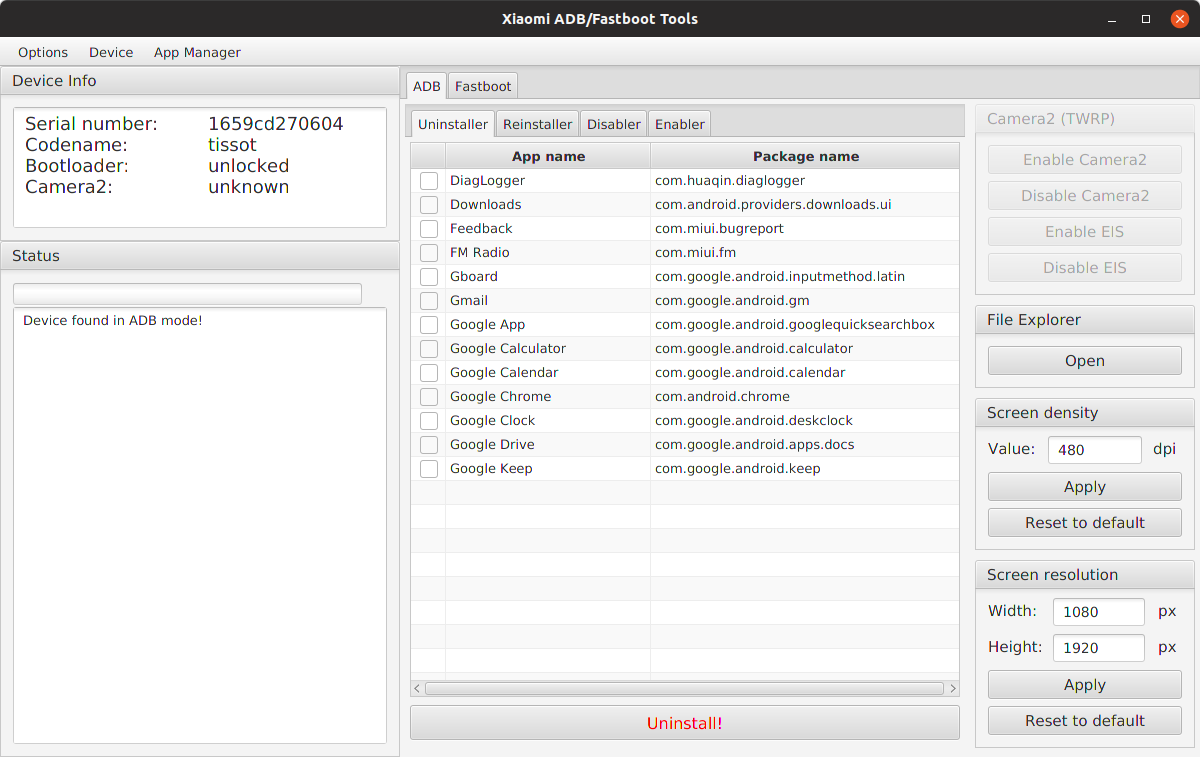
Instructions for the Xiaomi ADB Tool
If you want to use the ADB tools at MIUI just follow these steps:
1. Enable developer options:
Go to Settings > About phone and tap ‘MIUI version’ seven times to enable developer options.
2. Enable USB debugging:
Go to Settings > Additional settings > Developer options and enable USB debugging.
3. Connect the phone to your PC and launch the application. Your phone will ask for authorisation right away, allow it.
4. Check the status of the connection by clicking on Options > Load device (adb). If all is well, your phone’s information appears in the app and you can use all the ADB features.
#android
If you want to use the ADB tools at MIUI just follow these steps:
1. Enable developer options:
Go to Settings > About phone and tap ‘MIUI version’ seven times to enable developer options.
2. Enable USB debugging:
Go to Settings > Additional settings > Developer options and enable USB debugging.
3. Connect the phone to your PC and launch the application. Your phone will ask for authorisation right away, allow it.
4. Check the status of the connection by clicking on Options > Load device (adb). If all is well, your phone’s information appears in the app and you can use all the ADB features.
#android
👍3
Lifehack of the day pinned «Instructions for the Xiaomi ADB Tool If you want to use the ADB tools at MIUI just follow these steps: 1. Enable developer options: Go to Settings > About phone and tap ‘MIUI version’ seven times to enable developer options. 2. Enable USB debugging:…»
🗑 How to quickly delete unnecessary photos and videos from your Android smartphone
Cleaning the gallery is a tedious task, because there are many different steps to take. However, there is a solution that deletes photos with a single click. This is a Photo Deleter app.
How to use it:
1. Download the app from the Play Market and open it.
2. Give an access to multimedia and files.
3. The application will take turns showing photos from the gallery, from the earliest to the latest. If you want to delete a photo, click on the icon with the recycle bin, if you want to leave it, just swipe to the left.
You can also delete files from individual folders. To do this, click on the three dots in the upper right corner, then on "Choose directory" and select the folder from where you want to delete files.
#android #app
Cleaning the gallery is a tedious task, because there are many different steps to take. However, there is a solution that deletes photos with a single click. This is a Photo Deleter app.
How to use it:
1. Download the app from the Play Market and open it.
2. Give an access to multimedia and files.
3. The application will take turns showing photos from the gallery, from the earliest to the latest. If you want to delete a photo, click on the icon with the recycle bin, if you want to leave it, just swipe to the left.
You can also delete files from individual folders. To do this, click on the three dots in the upper right corner, then on "Choose directory" and select the folder from where you want to delete files.
#android #app
❤3
🔎 How to find anything in Telegram
Telegram doesn't have a news feed, and search engines don't index content. Therefore, it is possible to find posts on some topic only manually, but it is difficult and slow. In order not to waste a lot of time, use the MotherSearch bot. It's like Google, only by Telegram.
How to use it:
1. Click on the link and launch the bot - @MotherSearchBot.
2. Type in your request and send it. The bot will give out a piece of text with your phrase, indicate a link to the post and channel.
3. Another way to search: once the bot is launched, click on the button with the magnifying glass image. The channel name will appear in the input line. Don't delete it, just enter your query. The channel list will be updated right at the time of your request.
#telegram #lifehack
Telegram doesn't have a news feed, and search engines don't index content. Therefore, it is possible to find posts on some topic only manually, but it is difficult and slow. In order not to waste a lot of time, use the MotherSearch bot. It's like Google, only by Telegram.
How to use it:
1. Click on the link and launch the bot - @MotherSearchBot.
2. Type in your request and send it. The bot will give out a piece of text with your phrase, indicate a link to the post and channel.
3. Another way to search: once the bot is launched, click on the button with the magnifying glass image. The channel name will appear in the input line. Don't delete it, just enter your query. The channel list will be updated right at the time of your request.
#telegram #lifehack

👍4
🎤 How to block spy apps from accessing the smartphone microphone
Right now, you may be listening by spy apps that you once gave access to the microphone. They use your words for personal purposes. To get rid of wiretapping, use the application - Micro Guard Blocker. It blocks the microphone for all applications.
How to use it:
1. Download the app from PlayMarket or an analog from the AppStore.
2. Open and click on the "Search for spyware" button. After the analysis, a list of suspicious applications that can record your conversations will appear and we will delete them.
3. Go back to the main menu and move the slider to the "ON" mode.
4. Allow access and agree to enable the "Deep detective" function. It will help you record attempts to access the microphone without your knowledge.
#android #app #privacy #security
Right now, you may be listening by spy apps that you once gave access to the microphone. They use your words for personal purposes. To get rid of wiretapping, use the application - Micro Guard Blocker. It blocks the microphone for all applications.
How to use it:
1. Download the app from PlayMarket or an analog from the AppStore.
2. Open and click on the "Search for spyware" button. After the analysis, a list of suspicious applications that can record your conversations will appear and we will delete them.
3. Go back to the main menu and move the slider to the "ON" mode.
4. Allow access and agree to enable the "Deep detective" function. It will help you record attempts to access the microphone without your knowledge.
#android #app #privacy #security
Google Play
Microphone Blocker & Guard - Apps on Google Play
Microphone blocker & anti-spyware mic guard. Disable your mic with one tap.
👍1
⬇️ How to download videos from YouTube in a couple of clicks
To download the video, you can either subscribe for a fee or use the free Offliberty service. The service also allows you to download an audio track from the video, if it is more convenient for you to listen than to watch.
How to use it:
1. Go to YouTube, find the desired video and copy the link to it.
2. Go to this website, insert the link into the line and click the "Off" button.
3. Wait a few seconds and click on the yellow button in the window that appears. If you only need audio, click on the "Extract audio" button.
#youtube #service
To download the video, you can either subscribe for a fee or use the free Offliberty service. The service also allows you to download an audio track from the video, if it is more convenient for you to listen than to watch.
How to use it:
1. Go to YouTube, find the desired video and copy the link to it.
2. Go to this website, insert the link into the line and click the "Off" button.
3. Wait a few seconds and click on the yellow button in the window that appears. If you only need audio, click on the "Extract audio" button.
#youtube #service

❤1👍1
🔐 How to hide your history and account data in Google Chrome
If someone else is using your device, it is useful to set a password on Chrome. So no one will know which sites you visited, from which accounts and what you did. This can be done using the extension LockPW from Google.
1. Open Chrome and go to the page.
2. Next to the extension name, click "Install".
3. Now paste this into the address bar — chrome://extensions/
4. Click on the "More Details" button under the new extension and activate the option "Allow use in incognito mode".
5. Right-click on the icon with the lock opposite the address bar and go to "Parameters".
6. There is a form for the access code on the right side of the screen. Enter the desired password in the first two fields.
7. To apply the settings, click "Save".
Done! Now Chrome will require a password every time you start the browser.
#chrome #security
If someone else is using your device, it is useful to set a password on Chrome. So no one will know which sites you visited, from which accounts and what you did. This can be done using the extension LockPW from Google.
1. Open Chrome and go to the page.
2. Next to the extension name, click "Install".
3. Now paste this into the address bar — chrome://extensions/
4. Click on the "More Details" button under the new extension and activate the option "Allow use in incognito mode".
5. Right-click on the icon with the lock opposite the address bar and go to "Parameters".
6. There is a form for the access code on the right side of the screen. Enter the desired password in the first two fields.
7. To apply the settings, click "Save".
Done! Now Chrome will require a password every time you start the browser.
#chrome #security

👍2
🎬 How to choose a movie as accurately as possible for the mood
Many people have an eternal dilemma about what to watch tonight. There is a cool alternative to streaming services with their algorithms: the Emovi application. It helps you choose a movie exactly for your mood.
Take the following steps:
1. Download the app in the App Store or Google Play.
2. Open it and select 3 emojis that describe your mood and click "Next".
3. Select a movie from the suggested list.
For selection, you can choose up to 3 emoticons from a variety of available ones. There are about 100,000 movies in the service's database. If you have watched the movie, leave an emoji corresponding to the mood. This way you will make the selection of films even more accurate for others and for yourself.
#app #recreation #android #iphone
Many people have an eternal dilemma about what to watch tonight. There is a cool alternative to streaming services with their algorithms: the Emovi application. It helps you choose a movie exactly for your mood.
Take the following steps:
1. Download the app in the App Store or Google Play.
2. Open it and select 3 emojis that describe your mood and click "Next".
3. Select a movie from the suggested list.
For selection, you can choose up to 3 emoticons from a variety of available ones. There are about 100,000 movies in the service's database. If you have watched the movie, leave an emoji corresponding to the mood. This way you will make the selection of films even more accurate for others and for yourself.
#app #recreation #android #iphone

❤1
🔥 How to find an analog of a program or service
It is not necessary to pay for Adobe Photoshop or Netflix: there are almost always alternative free applications/websites. They are collected in AlternativeTo website.
Let's find them:
1. Go to the website .
2. Enter the name of the application in the search and press "Enter".
3. Website will display all alternatives to the application that you specified. Only after that you can configure the necessary filters: platform, price, open source, etc. All filters are located in front of the list of application.
4. Follow the download links and use the application.
By clicking on the application, you can read reviews about it, functionality, features and other data.
#service #lifehack #app #windows #android
It is not necessary to pay for Adobe Photoshop or Netflix: there are almost always alternative free applications/websites. They are collected in AlternativeTo website.
Let's find them:
1. Go to the website .
2. Enter the name of the application in the search and press "Enter".
3. Website will display all alternatives to the application that you specified. Only after that you can configure the necessary filters: platform, price, open source, etc. All filters are located in front of the list of application.
4. Follow the download links and use the application.
By clicking on the application, you can read reviews about it, functionality, features and other data.
#service #lifehack #app #windows #android

❤1
❌ How to delete all empty folders and extra files on Android
Each Android application creates folders with files after installation. But when the application is deleted, some files inside the folders may remain and clog up the phone's memory: temporary files, APKs, etc. We will solve this problem:
How to get rid of garbage:
1. Download and run the LTE Cleaner application.
2. Click on the settings icon (gear) in the lower right corner and find the "Filters" section.
3. Check the boxes next to each item in this section.
4. Go back to the main screen and click "Clean", then "Analyze".
5. When the search process is completed, click "Clean" again, and then "Delete".
#android #data
Each Android application creates folders with files after installation. But when the application is deleted, some files inside the folders may remain and clog up the phone's memory: temporary files, APKs, etc. We will solve this problem:
How to get rid of garbage:
1. Download and run the LTE Cleaner application.
2. Click on the settings icon (gear) in the lower right corner and find the "Filters" section.
3. Check the boxes next to each item in this section.
4. Go back to the main screen and click "Clean", then "Analyze".
5. When the search process is completed, click "Clean" again, and then "Delete".
#android #data
❤1
❌How to fix errors 504, 505, 506 in the Play Market
These errors appear when downloading, installing and updating apps from the Play Market. Officially, Google does not say how to solve them, but we have a solution:
1. First, clear the cache using the following path: "Settings" → "Applications" → "Google Play Store" → "Erase data" → "Clear cache".
2. Repeat this algorithm for the "Google Service Framework" application. If this did not give results, delete the Google account and repeat the steps by including the Download Manager in the list for deleting data and cache.
3. Restart your device.
4. If this did not help then reset to factory settings: "Settings" → "Restore and reset".
#android #app
These errors appear when downloading, installing and updating apps from the Play Market. Officially, Google does not say how to solve them, but we have a solution:
1. First, clear the cache using the following path: "Settings" → "Applications" → "Google Play Store" → "Erase data" → "Clear cache".
2. Repeat this algorithm for the "Google Service Framework" application. If this did not give results, delete the Google account and repeat the steps by including the Download Manager in the list for deleting data and cache.
3. Restart your device.
4. If this did not help then reset to factory settings: "Settings" → "Restore and reset".
#android #app

❤1
💪 How to export chats from WhatsApp to Telegram
If you decided to switch from WhatsApp to Telegram, then you most likely had a question: How to transfer all my chats from one messenger to another. To do this, there is a convenient function "Export chat".
Here's how to use it:
1. Open WhatsApp.
2. Find the desired chat, open it and click on the three dots in the upper right corner.
3. In the "More" menu that opens, select the "Export chat" item, define the export parameters (with or without media content).
4. In the "Share" menu, which opens after the export is completed, select Telegram, find the desired chat, click on it and wait until the transfer is completed.
All messages that you transfer from WhatsApp will be marked as "Imported".
#telegram #whatsapp #privacy
If you decided to switch from WhatsApp to Telegram, then you most likely had a question: How to transfer all my chats from one messenger to another. To do this, there is a convenient function "Export chat".
Here's how to use it:
1. Open WhatsApp.
2. Find the desired chat, open it and click on the three dots in the upper right corner.
3. In the "More" menu that opens, select the "Export chat" item, define the export parameters (with or without media content).
4. In the "Share" menu, which opens after the export is completed, select Telegram, find the desired chat, click on it and wait until the transfer is completed.
All messages that you transfer from WhatsApp will be marked as "Imported".
#telegram #whatsapp #privacy
❤1
😎 How to generate a photo of a non-existent person
If you want to create a fake account on a social network, you can use another person's photo, but this is not the best option. It is better to use the following service to generate photos of non-existent people:
1. Open this website: https://thispersondoesnotexist.com/
2. Visiting the website, we immediately get a photo of a non-existent person.
3. Updating the page, you will see a new generated image.
That's it, you can update the resource until you are satisfied with the photo. The site works very fast, which is an undoubted plus. Many sites based on the work of artificial intelligence are often very slow.
#service #lifehack
If you want to create a fake account on a social network, you can use another person's photo, but this is not the best option. It is better to use the following service to generate photos of non-existent people:
1. Open this website: https://thispersondoesnotexist.com/
2. Visiting the website, we immediately get a photo of a non-existent person.
3. Updating the page, you will see a new generated image.
That's it, you can update the resource until you are satisfied with the photo. The site works very fast, which is an undoubted plus. Many sites based on the work of artificial intelligence are often very slow.
#service #lifehack

👍3
📺 How to watch YouTube in the background and without ads for free
It turns out that you don't have to pay for YouTube Premium. There is a free Pure Tuber app. It is available on both Android and iOS.
How to use it:
1. Download it from the Play Market or AppStore.
2. Run it and you will see that this is the same YouTube, only with a dark theme. If we are going not to watch, but to listen to audio, click on the "In the background" button and hide the application.
3. To watch the video on top of other applications, click on the "In the window" button and minimize Pure Tuber.
#app #youtube #android #iphone
It turns out that you don't have to pay for YouTube Premium. There is a free Pure Tuber app. It is available on both Android and iOS.
How to use it:
1. Download it from the Play Market or AppStore.
2. Run it and you will see that this is the same YouTube, only with a dark theme. If we are going not to watch, but to listen to audio, click on the "In the background" button and hide the application.
3. To watch the video on top of other applications, click on the "In the window" button and minimize Pure Tuber.
#app #youtube #android #iphone
Google Play
Pure Tuber: Video & MP3 Player - Apps on Google Play
Enjoy a smooth video watching and music listening experience!
👍2
Lifehack of the day pinned «📺 How to watch YouTube in the background and without ads for free It turns out that you don't have to pay for YouTube Premium. There is a free Pure Tuber app. It is available on both Android and iOS. How to use it: 1. Download it from the Play Market or…»
📌 How to share the APK file of an installed application
To do this, we will use the APKShare utility, which allows us to extract the APK file of already installed applications and share it. We do NOT need Root.
1. Download the app at the Play Market.
2. Install APKShare and run it.
3. Select the application whose APK file you want to share, click on it.
4. In the window that opens, select how you want to share this file.
You can also download this utility at Github or F-droid.
#app #android
To do this, we will use the APKShare utility, which allows us to extract the APK file of already installed applications and share it. We do NOT need Root.
1. Download the app at the Play Market.
2. Install APKShare and run it.
3. Select the application whose APK file you want to share, click on it.
4. In the window that opens, select how you want to share this file.
You can also download this utility at Github or F-droid.
#app #android
Google Play
APKShare - Apps on Google Play
Extract and share you installed apps' APK
👍3
🎊 How to generate art by text query
Artists and designers are not needed, you can generate your own art in 10 seconds using the neural network "Dream".
How to use it:
1. Go to the website: https://app.wombo.art/
2. Enter a short description in English of what we want to see.
3. Select a style and click "Create".
Done! The service is absolutely free!
#service #lifehack
Artists and designers are not needed, you can generate your own art in 10 seconds using the neural network "Dream".
How to use it:
1. Go to the website: https://app.wombo.art/
2. Enter a short description in English of what we want to see.
3. Select a style and click "Create".
Done! The service is absolutely free!
#service #lifehack

👍2
🕶 How to send a file anonymously
The free instant file sharing service DropMeFiles allows you to transfer up to 50 GB without registration and forced viewing of ads.
How to use the service:
1. Open the website: https://dropmefiles.com
2. Add files or folders and wait for the download.
3. Choose how long your files will be stored: 1 download, 7 days, 14 days.
4. You can set a password to access files if you want.
5. Insert the recipient's e-mail or phone number.
6. You can add a message to the “From" column.
7. Send your files via the “↩️" button.
You can simply copy the link to download the file and send it in any other way to the recipient.
#security #service
The free instant file sharing service DropMeFiles allows you to transfer up to 50 GB without registration and forced viewing of ads.
How to use the service:
1. Open the website: https://dropmefiles.com
2. Add files or folders and wait for the download.
3. Choose how long your files will be stored: 1 download, 7 days, 14 days.
4. You can set a password to access files if you want.
5. Insert the recipient's e-mail or phone number.
6. You can add a message to the “From" column.
7. Send your files via the “↩️" button.
You can simply copy the link to download the file and send it in any other way to the recipient.
#security #service

👍1
📄 How to edit files from your smartphone
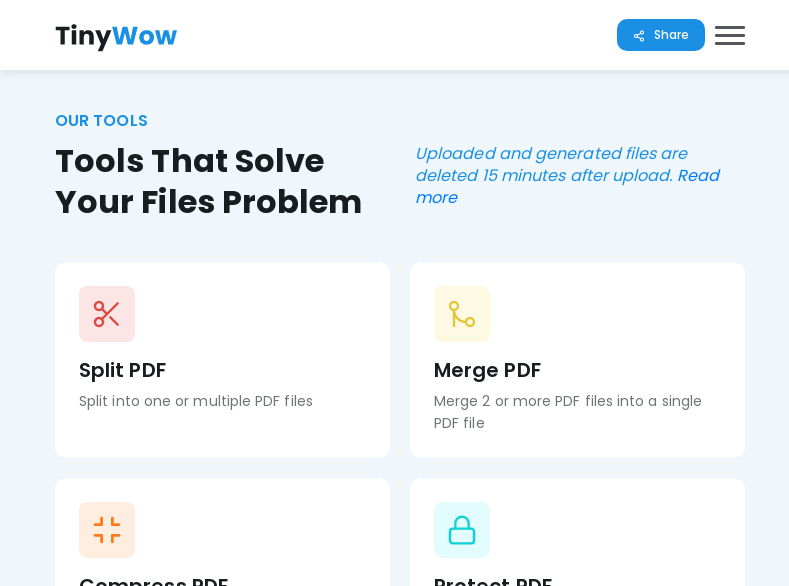
There is a wonderful website that has a bunch of free tools for working with files. It is especially convenient if you do not have a notebook with you, but you urgently need to work: convert your text file to PDF or create and sign a document.
How to use it:
1. Open the website: https://tinywow.com
2. Select the desired tool.
3. Upload the file and wait for it to be processed.
4. Download the finished document.
All files, both processed and unprocessed, are deleted from the server after 15 minutes.
#lifehack #android #iphone
There is a wonderful website that has a bunch of free tools for working with files. It is especially convenient if you do not have a notebook with you, but you urgently need to work: convert your text file to PDF or create and sign a document.
How to use it:
1. Open the website: https://tinywow.com
2. Select the desired tool.
3. Upload the file and wait for it to be processed.
4. Download the finished document.
All files, both processed and unprocessed, are deleted from the server after 15 minutes.
#lifehack #android #iphone
👍2
🌄 Download the new MIUI 13 wallpapers for your smartphone
MIUI 13 got new wallpapers that divided into five categories: Molten Glass, Crystallization, Concerto, Natural Texture, and Black Gobi.
Right now, you can download the uncompressed, full-resolution wallpapers from the link below. These wallpapers can be applied on any device, though you may need to crop them to fit them to your phone’s resolution.
#android #iphone #photo
MIUI 13 got new wallpapers that divided into five categories: Molten Glass, Crystallization, Concerto, Natural Texture, and Black Gobi.
Right now, you can download the uncompressed, full-resolution wallpapers from the link below. These wallpapers can be applied on any device, though you may need to crop them to fit them to your phone’s resolution.
#android #iphone #photo