
👻 How to make Chrome always run in incognito mode
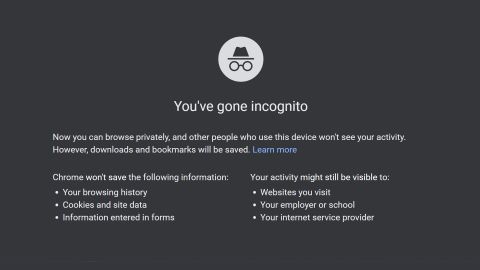
A lifehack for paranoids: in order not to pinch Ctrl+Shift+N every time, you can always run Chrome in "Incognito" mode by default.
1. Right-click on the Chrome shortcut, then left-click on "Properties".
2. Find the "Shortcut" tab, there will be a special field containing the following line:
"C:\Program Files (x86)\Google\Chrome\Application\chrome.exe"
3. Add "-incognito" at the end of the line to make it look like this:
"C:\Program Files (x86)\Google\Chrome\Application\chrome.exe" -incognito
4. Click on "Save".
Now, every time you start the browser, you automatically enter the "Incognito" mode.
#data #chrome
A lifehack for paranoids: in order not to pinch Ctrl+Shift+N every time, you can always run Chrome in "Incognito" mode by default.
1. Right-click on the Chrome shortcut, then left-click on "Properties".
2. Find the "Shortcut" tab, there will be a special field containing the following line:
"C:\Program Files (x86)\Google\Chrome\Application\chrome.exe"
3. Add "-incognito" at the end of the line to make it look like this:
"C:\Program Files (x86)\Google\Chrome\Application\chrome.exe" -incognito
4. Click on "Save".
Now, every time you start the browser, you automatically enter the "Incognito" mode.
#data #chrome
👍10
📺 How to find and download an excerpt from the movie
Youtubers like to insert excerpts from movies into their videos. If you think that they download whole movies specifically for this, then you are mistaken. There is a simpler solution.
Life Hack:
There is a website with excerpts from films: https://www.playphrase.me/#/search
Just type in the right phrase and get the right passage. The text needs to be printed (Ctrl + C does not work), it must be in English, and the phrases are short (1-4 words). In the lower corner on the left there is a fragment download button, in the right - the name of the movie.
The site is also useful for those who learn English. You type in a phrase and remember how the native speakers pronounce it.
#lifehack
Youtubers like to insert excerpts from movies into their videos. If you think that they download whole movies specifically for this, then you are mistaken. There is a simpler solution.
Life Hack:
There is a website with excerpts from films: https://www.playphrase.me/#/search
Just type in the right phrase and get the right passage. The text needs to be printed (Ctrl + C does not work), it must be in English, and the phrases are short (1-4 words). In the lower corner on the left there is a fragment download button, in the right - the name of the movie.
The site is also useful for those who learn English. You type in a phrase and remember how the native speakers pronounce it.
#lifehack

👍4
❌ How to stop automatic Windows updates
The eternal problem: Windows 10 is always updated at the most inopportune moment. It turns out that they can be installed and live in peace — at least 35 days after that.
Here's how to do it:
1. Open the "Settings".
2. Then - "Update and Security" and "Windows Update".
3. Click "Install updates for 7 days".
4. Click this button again to increase the period.
When you click for up to 35 days, the button will turn gray — this is the maximum value.
#windows #updates
The eternal problem: Windows 10 is always updated at the most inopportune moment. It turns out that they can be installed and live in peace — at least 35 days after that.
Here's how to do it:
1. Open the "Settings".
2. Then - "Update and Security" and "Windows Update".
3. Click "Install updates for 7 days".
4. Click this button again to increase the period.
When you click for up to 35 days, the button will turn gray — this is the maximum value.
#windows #updates

❤4👍2
🎤 How to find music similar to your favorite
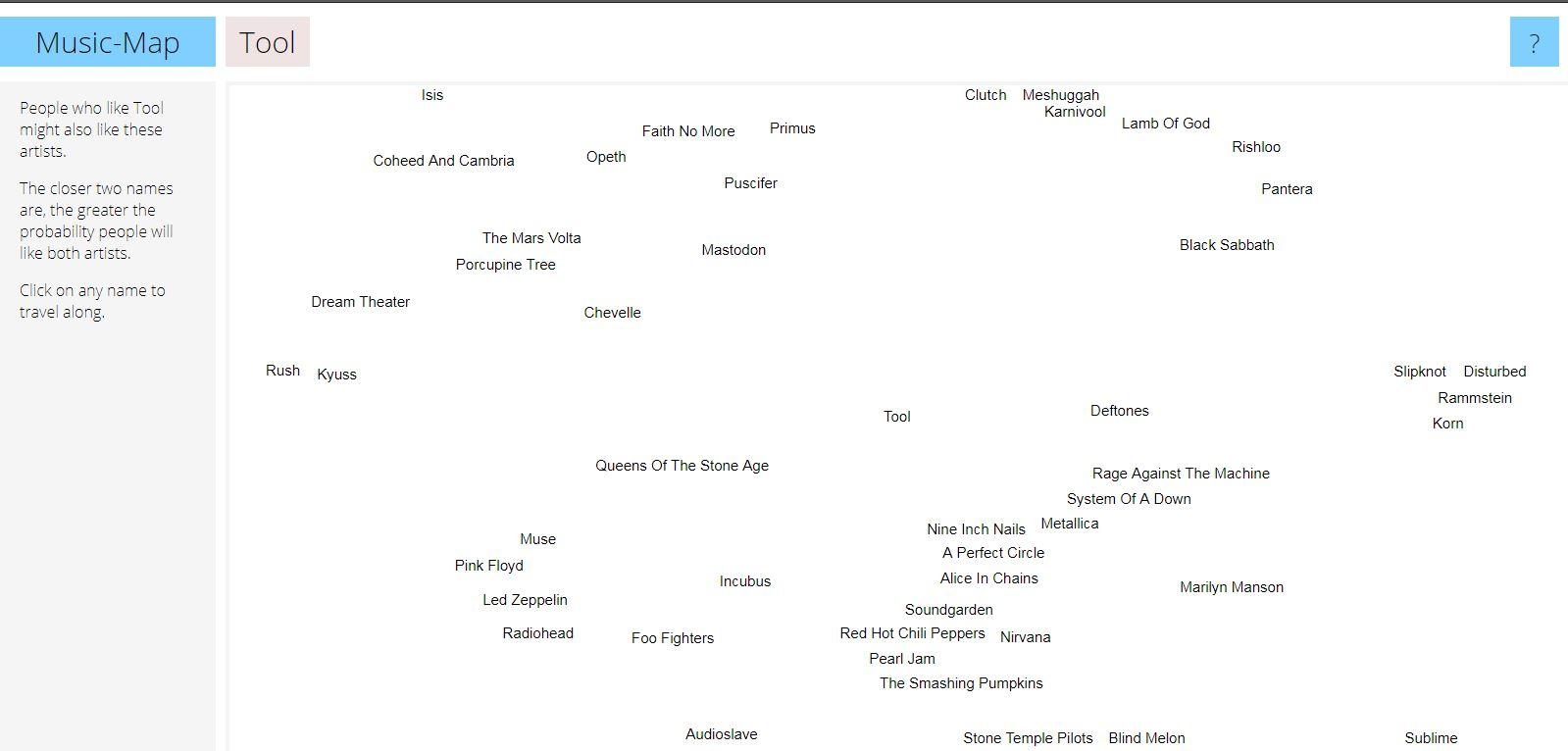
For music lovers: if music from your favorite artists is not enough for you, use the "MusicMap" service. It will help you find performers who are similar to your idols.
How to use the service:
1. Go to the website.
2. Enter the name of your favorite artist or band in the line.
3. Click on the search icon and a cloud of names will appear around your favorite artist. The closer the name of another artist is, the more creatively similar he is to your idol.
#service #music
For music lovers: if music from your favorite artists is not enough for you, use the "MusicMap" service. It will help you find performers who are similar to your idols.
How to use the service:
1. Go to the website.
2. Enter the name of your favorite artist or band in the line.
3. Click on the search icon and a cloud of names will appear around your favorite artist. The closer the name of another artist is, the more creatively similar he is to your idol.
#service #music
👍6
📺 How to stop a video on the right frame in TikTok
It's a common situation when you saw a cool video in a TikTok, but it ends at the most interesting fragment. Because of this, you have to review the video several, maybe dozens of times.
This is a favorite trick of tiktokers to increase statistics and get into recommendations. For such cases, there is a lifehack:
1. Select the video in which you want to watch a separate frame and click the "Share" button.
2. Scroll through the third row of buttons to the end and select "Share as GIF".
3. Pause the video.
4. Use the timeline to select the desired frame.
#lifehack #tiktok
It's a common situation when you saw a cool video in a TikTok, but it ends at the most interesting fragment. Because of this, you have to review the video several, maybe dozens of times.
This is a favorite trick of tiktokers to increase statistics and get into recommendations. For such cases, there is a lifehack:
1. Select the video in which you want to watch a separate frame and click the "Share" button.
2. Scroll through the third row of buttons to the end and select "Share as GIF".
3. Pause the video.
4. Use the timeline to select the desired frame.
#lifehack #tiktok

❤5
✂️ How to remove unnecessary objects from a photo in 5 seconds without Photoshop
If you want to remove an extra element from a photo, such as a trash can, a random passerby, or something else, use the InPainting tool. The whole process will take a maximum of 10 seconds.
How to use it:
1. Go to the website: https://www.nvidia.com/research/inpainting/index.html
2. Upload a photo and paint over unnecessary details with a brush.
3. Click "Apply Model", wait a couple of seconds and the service will output the edited image.
The service has no restrictions on the size of uploaded images. It can also remove wrinkles from the face and retouch images.
#lifehack #service
If you want to remove an extra element from a photo, such as a trash can, a random passerby, or something else, use the InPainting tool. The whole process will take a maximum of 10 seconds.
How to use it:
1. Go to the website: https://www.nvidia.com/research/inpainting/index.html
2. Upload a photo and paint over unnecessary details with a brush.
3. Click "Apply Model", wait a couple of seconds and the service will output the edited image.
The service has no restrictions on the size of uploaded images. It can also remove wrinkles from the face and retouch images.
#lifehack #service

👍6
🎮 How to find out how long it will take to complete the game
If you want to play the game, but not hang in it for a couple of months, then use "Howlongtobeat". The service will show you approximately how much time it will take to complete the game.
How to use it:
1. Go to the website https://howlongtobeat.com/
2. In the search bar, which is located in the header of the site, enter the name of the desired game. When the service finds it, click.
3. Then the system will give you an approximate time to complete the game, based on the results of other users.
You can also see on the site which platforms this game supports, by whom and when it was developed.
#service #recreation
If you want to play the game, but not hang in it for a couple of months, then use "Howlongtobeat". The service will show you approximately how much time it will take to complete the game.
How to use it:
1. Go to the website https://howlongtobeat.com/
2. In the search bar, which is located in the header of the site, enter the name of the desired game. When the service finds it, click.
3. Then the system will give you an approximate time to complete the game, based on the results of other users.
You can also see on the site which platforms this game supports, by whom and when it was developed.
#service #recreation

👍2
🧾 How to make clear instructions from a computer screen in a minute
The Scribe service allows you to record every mouse click for a minute. It turns out a step-by-step instruction in the form of neat screenshots with text comments.
How to use it:
1. Go to the website — https://scribehow.com/
2. Click "Get Scribe For Free" and log in via email.
3. Choose who you work with (this is a formality), then "Add to Chrome".
4. In the window that appears, click "Install extension". After installation, click on the icon with three red stripes in the extensions menu.
5. The program will start recording video, and then redirect to a window with detailed instructions. Then just copy the link and send it to the right person.
Everything is saved in the workspace. For personal use it is free of charge and without restrictions, for companies - $29.
#google #service
The Scribe service allows you to record every mouse click for a minute. It turns out a step-by-step instruction in the form of neat screenshots with text comments.
How to use it:
1. Go to the website — https://scribehow.com/
2. Click "Get Scribe For Free" and log in via email.
3. Choose who you work with (this is a formality), then "Add to Chrome".
4. In the window that appears, click "Install extension". After installation, click on the icon with three red stripes in the extensions menu.
5. The program will start recording video, and then redirect to a window with detailed instructions. Then just copy the link and send it to the right person.
Everything is saved in the workspace. For personal use it is free of charge and without restrictions, for companies - $29.
#google #service
Scribe
Scribe | Create Step-by-Step Guides — Fast.
Scribe documents your processes for you. Build visual guides with text, links and screenshots instantly.
🔍 How to read Instagram messages so that a person does not find out about it
If you don't want your interlocutor to see the status "Viewed" under the message, then this feature is for you:
1. Go to the application settings.
2. Open the "Privacy" section.
3. Scroll down and select "Accounts with restricted access".
4. Click "Continue".
5. In the search field, enter the login of the account whose messages we want to read in secret.
6. Click on the "Restrict access" button.
Done! Now the person will not know that you have read his message.
#instagram #lifehack
If you don't want your interlocutor to see the status "Viewed" under the message, then this feature is for you:
1. Go to the application settings.
2. Open the "Privacy" section.
3. Scroll down and select "Accounts with restricted access".
4. Click "Continue".
5. In the search field, enter the login of the account whose messages we want to read in secret.
6. Click on the "Restrict access" button.
Done! Now the person will not know that you have read his message.
#instagram #lifehack
👍2
🎧 How to cut a voice or minus from a track without complex programs
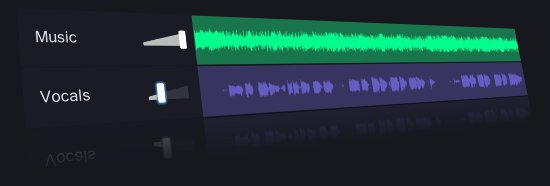
Let's use the VocalRemover service, which is able to separate text from music. For example, you can completely remove the vocals from the song and get an instrumental part and vice versa.
1. Go to the website https://vocalremover.org/
2. Select "Browse my files".
3. Wait for the processing to finish.
4. Listen to the processed version.
5. By clicking on "Download music", download the audio file.
#lifehack #services
Let's use the VocalRemover service, which is able to separate text from music. For example, you can completely remove the vocals from the song and get an instrumental part and vice versa.
1. Go to the website https://vocalremover.org/
2. Select "Browse my files".
3. Wait for the processing to finish.
4. Listen to the processed version.
5. By clicking on "Download music", download the audio file.
#lifehack #services
👍1
❌ How to recover deleted files from hard disk
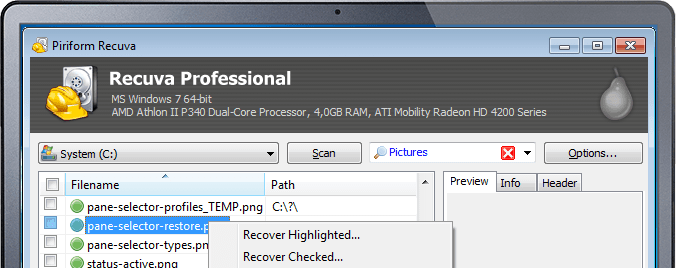
If you reinstalled Windows or just cleaned your PC and deleted something important, then you can restore deleted files using the program "Recuva".
How to do it:
1. Download and run this utility.
2. Select the drive from which you want to restore deleted files.
3. Click the "Analysis" button.
4. Select the necessary files, then click on "Restore".
Do not save the data to the same disk from which you are restoring it. Otherwise, the data may be corrupted and you will not be able to open them.
#windows #data
If you reinstalled Windows or just cleaned your PC and deleted something important, then you can restore deleted files using the program "Recuva".
How to do it:
1. Download and run this utility.
2. Select the drive from which you want to restore deleted files.
3. Click the "Analysis" button.
4. Select the necessary files, then click on "Restore".
Do not save the data to the same disk from which you are restoring it. Otherwise, the data may be corrupted and you will not be able to open them.
#windows #data
👍2
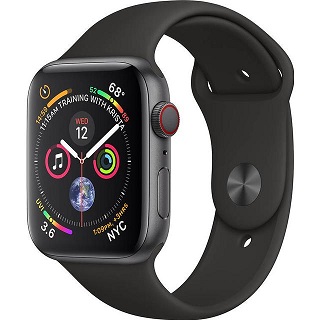
⌚️ How to set up an Apple Watch 4 so that it will save you if you have fallen
The Apple Watch has an awesome feature called "Fall Detection", which can save your life in a critical situation. If you have fallen and can't move, then you will be asked to call an ambulance with a single tap on the Apple Watch.
How to turn it on:
1. Open the Apple Watch app on your iPhone and go to "My Watch" section.
2. Select "Emergency call - SOS".
3. And turn on the "Fall detection" parameter.
That's it! Now, if you fall, your Apple Watch will offer two scenarios to choose from:
1. Call the rescue service if a doctor is required by pressing the SOS signal.
2. Press "Everything is fine" or on the clock wheel if you do not need help.
#iphone #security
The Apple Watch has an awesome feature called "Fall Detection", which can save your life in a critical situation. If you have fallen and can't move, then you will be asked to call an ambulance with a single tap on the Apple Watch.
How to turn it on:
1. Open the Apple Watch app on your iPhone and go to "My Watch" section.
2. Select "Emergency call - SOS".
3. And turn on the "Fall detection" parameter.
That's it! Now, if you fall, your Apple Watch will offer two scenarios to choose from:
1. Call the rescue service if a doctor is required by pressing the SOS signal.
2. Press "Everything is fine" or on the clock wheel if you do not need help.
#iphone #security
👍1
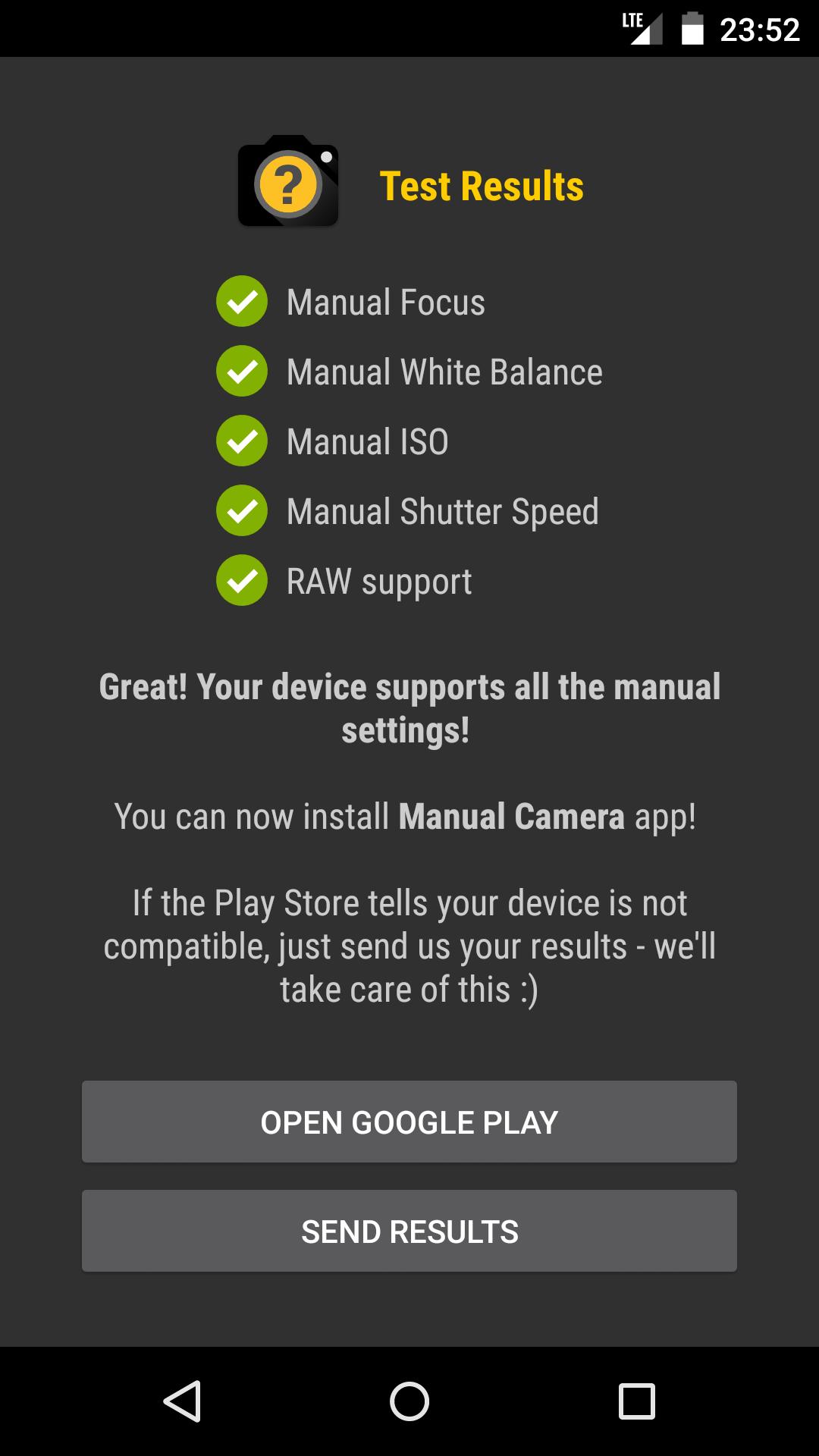
📷 How to check if Camera2 API is enabled at your phone
All you need to do is download a simple app called ‘Manual Camera Compatibility’ from the Google Play Store and run it.
1. Install the Manual Camera Compatibility app from the Play Store.
2. Open the app and click on the Start button to start the Camera2 API test.
3. The app will show you the camera2 API support, once the test is completed.
4. If it shows all features are supported, then you can just download the compatible GCam APK for your phone and install it.
5. If the Manual Camera Compatibility app reports that your device does not support manual settings, then you need to manually enable the Camera2 API.
#android #app
All you need to do is download a simple app called ‘Manual Camera Compatibility’ from the Google Play Store and run it.
1. Install the Manual Camera Compatibility app from the Play Store.
2. Open the app and click on the Start button to start the Camera2 API test.
3. The app will show you the camera2 API support, once the test is completed.
4. If it shows all features are supported, then you can just download the compatible GCam APK for your phone and install it.
5. If the Manual Camera Compatibility app reports that your device does not support manual settings, then you need to manually enable the Camera2 API.
#android #app
👍2
Lifehack of the day pinned «📷 How to check if Camera2 API is enabled at your phone All you need to do is download a simple app called ‘Manual Camera Compatibility’ from the Google Play Store and run it. 1. Install the Manual Camera Compatibility app from the Play Store. 2. Open the…»
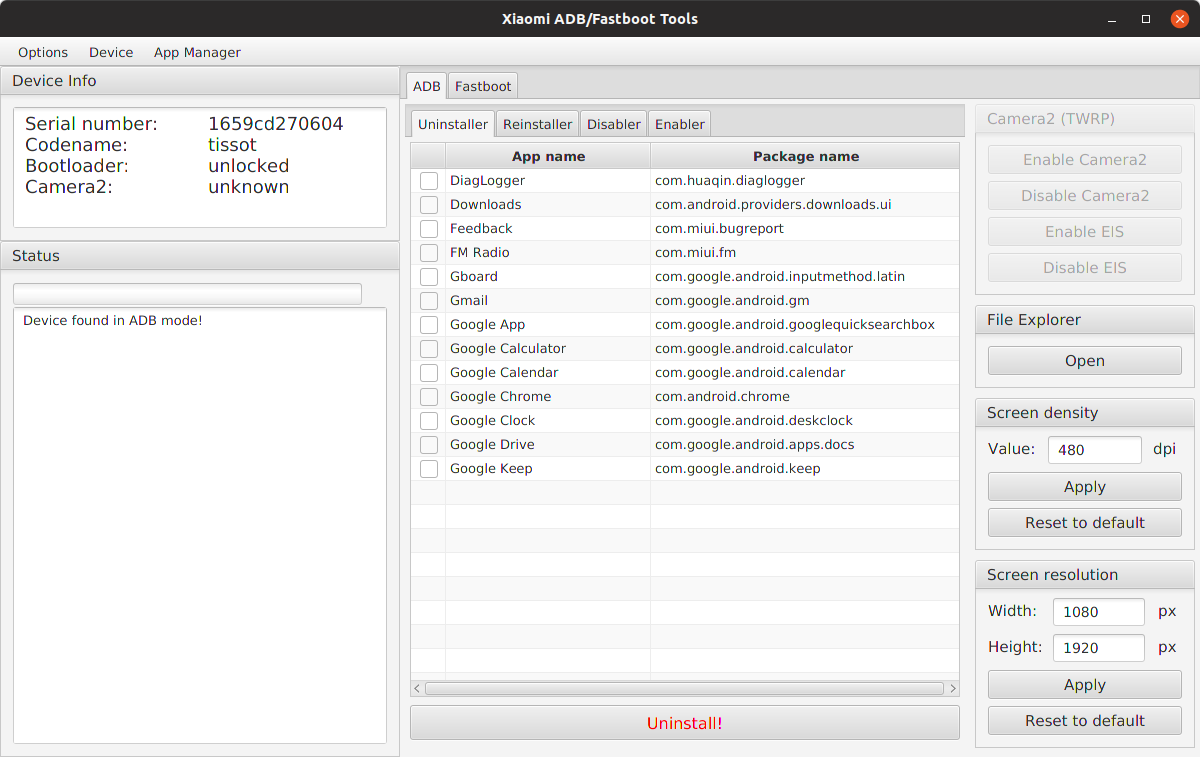
Instructions for the Xiaomi ADB Tool
If you want to use the ADB tools at MIUI just follow these steps:
1. Enable developer options:
Go to Settings > About phone and tap ‘MIUI version’ seven times to enable developer options.
2. Enable USB debugging:
Go to Settings > Additional settings > Developer options and enable USB debugging.
3. Connect the phone to your PC and launch the application. Your phone will ask for authorisation right away, allow it.
4. Check the status of the connection by clicking on Options > Load device (adb). If all is well, your phone’s information appears in the app and you can use all the ADB features.
#android
If you want to use the ADB tools at MIUI just follow these steps:
1. Enable developer options:
Go to Settings > About phone and tap ‘MIUI version’ seven times to enable developer options.
2. Enable USB debugging:
Go to Settings > Additional settings > Developer options and enable USB debugging.
3. Connect the phone to your PC and launch the application. Your phone will ask for authorisation right away, allow it.
4. Check the status of the connection by clicking on Options > Load device (adb). If all is well, your phone’s information appears in the app and you can use all the ADB features.
#android
👍3
Lifehack of the day pinned «Instructions for the Xiaomi ADB Tool If you want to use the ADB tools at MIUI just follow these steps: 1. Enable developer options: Go to Settings > About phone and tap ‘MIUI version’ seven times to enable developer options. 2. Enable USB debugging:…»
🗑 How to quickly delete unnecessary photos and videos from your Android smartphone
Cleaning the gallery is a tedious task, because there are many different steps to take. However, there is a solution that deletes photos with a single click. This is a Photo Deleter app.
How to use it:
1. Download the app from the Play Market and open it.
2. Give an access to multimedia and files.
3. The application will take turns showing photos from the gallery, from the earliest to the latest. If you want to delete a photo, click on the icon with the recycle bin, if you want to leave it, just swipe to the left.
You can also delete files from individual folders. To do this, click on the three dots in the upper right corner, then on "Choose directory" and select the folder from where you want to delete files.
#android #app
Cleaning the gallery is a tedious task, because there are many different steps to take. However, there is a solution that deletes photos with a single click. This is a Photo Deleter app.
How to use it:
1. Download the app from the Play Market and open it.
2. Give an access to multimedia and files.
3. The application will take turns showing photos from the gallery, from the earliest to the latest. If you want to delete a photo, click on the icon with the recycle bin, if you want to leave it, just swipe to the left.
You can also delete files from individual folders. To do this, click on the three dots in the upper right corner, then on "Choose directory" and select the folder from where you want to delete files.
#android #app
❤3
🔎 How to find anything in Telegram
Telegram doesn't have a news feed, and search engines don't index content. Therefore, it is possible to find posts on some topic only manually, but it is difficult and slow. In order not to waste a lot of time, use the MotherSearch bot. It's like Google, only by Telegram.
How to use it:
1. Click on the link and launch the bot - @MotherSearchBot.
2. Type in your request and send it. The bot will give out a piece of text with your phrase, indicate a link to the post and channel.
3. Another way to search: once the bot is launched, click on the button with the magnifying glass image. The channel name will appear in the input line. Don't delete it, just enter your query. The channel list will be updated right at the time of your request.
#telegram #lifehack
Telegram doesn't have a news feed, and search engines don't index content. Therefore, it is possible to find posts on some topic only manually, but it is difficult and slow. In order not to waste a lot of time, use the MotherSearch bot. It's like Google, only by Telegram.
How to use it:
1. Click on the link and launch the bot - @MotherSearchBot.
2. Type in your request and send it. The bot will give out a piece of text with your phrase, indicate a link to the post and channel.
3. Another way to search: once the bot is launched, click on the button with the magnifying glass image. The channel name will appear in the input line. Don't delete it, just enter your query. The channel list will be updated right at the time of your request.
#telegram #lifehack

👍4
🎤 How to block spy apps from accessing the smartphone microphone
Right now, you may be listening by spy apps that you once gave access to the microphone. They use your words for personal purposes. To get rid of wiretapping, use the application - Micro Guard Blocker. It blocks the microphone for all applications.
How to use it:
1. Download the app from PlayMarket or an analog from the AppStore.
2. Open and click on the "Search for spyware" button. After the analysis, a list of suspicious applications that can record your conversations will appear and we will delete them.
3. Go back to the main menu and move the slider to the "ON" mode.
4. Allow access and agree to enable the "Deep detective" function. It will help you record attempts to access the microphone without your knowledge.
#android #app #privacy #security
Right now, you may be listening by spy apps that you once gave access to the microphone. They use your words for personal purposes. To get rid of wiretapping, use the application - Micro Guard Blocker. It blocks the microphone for all applications.
How to use it:
1. Download the app from PlayMarket or an analog from the AppStore.
2. Open and click on the "Search for spyware" button. After the analysis, a list of suspicious applications that can record your conversations will appear and we will delete them.
3. Go back to the main menu and move the slider to the "ON" mode.
4. Allow access and agree to enable the "Deep detective" function. It will help you record attempts to access the microphone without your knowledge.
#android #app #privacy #security
Google Play
Microphone Blocker & Guard - Apps on Google Play
Microphone blocker & anti-spyware mic guard. Disable your mic with one tap.
👍1
⬇️ How to download videos from YouTube in a couple of clicks
To download the video, you can either subscribe for a fee or use the free Offliberty service. The service also allows you to download an audio track from the video, if it is more convenient for you to listen than to watch.
How to use it:
1. Go to YouTube, find the desired video and copy the link to it.
2. Go to this website, insert the link into the line and click the "Off" button.
3. Wait a few seconds and click on the yellow button in the window that appears. If you only need audio, click on the "Extract audio" button.
#youtube #service
To download the video, you can either subscribe for a fee or use the free Offliberty service. The service also allows you to download an audio track from the video, if it is more convenient for you to listen than to watch.
How to use it:
1. Go to YouTube, find the desired video and copy the link to it.
2. Go to this website, insert the link into the line and click the "Off" button.
3. Wait a few seconds and click on the yellow button in the window that appears. If you only need audio, click on the "Extract audio" button.
#youtube #service

❤1👍1
🔐 How to hide your history and account data in Google Chrome
If someone else is using your device, it is useful to set a password on Chrome. So no one will know which sites you visited, from which accounts and what you did. This can be done using the extension LockPW from Google.
1. Open Chrome and go to the page.
2. Next to the extension name, click "Install".
3. Now paste this into the address bar — chrome://extensions/
4. Click on the "More Details" button under the new extension and activate the option "Allow use in incognito mode".
5. Right-click on the icon with the lock opposite the address bar and go to "Parameters".
6. There is a form for the access code on the right side of the screen. Enter the desired password in the first two fields.
7. To apply the settings, click "Save".
Done! Now Chrome will require a password every time you start the browser.
#chrome #security
If someone else is using your device, it is useful to set a password on Chrome. So no one will know which sites you visited, from which accounts and what you did. This can be done using the extension LockPW from Google.
1. Open Chrome and go to the page.
2. Next to the extension name, click "Install".
3. Now paste this into the address bar — chrome://extensions/
4. Click on the "More Details" button under the new extension and activate the option "Allow use in incognito mode".
5. Right-click on the icon with the lock opposite the address bar and go to "Parameters".
6. There is a form for the access code on the right side of the screen. Enter the desired password in the first two fields.
7. To apply the settings, click "Save".
Done! Now Chrome will require a password every time you start the browser.
#chrome #security

👍2