
👉 How to delete the history of views and actions on YouTube
If there are not many videos, you can delete them in the history manually. But what if there are a lot of videos in the YouTube viewing history?
Keep our lifehack:
1. On the YouTube homepage, click on your account and go to "Settings".
2. Then click on the "History and Privacy" button.
3. Choose what you want to clear: your browsing history or search queries.
The history will be deleted from all devices, and the list of recommendations will be compiled anew based on your interests.
You can make it so that the history is not recorded at all. To do this, slide one of the sliders that are located below the "Clear Search history" button.
#youtube #data
If there are not many videos, you can delete them in the history manually. But what if there are a lot of videos in the YouTube viewing history?
Keep our lifehack:
1. On the YouTube homepage, click on your account and go to "Settings".
2. Then click on the "History and Privacy" button.
3. Choose what you want to clear: your browsing history or search queries.
The history will be deleted from all devices, and the list of recommendations will be compiled anew based on your interests.
You can make it so that the history is not recorded at all. To do this, slide one of the sliders that are located below the "Clear Search history" button.
#youtube #data
👍20❤2
🎞 How to reduce the volume of video without loss of quality
If you want to upload a video to a USB flash drive, but there is not enough space, then YouCompress service will help you. With it, you can reduce the volume to 80% without loss of video quality.
How to do it:
1. Go to the website.
2. Click "Select File" and upload the video you want to compress.
3. Click "Upload File & Compress" and wait for processing.
4. Download the video.
The only limitation is that the volume of uploaded videos should not exceed 500 MB. You won't be able to compress movies.
#lifehack
If you want to upload a video to a USB flash drive, but there is not enough space, then YouCompress service will help you. With it, you can reduce the volume to 80% without loss of video quality.
How to do it:
1. Go to the website.
2. Click "Select File" and upload the video you want to compress.
3. Click "Upload File & Compress" and wait for processing.
4. Download the video.
The only limitation is that the volume of uploaded videos should not exceed 500 MB. You won't be able to compress movies.
#lifehack
YouCompress.com
Compress Video, Image, Audio and PDF Files Online | YouCompress
Compress MP4, MOV, MP3, PDF, PNG, JPG, JPEG, GIF files online for free. Reduce file size of videos, PDF documents, MP3 audio files and images. Free online file compression tool lets you compress large files to make them smaller. No registration, no watermarks…
👍9⚡1
👻 How to enable guest mode on Android
If you need to give your smartphone into someone else's hands for a while, then this feature will not allow a stranger to access your messages or personal files.
How to activate the mode:
1. Open "Settings".
2. Go to "Users and Accounts" and then to "Users".
3. Click on "Add Guest".
4. Select the options you want to restrict: messages, files, or specific applications.
#android #data #security
If you need to give your smartphone into someone else's hands for a while, then this feature will not allow a stranger to access your messages or personal files.
How to activate the mode:
1. Open "Settings".
2. Go to "Users and Accounts" and then to "Users".
3. Click on "Add Guest".
4. Select the options you want to restrict: messages, files, or specific applications.
#android #data #security
🔥5👍3❤1
❌ How to remove pre-installed Windows 10 apps that spy on you
Windows is full of spyware programs that are practically useless and cannot be removed manually. They slow down your computer and collect your personal data. For example, Edge and Cortana store information about all your actions.
How to delete them:
1. Download the Privatezilla program, unpack the archive and run application.
2. Find the sections "Cortana" and "Pre-installed applications" in the menu.
3. Select the necessary deletion scenarios and click "Apply Selected" to make changes for the selected items.
4. If there are problems, you can undo changes. To do this, select the disabled items and click "Restore selected".
Privatezilla has many other features:
- disable surveillance through advertising identifiers;
- deny access to camera, microphone, geolocation, history for installed applications.
#windows #security
Windows is full of spyware programs that are practically useless and cannot be removed manually. They slow down your computer and collect your personal data. For example, Edge and Cortana store information about all your actions.
How to delete them:
1. Download the Privatezilla program, unpack the archive and run application.
2. Find the sections "Cortana" and "Pre-installed applications" in the menu.
3. Select the necessary deletion scenarios and click "Apply Selected" to make changes for the selected items.
4. If there are problems, you can undo changes. To do this, select the disabled items and click "Restore selected".
Privatezilla has many other features:
- disable surveillance through advertising identifiers;
- deny access to camera, microphone, geolocation, history for installed applications.
#windows #security
GitHub
GitHub - builtbybel/privatezilla: 👀👮🐢🔥Performs a privacy & security check of Windows 10
👀👮🐢🔥Performs a privacy & security check of Windows 10 - GitHub - builtbybel/privatezilla: 👀👮🐢🔥Performs a privacy & security check of Windows 10
👍5
🤷 How to create a beautiful fake chat in any social network and messenger
There is a wonderful service FakeDetail that allows you to make fake chat for Instagram, Telegram, WhatsApp, Viber and any social networks in general. You can configure everything: from the avatar of the interlocutor and the time of sending messages to the communication level and the name of the operator.
1. Go to https://fakedetail.com/
2. Go to the "Social media" or "Social networks" section.
3. Choose a messenger/social network.
4. Choose the necessary data: time, avatar, message text, etc.
5. Click "Download image" or "Download image".
#lifehack #chat
There is a wonderful service FakeDetail that allows you to make fake chat for Instagram, Telegram, WhatsApp, Viber and any social networks in general. You can configure everything: from the avatar of the interlocutor and the time of sending messages to the communication level and the name of the operator.
1. Go to https://fakedetail.com/
2. Go to the "Social media" or "Social networks" section.
3. Choose a messenger/social network.
4. Choose the necessary data: time, avatar, message text, etc.
5. Click "Download image" or "Download image".
#lifehack #chat
Fake Detail Generator
#No1 Fake Detail Generator | Get Whole New Fake Person Identity Generator
Fake Person Generator | User Email, Address, Password, Name, Phone Number and Social Media Chat and Post Generator
👍4
🎬 How to get the whole history of your Instagram
Instagram has an awesome feature with which you can get the entire history of your account. Upon request, the social network will give you the entire history of your Instagram — all stories, chats, photos, videos.
How to do it:
1. Go to Instagram and open "Settings".
2. Go to the "Security" section.
3. Click "Download data".
4. Enter the email address to which the data archive will be sent. It doesn't matter if it is linked to an account or not.
5. Click the "Request file" button and enter the account password in the pop-up window.
Done! Within 48 hours, you will receive a link to download a ZIP archive with your data: photos, videos, chats, stories, and others.
#instagram #lifehack #data
Instagram has an awesome feature with which you can get the entire history of your account. Upon request, the social network will give you the entire history of your Instagram — all stories, chats, photos, videos.
How to do it:
1. Go to Instagram and open "Settings".
2. Go to the "Security" section.
3. Click "Download data".
4. Enter the email address to which the data archive will be sent. It doesn't matter if it is linked to an account or not.
5. Click the "Request file" button and enter the account password in the pop-up window.
Done! Within 48 hours, you will receive a link to download a ZIP archive with your data: photos, videos, chats, stories, and others.
#instagram #lifehack #data
🔋 How to detect battery wear on Android
Each charge of your smartphone reduces the actual battery capacity. But you can monitor the battery status through special applications, as well as at least slow down battery wear.
1. Download the Accu Battery app. Now it will collect statistics and give recommendations on how to reduce battery wear.
2. We discharge the phone to 0% for several days and charge it to 100%. This is how we will determine the actual battery capacity.
3. Done! The battery status will appear in the "Capacity" section.
Accu Battery helps to monitor status of the battery, tells you about the most efficient percentage of charging battery and how long it will take to charge/discharge the smartphone.
#android #battery
Each charge of your smartphone reduces the actual battery capacity. But you can monitor the battery status through special applications, as well as at least slow down battery wear.
1. Download the Accu Battery app. Now it will collect statistics and give recommendations on how to reduce battery wear.
2. We discharge the phone to 0% for several days and charge it to 100%. This is how we will determine the actual battery capacity.
3. Done! The battery status will appear in the "Capacity" section.
Accu Battery helps to monitor status of the battery, tells you about the most efficient percentage of charging battery and how long it will take to charge/discharge the smartphone.
#android #battery
Google Play
AccuBattery - Apps on Google Play
AccuBattery monitors battery health performance via science
👍7
📱 How not to be distracted by games and social networks on your smartphone during important work
For productive work, we will use the application blocker:
1. Download and open the AppBlock application on Android (there is an alternative on iOS - AppLock).
2. Select the "Quick Lock" mode. The main menu will appear in front of us.
3. Click on the "+" in the red circle and select the applications that distract you.
4. Go back to the main menu and move the slider in the white stripe so that it turns blue. This means that the lock has been activated.
Done! If you are distracted and opened the application instead of working, a warning will appear that you do not need to do this.
#android #iphone #app
For productive work, we will use the application blocker:
1. Download and open the AppBlock application on Android (there is an alternative on iOS - AppLock).
2. Select the "Quick Lock" mode. The main menu will appear in front of us.
3. Click on the "+" in the red circle and select the applications that distract you.
4. Go back to the main menu and move the slider in the white stripe so that it turns blue. This means that the lock has been activated.
Done! If you are distracted and opened the application instead of working, a warning will appear that you do not need to do this.
#android #iphone #app
Google Play
AppBlock - Block Apps & Sites - Apps on Google Play
App Blocker: block websites, apps & socials. Limit screen time and boost focus!
👍9
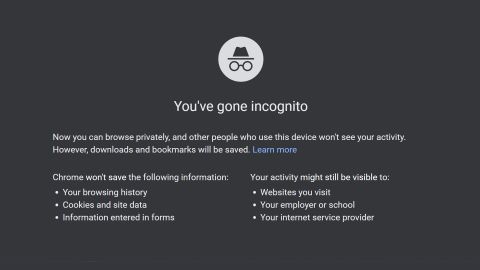
👻 How to make Chrome always run in incognito mode
A lifehack for paranoids: in order not to pinch Ctrl+Shift+N every time, you can always run Chrome in "Incognito" mode by default.
1. Right-click on the Chrome shortcut, then left-click on "Properties".
2. Find the "Shortcut" tab, there will be a special field containing the following line:
"C:\Program Files (x86)\Google\Chrome\Application\chrome.exe"
3. Add "-incognito" at the end of the line to make it look like this:
"C:\Program Files (x86)\Google\Chrome\Application\chrome.exe" -incognito
4. Click on "Save".
Now, every time you start the browser, you automatically enter the "Incognito" mode.
#data #chrome
A lifehack for paranoids: in order not to pinch Ctrl+Shift+N every time, you can always run Chrome in "Incognito" mode by default.
1. Right-click on the Chrome shortcut, then left-click on "Properties".
2. Find the "Shortcut" tab, there will be a special field containing the following line:
"C:\Program Files (x86)\Google\Chrome\Application\chrome.exe"
3. Add "-incognito" at the end of the line to make it look like this:
"C:\Program Files (x86)\Google\Chrome\Application\chrome.exe" -incognito
4. Click on "Save".
Now, every time you start the browser, you automatically enter the "Incognito" mode.
#data #chrome
👍10
📺 How to find and download an excerpt from the movie
Youtubers like to insert excerpts from movies into their videos. If you think that they download whole movies specifically for this, then you are mistaken. There is a simpler solution.
Life Hack:
There is a website with excerpts from films: https://www.playphrase.me/#/search
Just type in the right phrase and get the right passage. The text needs to be printed (Ctrl + C does not work), it must be in English, and the phrases are short (1-4 words). In the lower corner on the left there is a fragment download button, in the right - the name of the movie.
The site is also useful for those who learn English. You type in a phrase and remember how the native speakers pronounce it.
#lifehack
Youtubers like to insert excerpts from movies into their videos. If you think that they download whole movies specifically for this, then you are mistaken. There is a simpler solution.
Life Hack:
There is a website with excerpts from films: https://www.playphrase.me/#/search
Just type in the right phrase and get the right passage. The text needs to be printed (Ctrl + C does not work), it must be in English, and the phrases are short (1-4 words). In the lower corner on the left there is a fragment download button, in the right - the name of the movie.
The site is also useful for those who learn English. You type in a phrase and remember how the native speakers pronounce it.
#lifehack

👍4
❌ How to stop automatic Windows updates
The eternal problem: Windows 10 is always updated at the most inopportune moment. It turns out that they can be installed and live in peace — at least 35 days after that.
Here's how to do it:
1. Open the "Settings".
2. Then - "Update and Security" and "Windows Update".
3. Click "Install updates for 7 days".
4. Click this button again to increase the period.
When you click for up to 35 days, the button will turn gray — this is the maximum value.
#windows #updates
The eternal problem: Windows 10 is always updated at the most inopportune moment. It turns out that they can be installed and live in peace — at least 35 days after that.
Here's how to do it:
1. Open the "Settings".
2. Then - "Update and Security" and "Windows Update".
3. Click "Install updates for 7 days".
4. Click this button again to increase the period.
When you click for up to 35 days, the button will turn gray — this is the maximum value.
#windows #updates

❤4👍2
🎤 How to find music similar to your favorite
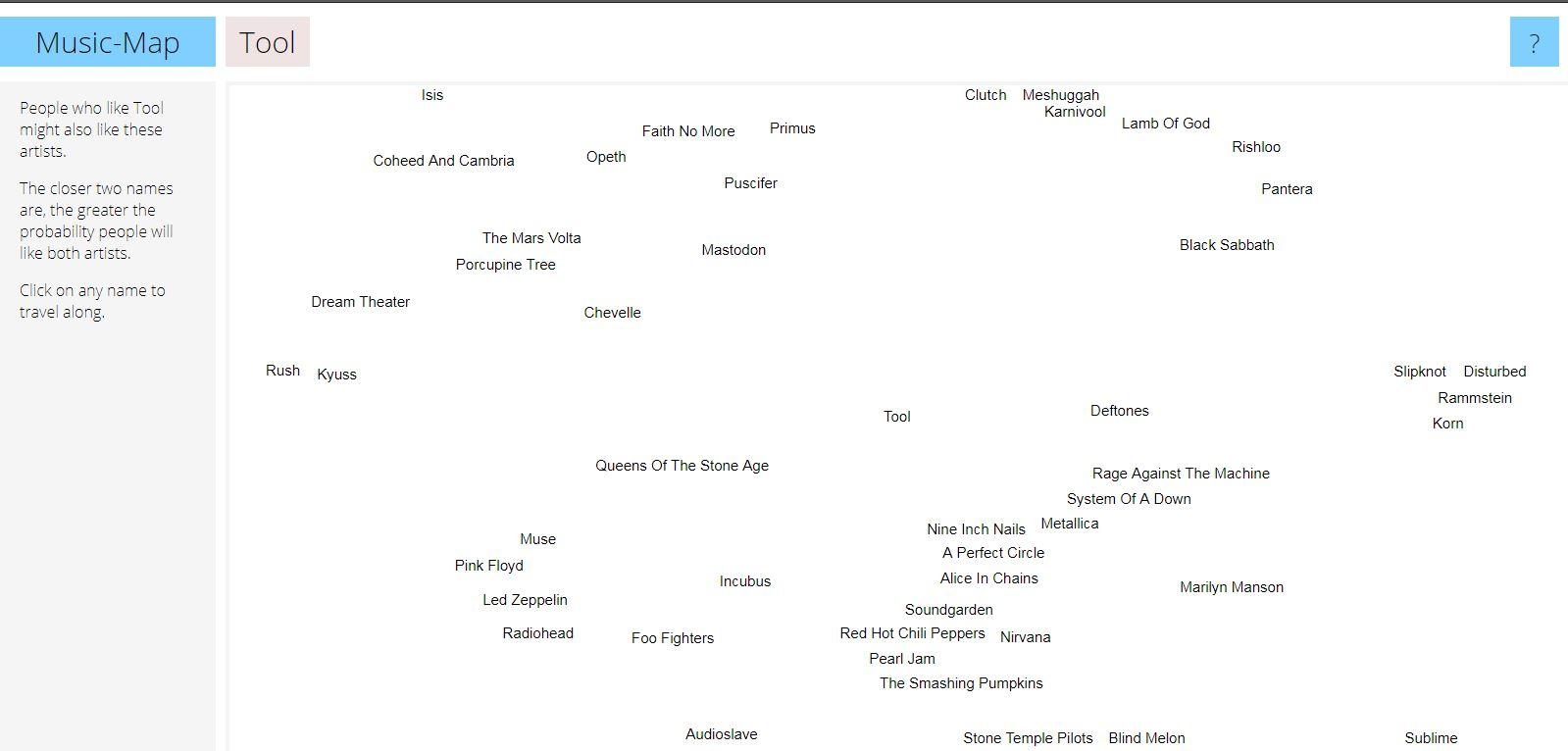
For music lovers: if music from your favorite artists is not enough for you, use the "MusicMap" service. It will help you find performers who are similar to your idols.
How to use the service:
1. Go to the website.
2. Enter the name of your favorite artist or band in the line.
3. Click on the search icon and a cloud of names will appear around your favorite artist. The closer the name of another artist is, the more creatively similar he is to your idol.
#service #music
For music lovers: if music from your favorite artists is not enough for you, use the "MusicMap" service. It will help you find performers who are similar to your idols.
How to use the service:
1. Go to the website.
2. Enter the name of your favorite artist or band in the line.
3. Click on the search icon and a cloud of names will appear around your favorite artist. The closer the name of another artist is, the more creatively similar he is to your idol.
#service #music
👍6
📺 How to stop a video on the right frame in TikTok
It's a common situation when you saw a cool video in a TikTok, but it ends at the most interesting fragment. Because of this, you have to review the video several, maybe dozens of times.
This is a favorite trick of tiktokers to increase statistics and get into recommendations. For such cases, there is a lifehack:
1. Select the video in which you want to watch a separate frame and click the "Share" button.
2. Scroll through the third row of buttons to the end and select "Share as GIF".
3. Pause the video.
4. Use the timeline to select the desired frame.
#lifehack #tiktok
It's a common situation when you saw a cool video in a TikTok, but it ends at the most interesting fragment. Because of this, you have to review the video several, maybe dozens of times.
This is a favorite trick of tiktokers to increase statistics and get into recommendations. For such cases, there is a lifehack:
1. Select the video in which you want to watch a separate frame and click the "Share" button.
2. Scroll through the third row of buttons to the end and select "Share as GIF".
3. Pause the video.
4. Use the timeline to select the desired frame.
#lifehack #tiktok
❤5
✂️ How to remove unnecessary objects from a photo in 5 seconds without Photoshop
If you want to remove an extra element from a photo, such as a trash can, a random passerby, or something else, use the InPainting tool. The whole process will take a maximum of 10 seconds.
How to use it:
1. Go to the website: https://www.nvidia.com/research/inpainting/index.html
2. Upload a photo and paint over unnecessary details with a brush.
3. Click "Apply Model", wait a couple of seconds and the service will output the edited image.
The service has no restrictions on the size of uploaded images. It can also remove wrinkles from the face and retouch images.
#lifehack #service
If you want to remove an extra element from a photo, such as a trash can, a random passerby, or something else, use the InPainting tool. The whole process will take a maximum of 10 seconds.
How to use it:
1. Go to the website: https://www.nvidia.com/research/inpainting/index.html
2. Upload a photo and paint over unnecessary details with a brush.
3. Click "Apply Model", wait a couple of seconds and the service will output the edited image.
The service has no restrictions on the size of uploaded images. It can also remove wrinkles from the face and retouch images.
#lifehack #service

👍6
🎮 How to find out how long it will take to complete the game
If you want to play the game, but not hang in it for a couple of months, then use "Howlongtobeat". The service will show you approximately how much time it will take to complete the game.
How to use it:
1. Go to the website https://howlongtobeat.com/
2. In the search bar, which is located in the header of the site, enter the name of the desired game. When the service finds it, click.
3. Then the system will give you an approximate time to complete the game, based on the results of other users.
You can also see on the site which platforms this game supports, by whom and when it was developed.
#service #recreation
If you want to play the game, but not hang in it for a couple of months, then use "Howlongtobeat". The service will show you approximately how much time it will take to complete the game.
How to use it:
1. Go to the website https://howlongtobeat.com/
2. In the search bar, which is located in the header of the site, enter the name of the desired game. When the service finds it, click.
3. Then the system will give you an approximate time to complete the game, based on the results of other users.
You can also see on the site which platforms this game supports, by whom and when it was developed.
#service #recreation

👍2
🧾 How to make clear instructions from a computer screen in a minute
The Scribe service allows you to record every mouse click for a minute. It turns out a step-by-step instruction in the form of neat screenshots with text comments.
How to use it:
1. Go to the website — https://scribehow.com/
2. Click "Get Scribe For Free" and log in via email.
3. Choose who you work with (this is a formality), then "Add to Chrome".
4. In the window that appears, click "Install extension". After installation, click on the icon with three red stripes in the extensions menu.
5. The program will start recording video, and then redirect to a window with detailed instructions. Then just copy the link and send it to the right person.
Everything is saved in the workspace. For personal use it is free of charge and without restrictions, for companies - $29.
#google #service
The Scribe service allows you to record every mouse click for a minute. It turns out a step-by-step instruction in the form of neat screenshots with text comments.
How to use it:
1. Go to the website — https://scribehow.com/
2. Click "Get Scribe For Free" and log in via email.
3. Choose who you work with (this is a formality), then "Add to Chrome".
4. In the window that appears, click "Install extension". After installation, click on the icon with three red stripes in the extensions menu.
5. The program will start recording video, and then redirect to a window with detailed instructions. Then just copy the link and send it to the right person.
Everything is saved in the workspace. For personal use it is free of charge and without restrictions, for companies - $29.
#google #service
Scribe
Scribe | Create Step-by-Step Guides — Fast.
Scribe documents your processes for you. Build visual guides with text, links and screenshots instantly.
🔍 How to read Instagram messages so that a person does not find out about it
If you don't want your interlocutor to see the status "Viewed" under the message, then this feature is for you:
1. Go to the application settings.
2. Open the "Privacy" section.
3. Scroll down and select "Accounts with restricted access".
4. Click "Continue".
5. In the search field, enter the login of the account whose messages we want to read in secret.
6. Click on the "Restrict access" button.
Done! Now the person will not know that you have read his message.
#instagram #lifehack
If you don't want your interlocutor to see the status "Viewed" under the message, then this feature is for you:
1. Go to the application settings.
2. Open the "Privacy" section.
3. Scroll down and select "Accounts with restricted access".
4. Click "Continue".
5. In the search field, enter the login of the account whose messages we want to read in secret.
6. Click on the "Restrict access" button.
Done! Now the person will not know that you have read his message.
#instagram #lifehack
👍2
🎧 How to cut a voice or minus from a track without complex programs
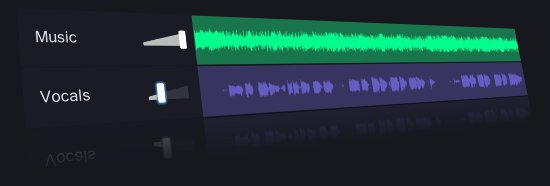
Let's use the VocalRemover service, which is able to separate text from music. For example, you can completely remove the vocals from the song and get an instrumental part and vice versa.
1. Go to the website https://vocalremover.org/
2. Select "Browse my files".
3. Wait for the processing to finish.
4. Listen to the processed version.
5. By clicking on "Download music", download the audio file.
#lifehack #services
Let's use the VocalRemover service, which is able to separate text from music. For example, you can completely remove the vocals from the song and get an instrumental part and vice versa.
1. Go to the website https://vocalremover.org/
2. Select "Browse my files".
3. Wait for the processing to finish.
4. Listen to the processed version.
5. By clicking on "Download music", download the audio file.
#lifehack #services
👍1
❌ How to recover deleted files from hard disk
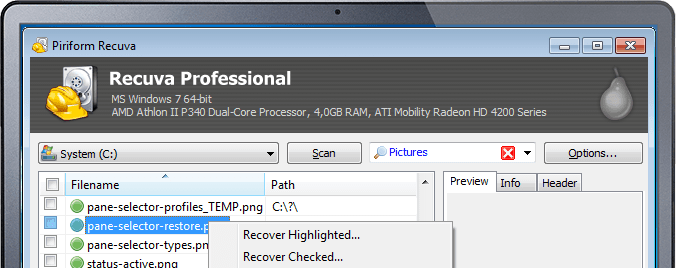
If you reinstalled Windows or just cleaned your PC and deleted something important, then you can restore deleted files using the program "Recuva".
How to do it:
1. Download and run this utility.
2. Select the drive from which you want to restore deleted files.
3. Click the "Analysis" button.
4. Select the necessary files, then click on "Restore".
Do not save the data to the same disk from which you are restoring it. Otherwise, the data may be corrupted and you will not be able to open them.
#windows #data
If you reinstalled Windows or just cleaned your PC and deleted something important, then you can restore deleted files using the program "Recuva".
How to do it:
1. Download and run this utility.
2. Select the drive from which you want to restore deleted files.
3. Click the "Analysis" button.
4. Select the necessary files, then click on "Restore".
Do not save the data to the same disk from which you are restoring it. Otherwise, the data may be corrupted and you will not be able to open them.
#windows #data
👍2
⌚️ How to set up an Apple Watch 4 so that it will save you if you have fallen
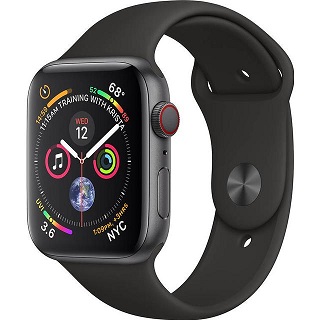
The Apple Watch has an awesome feature called "Fall Detection", which can save your life in a critical situation. If you have fallen and can't move, then you will be asked to call an ambulance with a single tap on the Apple Watch.
How to turn it on:
1. Open the Apple Watch app on your iPhone and go to "My Watch" section.
2. Select "Emergency call - SOS".
3. And turn on the "Fall detection" parameter.
That's it! Now, if you fall, your Apple Watch will offer two scenarios to choose from:
1. Call the rescue service if a doctor is required by pressing the SOS signal.
2. Press "Everything is fine" or on the clock wheel if you do not need help.
#iphone #security
The Apple Watch has an awesome feature called "Fall Detection", which can save your life in a critical situation. If you have fallen and can't move, then you will be asked to call an ambulance with a single tap on the Apple Watch.
How to turn it on:
1. Open the Apple Watch app on your iPhone and go to "My Watch" section.
2. Select "Emergency call - SOS".
3. And turn on the "Fall detection" parameter.
That's it! Now, if you fall, your Apple Watch will offer two scenarios to choose from:
1. Call the rescue service if a doctor is required by pressing the SOS signal.
2. Press "Everything is fine" or on the clock wheel if you do not need help.
#iphone #security
👍1
📷 How to check if Camera2 API is enabled at your phone
All you need to do is download a simple app called ‘Manual Camera Compatibility’ from the Google Play Store and run it.
1. Install the Manual Camera Compatibility app from the Play Store.
2. Open the app and click on the Start button to start the Camera2 API test.
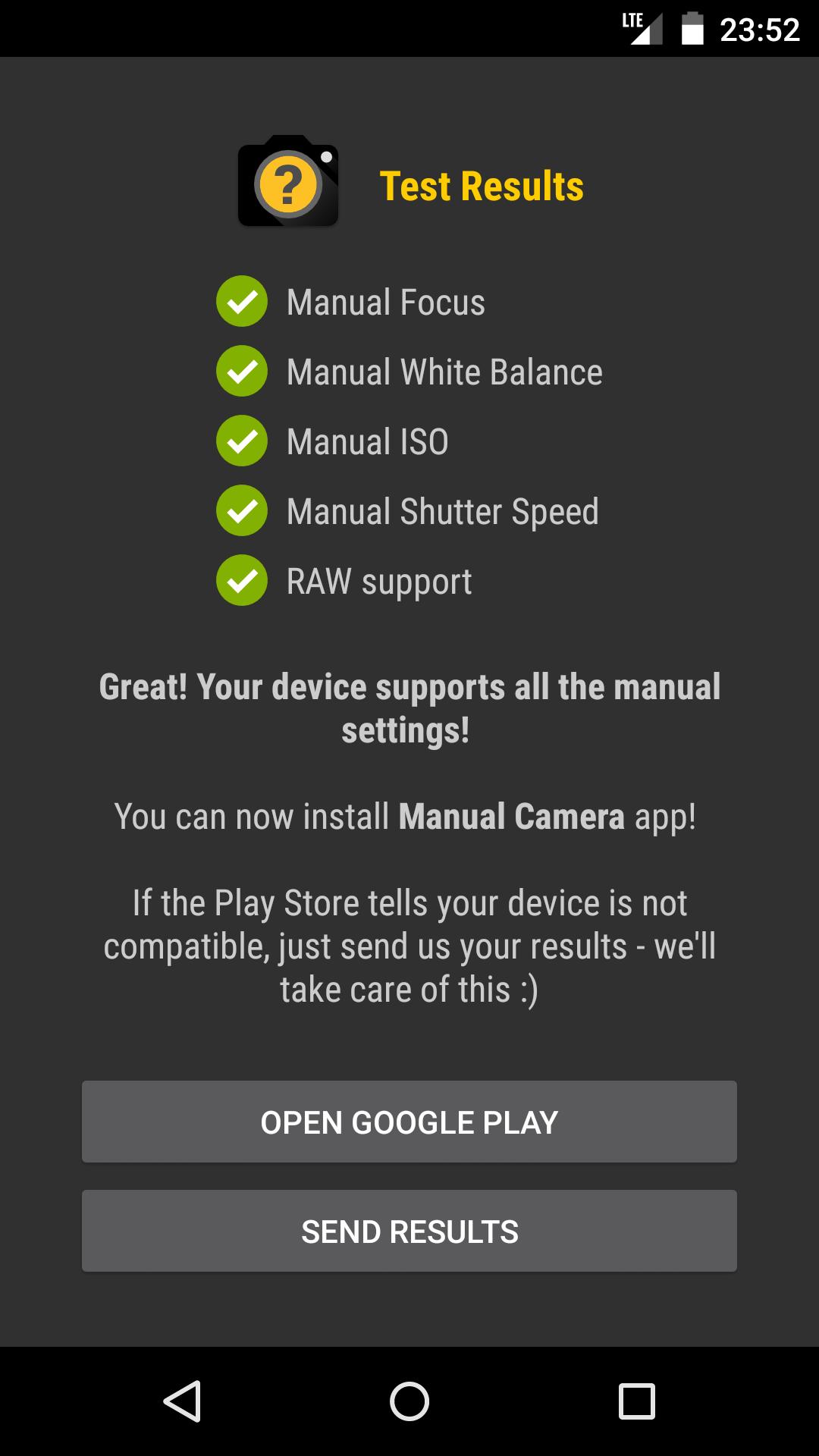
3. The app will show you the camera2 API support, once the test is completed.
4. If it shows all features are supported, then you can just download the compatible GCam APK for your phone and install it.
5. If the Manual Camera Compatibility app reports that your device does not support manual settings, then you need to manually enable the Camera2 API.
#android #app
All you need to do is download a simple app called ‘Manual Camera Compatibility’ from the Google Play Store and run it.
1. Install the Manual Camera Compatibility app from the Play Store.
2. Open the app and click on the Start button to start the Camera2 API test.
3. The app will show you the camera2 API support, once the test is completed.
4. If it shows all features are supported, then you can just download the compatible GCam APK for your phone and install it.
5. If the Manual Camera Compatibility app reports that your device does not support manual settings, then you need to manually enable the Camera2 API.
#android #app
👍2