
This media is not supported in your browser
VIEW IN TELEGRAM
This media is not supported in your browser
VIEW IN TELEGRAM
This media is not supported in your browser
VIEW IN TELEGRAM
Adobe Photoshop is a raster graphics editor developed and published by Adobe Inc. for Windows and macOS. It was originally created in 1988 by Thomas and John Knoll. Since then, this software has become the industry standard not only in raster graphics editing, but in digital art as a whole.
_____
Installation Guide :
1. Download and extract the file.
2. Run the (Setup.exe) file and install the software.
3. Block the connection to the internet for this application in your firewall & Restart the computer.
4. Open the software.
5. Do not update the software.
⚠️This version is preactivated.
⚠️If it does not let you to create project, after running the software press (Ctrl + K) and uncheck the (Auto show the Home Screen) option and check the (Use Legacy New Document Interface) option, then close the software and open it again.
🔘 Consider you should install ( Microsoft Visual C++ ) for solving (dll) error.
_____
⚠️System Requirements :
-Processor: Intel® Core 2 or AMD Athlon® 64 processor; 2 GHz or faster processor
-Operating system: Microsoft Windows 10 (64 bit) versions 1803 (Creators Update) and later
macOS 10.13 or later 64 bit
-RAM 2 GB or more of RAM (8 GB recommended)
-Hard disk space: 3.1 GB or more of available hard-disk space for 64-bit installation; additional free space required during installation (cannot install on a volume that uses a case-sensitive file system)
-Monitor resolution: 1024 x 768 display (1280x800 recommended) with 16-bit color and 512 MB or more of dedicated VRAM; 2 GB is recommended
-Graphics processor acceleration requirements OpenGL 2.0-capable system
_____
Installation Guide :
1. Download and extract the file.
2. Run the (Setup.exe) file and install the software.
3. Block the connection to the internet for this application in your firewall & Restart the computer.
4. Open the software.
5. Do not update the software.
⚠️This version is preactivated.
⚠️If it does not let you to create project, after running the software press (Ctrl + K) and uncheck the (Auto show the Home Screen) option and check the (Use Legacy New Document Interface) option, then close the software and open it again.
🔘 Consider you should install ( Microsoft Visual C++ ) for solving (dll) error.
_____
⚠️System Requirements :
-Processor: Intel® Core 2 or AMD Athlon® 64 processor; 2 GHz or faster processor
-Operating system: Microsoft Windows 10 (64 bit) versions 1803 (Creators Update) and later
macOS 10.13 or later 64 bit
-RAM 2 GB or more of RAM (8 GB recommended)
-Hard disk space: 3.1 GB or more of available hard-disk space for 64-bit installation; additional free space required during installation (cannot install on a volume that uses a case-sensitive file system)
-Monitor resolution: 1024 x 768 display (1280x800 recommended) with 16-bit color and 512 MB or more of dedicated VRAM; 2 GB is recommended
-Graphics processor acceleration requirements OpenGL 2.0-capable system
👍2
Media is too big
VIEW IN TELEGRAM
Photoshop 2020 - Tutorial for Beginners in 13 MINUTES! COMPLETE
This media is not supported in your browser
VIEW IN TELEGRAM
🤖 @iNetworkCompanyBot
🖥 WinZip Privacy Protector
_ℹ️ Scan Computer And Secure Files And Folders On Your Cmputers So As To Ensure That They Are Not Accessed By Unauthorized Users._
📡 @iNetworkOfficial
🖥 WinZip Privacy Protector
_ℹ️ Scan Computer And Secure Files And Folders On Your Cmputers So As To Ensure That They Are Not Accessed By Unauthorized Users._
📡 @iNetworkOfficial

This media is not supported in your browser
VIEW IN TELEGRAM
🤖 @iNetworkCompanyBot
🖥 Wondershare Filmora v9.3.0.23 64bit
Activated.
ℹ️ Extremely intuitive and easy to use video editing software. With wide range of powerful editing tools and effects.
📡 @iNetworkOfficial
🖥 Wondershare Filmora v9.3.0.23 64bit
Activated.
ℹ️ Extremely intuitive and easy to use video editing software. With wide range of powerful editing tools and effects.
📡 @iNetworkOfficial

👍1
This media is not supported in your browser
VIEW IN TELEGRAM
🤖 @iNetworkCompanyBot
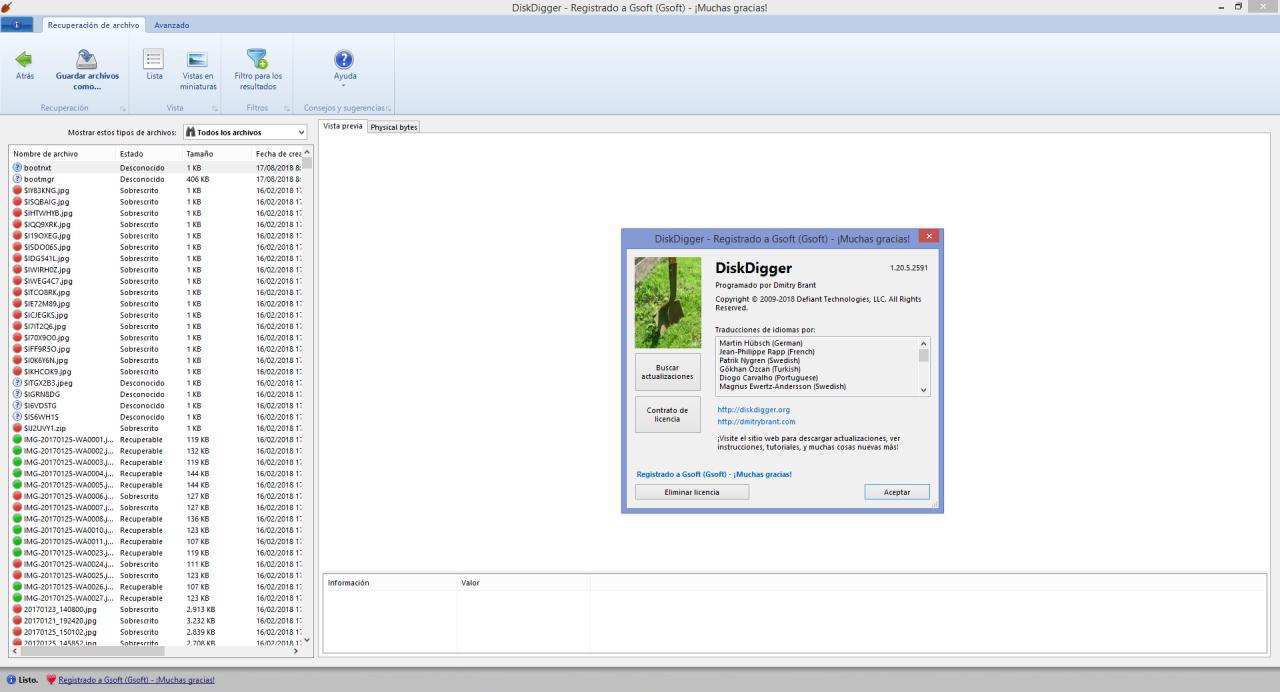
🖥 DiskDigger {V1.20}
ℹ️ It is a tool that retrieves and recovers lost files from your hard disk, memory cards, USB sticks, whatever you want! Whether you accidentally deleted some documents or photos from your computer, have reformatted
📡 @iNetworkOfficial
🖥 DiskDigger {V1.20}
ℹ️ It is a tool that retrieves and recovers lost files from your hard disk, memory cards, USB sticks, whatever you want! Whether you accidentally deleted some documents or photos from your computer, have reformatted
📡 @iNetworkOfficial
This media is not supported in your browser
VIEW IN TELEGRAM
🤖 @iNetworkCompanyBot
🖥 TeamViwer
_ℹ️ It is a software whose function is to remotely connect to another computer. Among its functions are: to share and control desktops, online meetings, video conferencing, and file transfer_
📡 @iNetworkOfficial
🖥 TeamViwer
_ℹ️ It is a software whose function is to remotely connect to another computer. Among its functions are: to share and control desktops, online meetings, video conferencing, and file transfer_
📡 @iNetworkOfficial

👍1
This media is not supported in your browser
VIEW IN TELEGRAM
🤖 @iNetworkCompanyBot
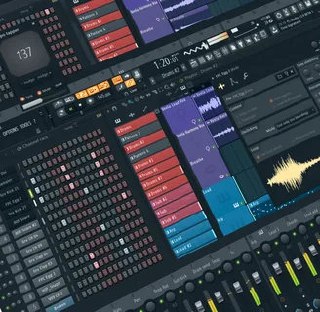
🖥 FL Studio
ℹ️ FL Studio, an all-in-one music production software, is one of the world's most popular DAW
📡 @iNetworkOfficial
🖥 FL Studio
ℹ️ FL Studio, an all-in-one music production software, is one of the world's most popular DAW
📡 @iNetworkOfficial
This media is not supported in your browser
VIEW IN TELEGRAM