
This media is not supported in your browser
VIEW IN TELEGRAM
🆔Sketchup Pro
♻️Sketchup, is a 3D modeling computer program for a wide range of drawing applications such as architectural, interior design, landscape architecture, civil and mechanical engineering, film and video game design.
📡 @iNetworkOfficial
♻️Sketchup, is a 3D modeling computer program for a wide range of drawing applications such as architectural, interior design, landscape architecture, civil and mechanical engineering, film and video game design.
📡 @iNetworkOfficial
This media is not supported in your browser
VIEW IN TELEGRAM
🆔Adobe Dreamweaver CC 2017 (Activated. No crack needed.)
♻️Design and develop modern, responsive websites. Build the best sites for any browser
📡 @iNetworkOfficial
♻️Design and develop modern, responsive websites. Build the best sites for any browser
📡 @iNetworkOfficial

This media is not supported in your browser
VIEW IN TELEGRAM
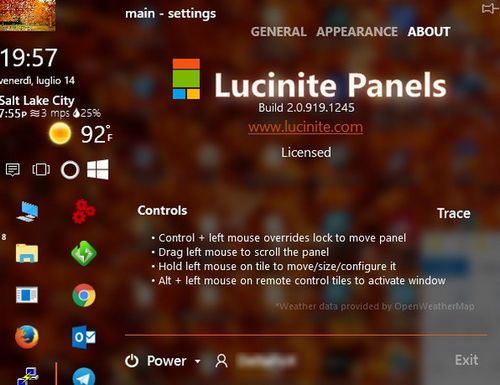
Lucinite Panels 3.1.1494.1197
Description: 🤓👇
Lucinite Panels gives you the ability to add multiple bars to any edge of your desktops and displays. These bars contain mini-programs called Tiles which
Title: Lucinite Panels v3.1.1494.1197
Developer: Home Page
License: Shareware
Language: English
OS: Windows
Description: 🤓👇
Lucinite Panels gives you the ability to add multiple bars to any edge of your desktops and displays. These bars contain mini-programs called Tiles which
Title: Lucinite Panels v3.1.1494.1197
Developer: Home Page
License: Shareware
Language: English
OS: Windows
This media is not supported in your browser
VIEW IN TELEGRAM
Webcam Surveyor 3.7.2 Build 1088
Description: 🤓👇
You can download Webcam Surveyor Full Version from our software library for free. This free program was originally developed by El Software.
Title: Webcam Surveyor v3.7.2 Build 1088
Developer: El Software Solutions
License: Shareware
Language: Multilingual
OS: Windows
Description: 🤓👇
You can download Webcam Surveyor Full Version from our software library for free. This free program was originally developed by El Software.
Title: Webcam Surveyor v3.7.2 Build 1088
Developer: El Software Solutions
License: Shareware
Language: Multilingual
OS: Windows
👍1
This media is not supported in your browser
VIEW IN TELEGRAM
This is easy-to-use tools for making simple disc image files and emulating virtual CD, DVD and Blu-ray drives. It is an advanced application for Microsoft Windows which provides one of the best optical media emulation in the industry.
Title: DAEMON Tools Lite v10.10.0.798
Developer: Disc Soft Ltd
License: Freeware
Language: Multilingual
OS: Windows
Title: DAEMON Tools Lite v10.10.0.798
Developer: Disc Soft Ltd
License: Freeware
Language: Multilingual
OS: Windows
This media is not supported in your browser
VIEW IN TELEGRAM
Forwarded from iNetwork Company
Official Group Chat for iNetwork Channels, it's only for requesting and solving problems
This media is not supported in your browser
VIEW IN TELEGRAM
This media is not supported in your browser
VIEW IN TELEGRAM
Forwarded from iNetwork Company
iNetwork™
Games | Movies | Music | Apps | Anime | Tech News | Screaming | Books | Software's
© All right reserved (2017)
💌 Contact us | @iNetworkSupport
Games | Movies | Music | Apps | Anime | Tech News | Screaming | Books | Software's
© All right reserved (2017)
💌 Contact us | @iNetworkSupport
Installation:
1. Disable the internet, antivirus, SystemCare and the like.
2. Go in the Setup folder and install the software compatible with your OS (32 or 64-bit).
3. Open the keygen as admin and do not close until the end of activation. Select the CorelDRAW X7 and generate a serial to proceed with the installation.
4. During installation, disable the option to automatically update.
5. After the installation, start CoreDraw X7. You will see the activation screen.
6. Go Another options and select Contact Corel.
7. This brings up a screen with an installation code. Enter this code in the field in the keygen, click Generate Activation Code.
8. Paste the generated activation code back in the activation screen.
9. Even if the occurrence of an invalid key message, ignore, CorelDraw is already enabled.
10. Go in the Update folder and run the executable to install the latest hotfix.
11. Enable the Internet
1. Disable the internet, antivirus, SystemCare and the like.
2. Go in the Setup folder and install the software compatible with your OS (32 or 64-bit).
3. Open the keygen as admin and do not close until the end of activation. Select the CorelDRAW X7 and generate a serial to proceed with the installation.
4. During installation, disable the option to automatically update.
5. After the installation, start CoreDraw X7. You will see the activation screen.
6. Go Another options and select Contact Corel.
7. This brings up a screen with an installation code. Enter this code in the field in the keygen, click Generate Activation Code.
8. Paste the generated activation code back in the activation screen.
9. Even if the occurrence of an invalid key message, ignore, CorelDraw is already enabled.
10. Go in the Update folder and run the executable to install the latest hotfix.
11. Enable the Internet
Requirements:
- Microsoft Windows 8 / 8.1 (32-bit or 64-bit editions), Windows 7 (32-bit editions or 64-bit) with the latest service packs installed
- Intel Core 2 Duo or AMD Athlon 64
- 2 GB of RAM
- 1 GB of hard disk space (for installation without content)
- Mouse, tablet or multitouch screen
- 1280 x 768 resolution of screen- DVD drive (required for installation of the box)
- Microsoft Internet Explorer 8 or later
- Internet connection required for association and signature services, installing updates and access to some features, including content switching, QR code tools and ConceptShare
- Microsoft Windows 8 / 8.1 (32-bit or 64-bit editions), Windows 7 (32-bit editions or 64-bit) with the latest service packs installed
- Intel Core 2 Duo or AMD Athlon 64
- 2 GB of RAM
- 1 GB of hard disk space (for installation without content)
- Mouse, tablet or multitouch screen
- 1280 x 768 resolution of screen- DVD drive (required for installation of the box)
- Microsoft Internet Explorer 8 or later
- Internet connection required for association and signature services, installing updates and access to some features, including content switching, QR code tools and ConceptShare