
This media is not supported in your browser
VIEW IN TELEGRAM
This media is not supported in your browser
VIEW IN TELEGRAM
This media is not supported in your browser
VIEW IN TELEGRAM
This media is not supported in your browser
VIEW IN TELEGRAM
This media is not supported in your browser
VIEW IN TELEGRAM

This media is not supported in your browser
VIEW IN TELEGRAM
4K YouTube to MP3 3.3.1.1757 + Portable Latest
Description: 🤓👇
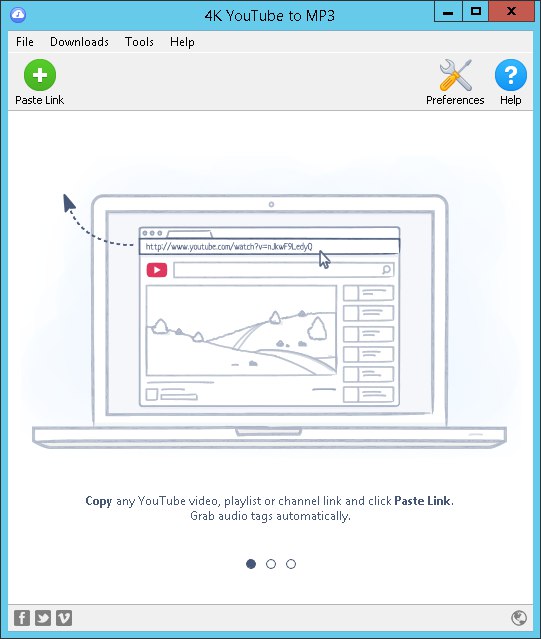
4K YouTube to MP3 software download for pc is a handy and reliable utility designed to download videos from the Internet and convert them to MP3 format. 4K
Title: 4K YouTube to MP3 v3.3.1.1757
Developer: Home Page
License: ShareWare
Language: Multilingual
OS: Windows
Description: 🤓👇
4K YouTube to MP3 software download for pc is a handy and reliable utility designed to download videos from the Internet and convert them to MP3 format. 4K
Title: 4K YouTube to MP3 v3.3.1.1757
Developer: Home Page
License: ShareWare
Language: Multilingual
OS: Windows
This media is not supported in your browser
VIEW IN TELEGRAM
There are a lot of reasons to change the icon of an executable file, some of them are listed below.
😒Bored of the old icon.
👌To make a malicious file look like a legitimate one.
🔓 prank
think now you got a reason to change the icon of an executable...
😒Bored of the old icon.
👌To make a malicious file look like a legitimate one.
🔓 prank
think now you got a reason to change the icon of an executable...

First,
you have to downloadResource Hacker and then install it on your computer.
Then open the Resource Hacker application, you will see a window like this:
you have to downloadResource Hacker and then install it on your computer.
Then open the Resource Hacker application, you will see a window like this:

Now go to File > Open and then select the executable file. Then click on "Open". The window should look something like this:

Now right click on the "icon" folder and then select "Replace Icon" or press Ctrl+R. A small window will appear:
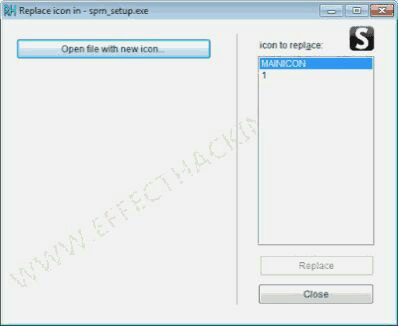
Then click on "Open file with new icon" andthen select a .exefile with the icon you want to add to the target executable file, or you can select an icon file, resource file or adllfile. Now click on the "Replace" button. The resource hacker window should look something like this:
Now go to File > Save As.... Then save the file with a new name, for example, "Newspmsetup.exe".
This media is not supported in your browser
VIEW IN TELEGRAM
This media is not supported in your browser
VIEW IN TELEGRAM