
This media is not supported in your browser
VIEW IN TELEGRAM
This media is not supported in your browser
VIEW IN TELEGRAM
This media is not supported in your browser
VIEW IN TELEGRAM
This media is not supported in your browser
VIEW IN TELEGRAM
🔺How to Activate?
━━━━━━━━━━━━━━━━━━━━
Install CyberGhost VPN
Use Task Manager to kill all CyberGhost VPN processes
Open services.msc then stop CyberGhost service
Copy content from crack folder and paste & replace into installation directory
Launch CyberGhost VPN
That’s All, Enjoy
━━━━━━━━━━━━━━━━━━━━
Install CyberGhost VPN
Use Task Manager to kill all CyberGhost VPN processes
Open services.msc then stop CyberGhost service
Copy content from crack folder and paste & replace into installation directory
Launch CyberGhost VPN
That’s All, Enjoy
This media is not supported in your browser
VIEW IN TELEGRAM
This media is not supported in your browser
VIEW IN TELEGRAM
CodedColor PhotoStudio Pro 7.5.5.0 + Clipart Content
With CodedColor PhotoStudio Pro you will experience the diversity of viewing, organising, editing, enhancing and sharing your images and digital Photos - easy to use, full of features, professional results!
CodedColor PhotoStudio by 1STEIN is a Windows photo viewer and editor to organize, edit, resize, reformat, correct, compare, sort, watermark, annotate and print digital images, and to edit EXIF and IPTC data in digital photos. You can rename multiple images, remove scratches, create panorama pictures (stitch), convert RAW photos (from Canon, Nikon, Olympus, etc. cameras), send images via Skype, send photo SMS, burn digital watermarks, correct colors, run a screenshow, convert and correct JPEG images in a batch process, rename fields, open pictures and image folders from the Explorer, generate a webalbum in HTML and compress JPG images.
With CodedColor PhotoStudio Pro you will experience the diversity of viewing, organising, editing, enhancing and sharing your images and digital Photos - easy to use, full of features, professional results!
CodedColor PhotoStudio by 1STEIN is a Windows photo viewer and editor to organize, edit, resize, reformat, correct, compare, sort, watermark, annotate and print digital images, and to edit EXIF and IPTC data in digital photos. You can rename multiple images, remove scratches, create panorama pictures (stitch), convert RAW photos (from Canon, Nikon, Olympus, etc. cameras), send images via Skype, send photo SMS, burn digital watermarks, correct colors, run a screenshow, convert and correct JPEG images in a batch process, rename fields, open pictures and image folders from the Explorer, generate a webalbum in HTML and compress JPG images.

This media is not supported in your browser
VIEW IN TELEGRAM
Cheap Paid Promotion👌*
*Payment BTC $
Your Ad will be sent in 20 channel with over 200 000 Subscribers 🏆
Contact Us Now👉🏻 📩 @iNetworkSupportBot
*Payment BTC $
Your Ad will be sent in 20 channel with over 200 000 Subscribers 🏆
Contact Us Now👉🏻 📩 @iNetworkSupportBot
This media is not supported in your browser
VIEW IN TELEGRAM
This media is not supported in your browser
VIEW IN TELEGRAM
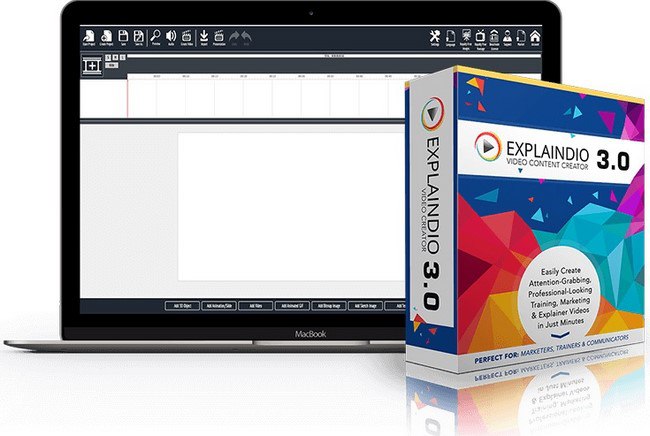
Explaindio Video Creator Platinum 3.030 Multilingual
The #1 Animation, Doodle Sketch, and Motion Video Creation Software. How To Create Attention-Grabbing Professional-Looking Marketing, Explainer & Training Videos in Just Minutes! Make Amazing Professional Animated, Doodle Sketch, and Motion Videos in Minutes!
CAPTIVATE…ENGAGE…EXPLAIN
Make Amazing Professional 2D & 3D Animated, Doodle Sketch, and Motion Videos in Minutes.
The #1 Animation, Doodle Sketch, and Motion Video Creation Software. How To Create Attention-Grabbing Professional-Looking Marketing, Explainer & Training Videos in Just Minutes! Make Amazing Professional Animated, Doodle Sketch, and Motion Videos in Minutes!
CAPTIVATE…ENGAGE…EXPLAIN
Make Amazing Professional 2D & 3D Animated, Doodle Sketch, and Motion Videos in Minutes.
This media is not supported in your browser
VIEW IN TELEGRAM
Forwarded from iNetwork Company
iNetwork Wish Y'all Merry Christmas, 😘 We appreciate Your support Guys 👍
📢 iNetworkOfficial Team!!!!!
📢 iNetworkOfficial Team!!!!!
Advanced Recent Access is designed to see and open more recent used resources (files and directories). And you can see more properties of the recent resources, such as path, size, type, date modified and date created.
