Timo_Greatness2.2.xml
19.9 KB
Greatness Changelog
Timo_Greatness2.2
For OP7 Series
Download the APK here:https://www.celsoazevedo.com/files/android/google-camera/f/changelog1443/
- New buttons for faces and macro for optimized shots.
- Aimed at detail and avoiding crushing shadows
- Stream Mode (adjusted)
- Camera IDs Enabled - (Main, Wide, Tele, Macro, Faces)
- Tone Map (Custom)
- Dehaze (0.5)
- Contrast (0)
- Back Cam AWB (IMX586 SEMCO) Default OFF
- Sharpness (1.375)
- Custom Denoise Values(Wide, Main, Tele, Macro, Faces)
Special Thanks to Rakin for making this mod possible!
Greatness v2.2
Timo_Greatness2.2
For OP7 Series
Download the APK here:https://www.celsoazevedo.com/files/android/google-camera/f/changelog1443/
- New buttons for faces and macro for optimized shots.
- Aimed at detail and avoiding crushing shadows
- Stream Mode (adjusted)
- Camera IDs Enabled - (Main, Wide, Tele, Macro, Faces)
- Tone Map (Custom)
- Dehaze (0.5)
- Contrast (0)
- Back Cam AWB (IMX586 SEMCO) Default OFF
- Sharpness (1.375)
- Custom Denoise Values(Wide, Main, Tele, Macro, Faces)
Special Thanks to Rakin for making this mod possible!
Greatness v2.2
ImRM404-Greatness2.2🍁Selfie.xml
19 KB
For OnePlus 7series
Only for selfie and People photo.
People who thought gcam's over sharpness ruined your skin tone will love this xml.
- Balenced sharpness and details
- Good skin tone
- If you want little warmer tone just turn on AWB(Auto White Balance)
If you find anything wrong just DM me.
Special thanks to Rakin for make this amaizing mod possible!
Only for selfie and People photo.
People who thought gcam's over sharpness ruined your skin tone will love this xml.
- Balenced sharpness and details
- Good skin tone
- If you want little warmer tone just turn on AWB(Auto White Balance)
If you find anything wrong just DM me.
Special thanks to Rakin for make this amaizing mod possible!
This media is not supported in your browser
VIEW IN TELEGRAM

Introducing CamStellar 2! Incremental update to the astrophotography spin-off from Greatness Cam.
Changelog:
1. Fixed Nightsight Manual Focus OptionsMenu. (Top Bar)
2. Finally a perfect sabre. It works as perfect on 7.3 I could offer.
3. Readjusted Patcher. Should remove all the vignette and shadow crushing from last version. It should give you great results on normal Nightsight and sometimes day landscape as well.
4. Enabled option to choose relative amount of astrophotography frames.
5. Added Basic Image Tuning Tools for slight adjustment if someone personally wants to change.
6. UI changes following Gcam 8.0, icon changed (designed by MadnessKnight), improved tutorials.
7. Better control over ISO/Exposure Time. Samsung Galaxy S10 series users can use 8 sec exposure now.
8. Interstellar Zoom on Video, Timelapse, Slowmotion is allowed beyond 100x now on the sensors and devices it is supported (like ultrawide or telephoto on OnePlus 7 series)
9. Option to use RAW SENSOR instead of RAW10 for all devices.
10. Default zoom from Greatness Cam returns.
And as usual, the features from CamStellar 1 retains. It should provide you the best astrophotography results from Gcam mods out there due to the way it was tuned. Be sure to try it out if you love astrophotography. I promise you won't be disappointed. However, note that this is not a complete mod. You can use it in parallel with GreatnessCam.
⏏️Must uninstall previous CamStellar before installing this. However this app can be installed alongside any other apps/Gcam. As like the last time, you don't need any xml. After installing, visit the settings once and use system back button or system side swipe back gesture so the app restarts and changes get applied. And yeah this app is as simple as it gets, so don't be shy to explore.
Changelog:
1. Fixed Nightsight Manual Focus OptionsMenu. (Top Bar)
2. Finally a perfect sabre. It works as perfect on 7.3 I could offer.
3. Readjusted Patcher. Should remove all the vignette and shadow crushing from last version. It should give you great results on normal Nightsight and sometimes day landscape as well.
4. Enabled option to choose relative amount of astrophotography frames.
5. Added Basic Image Tuning Tools for slight adjustment if someone personally wants to change.
6. UI changes following Gcam 8.0, icon changed (designed by MadnessKnight), improved tutorials.
7. Better control over ISO/Exposure Time. Samsung Galaxy S10 series users can use 8 sec exposure now.
8. Interstellar Zoom on Video, Timelapse, Slowmotion is allowed beyond 100x now on the sensors and devices it is supported (like ultrawide or telephoto on OnePlus 7 series)
9. Option to use RAW SENSOR instead of RAW10 for all devices.
10. Default zoom from Greatness Cam returns.
And as usual, the features from CamStellar 1 retains. It should provide you the best astrophotography results from Gcam mods out there due to the way it was tuned. Be sure to try it out if you love astrophotography. I promise you won't be disappointed. However, note that this is not a complete mod. You can use it in parallel with GreatnessCam.
⏏️Must uninstall previous CamStellar before installing this. However this app can be installed alongside any other apps/Gcam. As like the last time, you don't need any xml. After installing, visit the settings once and use system back button or system side swipe back gesture so the app restarts and changes get applied. And yeah this app is as simple as it gets, so don't be shy to explore.
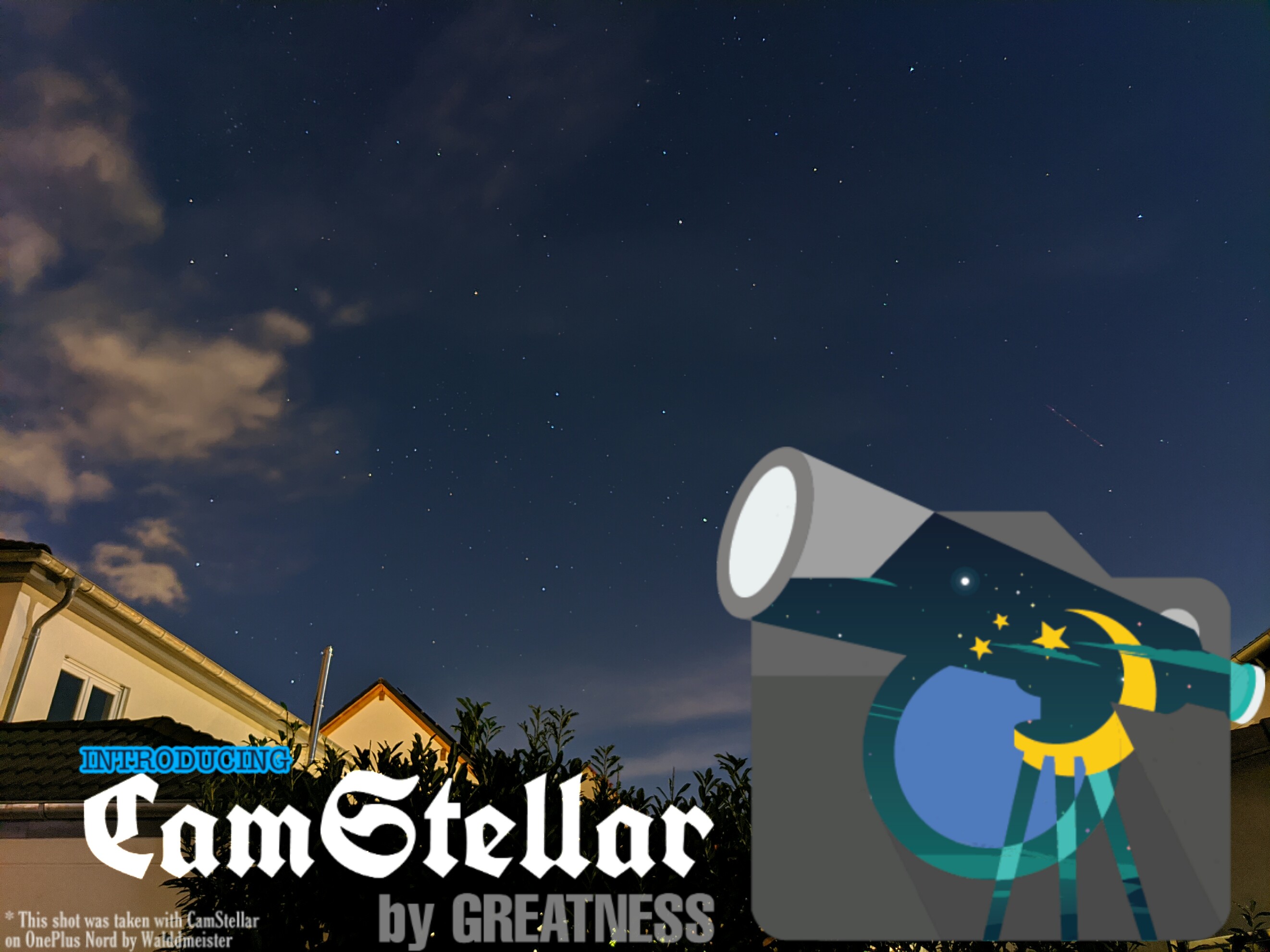
Greatness Gcam Channel pinned «Introducing CamStellar 2! Incremental update to the astrophotography spin-off from Greatness Cam. Changelog: 1. Fixed Nightsight Manual Focus OptionsMenu. (Top Bar) 2. Finally a perfect sabre. It works as perfect on 7.3 I could offer. 3. Readjusted Patcher.…»
Greatness Gcam Channel
CamStellar_Greatness.Build2. .apk
If someone faces problems downloading this, download from here
This media is not supported in your browser
VIEW IN TELEGRAM
ATOM-🧙BAD WITCH🧙-GRRATNESS2.2FINAL.xml
26.5 KB
Made For Rn8P
It can work on other devicrs i guess
Great saturation balanced noise and awesome awb
Thanks sir rakin for this amazing cam❤️
By Badwitch
It can work on other devicrs i guess
Great saturation balanced noise and awesome awb
Thanks sir rakin for this amazing cam❤️
By Badwitch
This media is not supported in your browser
VIEW IN TELEGRAM
Greatness Cam 2.3 is here! (Yeah I had to provide one more update)😅 Changelog:
1. Fixed Sabre totally (main reason for the update, CamStellar 2 had it as well)
2. Added Coef Gamma/Contrast 2, Experimental Contrast 1, Merge Method Override to libpatcher.
3. Added Color Scales to HDR Range. It heavily affects the AWB On photos including the blackness, colors, WB etc.
4. Incremented the max length of manual camera id to 2 for Xiaomi devices.
5. Fixed top menu focus on Nightsight.
6. Increased max video zoom level.
7. Added device configs for OnePlus 8,T, Pro.
8. Fixed Manual IDs on Nord, OnePlus 8T.
9. Made finishing touches to the UI.
10. Note that many of the older XMLs might not work anymore due to some major changes, it's better if users manually put values from previous XMLs or wait for XML makers to release their respective XMLs.
1. Fixed Sabre totally (main reason for the update, CamStellar 2 had it as well)
2. Added Coef Gamma/Contrast 2, Experimental Contrast 1, Merge Method Override to libpatcher.
3. Added Color Scales to HDR Range. It heavily affects the AWB On photos including the blackness, colors, WB etc.
4. Incremented the max length of manual camera id to 2 for Xiaomi devices.
5. Fixed top menu focus on Nightsight.
6. Increased max video zoom level.
7. Added device configs for OnePlus 8,T, Pro.
8. Fixed Manual IDs on Nord, OnePlus 8T.
9. Made finishing touches to the UI.
10. Note that many of the older XMLs might not work anymore due to some major changes, it's better if users manually put values from previous XMLs or wait for XML makers to release their respective XMLs.
Gcam7.3.018_Greatness.Build2.3.apk
128.1 MB
com.google.android.GoogleCameraEng
Gcam7.3.018_Greatness.Build2.3.BQ.apk
128.1 MB
com.bq.camerabq
Gcam7.3.018_Greatness.Build2.3.OP8.apk
128.1 MB
org.codeaurora.snapcam (only for aux on OP8/Pro)
And my personal tribute to the Prince of the beautiful game 😔
This media is not supported in your browser
VIEW IN TELEGRAM
Greatness Gcam Channel pinned «Greatness Cam 2.3 is here! (Yeah I had to provide one more update)😅 Changelog: 1. Fixed Sabre totally (main reason for the update, CamStellar 2 had it as well) 2. Added Coef Gamma/Contrast 2, Experimental Contrast 1, Merge Method Override to libpatcher. 3.…»
GcamGo_1.9GreatnessNS_Rebuilt.apk
19.5 MB
-Updated Camera Go version to 1.9.340165459_release
-Increased maximum zoom level on front camera
❌ No discussion related to this in my Greatness Cam group, join @GcamGo for discussion and more
❌ Note that this app is never my first priority. I work on it only if I have nothing else to do
✅ I have written a deep analysis on this app. You might like to check it out below.
-Increased maximum zoom level on front camera
❌ No discussion related to this in my Greatness Cam group, join @GcamGo for discussion and more
❌ Note that this app is never my first priority. I work on it only if I have nothing else to do
✅ I have written a deep analysis on this app. You might like to check it out below.
This media is not supported in your browser
VIEW IN TELEGRAM
Presenting CamStellar 3.0!
Changelog:
1. CamStellar Button: A button to use Sunset/Moon mode. Detailed description below.
2. Totally redesigned the UI. Vertical Aux buttons are introduced. Thanks to @saVantCZ. Feel free to share your views on this redesign.
3. Added option to enable OP7 RAW FIX. You can even decide to turn on a viewfinder button to turn RAW FIX on/off. Thanks to @RealJohnGalt for discovering the fix. Now you can import RAW into editing apps like Snapseed or Lightroom.
4. Removed the Flat Lib.
About the CamStellar button: The button actually triggers a mode that I like to call Sunset/Moon Mode. Now this has similarities with LDR but it's different. In case of sunrise and sunset shots, you can decide to get full silhouette look just slightly moving the exposure slider or without any touching, get an aesthetic photo as though not totally blacked out shadows but would make the photo eye pleasing imo. I already uploaded some samples to the CamStellar album.
For the moon part, you need a decent amount of optical zoom to really take a decent picture. The telephoto lens might come handy but if you have a telescope, it should take brilliant photos. Plus, the astro shots on a moon lit night wouldn't look overexposed if this mode is used. It takes darker natural looking photos but still offers the stars like we see in naked eye. I believe if worked on properly, you can take a shot of stars with moon in background as well. This will actually ensure a natural looking photo like what you really see.
Another thing that should benefit from this mode is light trails. Since this lib tends to capture least ISO and more shutter speed, the light trails of traffic should be much better. Just use the Astrophotography mode with moon button on and see if it does work like a great Light Painting alternative. (Google removed light painting after 7.2)
I have used a different approach for this mode unlike other modders approached for LDR. I modified a custom lib for this and some of the exposure parameters are tuned in such a way that the RAW is affected as well. You get an aesthetic looking RAW photo as well for professional editing.
Please don't use my Lib on your mod without permission.
Please make a clean install for best results (uninstall previous stellar). After launching first time, go to settings and return using system back gesture or button to restart the app and for the settings to get applied properly
Changelog:
1. CamStellar Button: A button to use Sunset/Moon mode. Detailed description below.
2. Totally redesigned the UI. Vertical Aux buttons are introduced. Thanks to @saVantCZ. Feel free to share your views on this redesign.
3. Added option to enable OP7 RAW FIX. You can even decide to turn on a viewfinder button to turn RAW FIX on/off. Thanks to @RealJohnGalt for discovering the fix. Now you can import RAW into editing apps like Snapseed or Lightroom.
4. Removed the Flat Lib.
About the CamStellar button: The button actually triggers a mode that I like to call Sunset/Moon Mode. Now this has similarities with LDR but it's different. In case of sunrise and sunset shots, you can decide to get full silhouette look just slightly moving the exposure slider or without any touching, get an aesthetic photo as though not totally blacked out shadows but would make the photo eye pleasing imo. I already uploaded some samples to the CamStellar album.
For the moon part, you need a decent amount of optical zoom to really take a decent picture. The telephoto lens might come handy but if you have a telescope, it should take brilliant photos. Plus, the astro shots on a moon lit night wouldn't look overexposed if this mode is used. It takes darker natural looking photos but still offers the stars like we see in naked eye. I believe if worked on properly, you can take a shot of stars with moon in background as well. This will actually ensure a natural looking photo like what you really see.
Another thing that should benefit from this mode is light trails. Since this lib tends to capture least ISO and more shutter speed, the light trails of traffic should be much better. Just use the Astrophotography mode with moon button on and see if it does work like a great Light Painting alternative. (Google removed light painting after 7.2)
I have used a different approach for this mode unlike other modders approached for LDR. I modified a custom lib for this and some of the exposure parameters are tuned in such a way that the RAW is affected as well. You get an aesthetic looking RAW photo as well for professional editing.
Please don't use my Lib on your mod without permission.
Please make a clean install for best results (uninstall previous stellar). After launching first time, go to settings and return using system back gesture or button to restart the app and for the settings to get applied properly