https://youtu.be/C-byRcoMwZw?si=o-BQbODzEnYwSXE2
#open #source #paham #ideologi #digital #opensource #linux #gnu #linustorvalds #sejarahteknologi #komputer #coding #freesoftwares
#open #source #paham #ideologi #digital #opensource #linux #gnu #linustorvalds #sejarahteknologi #komputer #coding #freesoftwares
YouTube
24 Menit memahami OPEN SOURCE : Jejak ideologi KUNO dalam wajah DIGITAL
24 Menit memahami OPEN SOURCE : Jejak ideologi KUNO dalam wajah DIGITAL
#opensource #linux #gnu #linustorvalds #sejarahteknologi #komputer #coding #freesoftwares
DISCLAIMER :
Beberapa materi yang digunakan dalam video ini tidak sepenuhnya milik kami. Materi…
#opensource #linux #gnu #linustorvalds #sejarahteknologi #komputer #coding #freesoftwares
DISCLAIMER :
Beberapa materi yang digunakan dalam video ini tidak sepenuhnya milik kami. Materi…
https://developers.openai.com/codex/cli
https://agents.md/
https://jules.google/ => coding agents
https://modelcontextprotocol.io/docs/getting-started/intro => Model Context Protocol
https://youtu.be/hM06KRKteu8?si=e_YGNq_FQCUnuEbI => agents.md users
https://kilocode.ai/ => coding agent
https://kilocode.ai/pricing » tariff
https://youtu.be/pO7zRLQS-p0 » tutorial kilocode.ai
#codex #openai #chatgpt #agent #md #agents #coding #asisten #mcp #readme
A simple, open format for guiding coding agents,
used by over 20k open-source projects.
Think of AGENTS.md as a README for agents: a dedicated, predictable place to provide the context and instructions to help AI coding agents work on your project.
https://agents.md/
https://jules.google/ => coding agents
https://modelcontextprotocol.io/docs/getting-started/intro => Model Context Protocol
https://youtu.be/hM06KRKteu8?si=e_YGNq_FQCUnuEbI => agents.md users
https://kilocode.ai/ => coding agent
https://kilocode.ai/pricing » tariff
https://youtu.be/pO7zRLQS-p0 » tutorial kilocode.ai
#codex #openai #chatgpt #agent #md #agents #coding #asisten #mcp #readme
A simple, open format for guiding coding agents,
used by over 20k open-source projects.
Think of AGENTS.md as a README for agents: a dedicated, predictable place to provide the context and instructions to help AI coding agents work on your project.
ChatGPT Learn
Codex CLI | ChatGPT Learn
Use Codex from your terminal and scripts.
https://youtu.be/aSXZ4IImPlE?si=cjTzEurN98TOMsXM
Gemini 2.5 Computer Use: Google's FULLY FREE Browser Use AI Agent! Automate ANYTHING! (Ranked #1)
#gemini #ai #google #web #apps #browser #agent #debug
Gemini 2.5 Computer Use: Google's FULLY FREE Browser Use AI Agent! Automate ANYTHING! (Ranked #1)
#gemini #ai #google #web #apps #browser #agent #debug
YouTube
Gemini 2.5 Computer Use: Google's FULLY FREE Browser Use AI Agent! Automate ANYTHING! (Ranked #1)
🚀 Google just dropped something huge — introducing Gemini 2.5 Computer Use, a fully FREE AI agent that can use the web like a human! Built on Gemini 2.5 Pro, this model lets you automate tasks, control web apps, and interact with interfaces directly — no…
https://www.trae.ai/?utm_source=ads&utm_medium=gg_sem_dl_pur&utm_campaign=182415283163_22814727098_brand_simple_broadmatch_p21/p22_id/br/vn/mx_en_&gad_source=1&gad_campaignid=22814727098
#trae #ai #murmer #murah #meriah #ide
#trae #ai #murmer #murah #meriah #ide
www.trae.ai
TRAE - Collaborate with Intelligence
TRAE IDE integrates seamlessly into your workflow, collaborating with you to maximize performance and efficiency.
Here’s a breakdown of TRAE / Trae AI (sometimes called “Trae IDE” or “Trae Agent”) — its strengths, weaknesses, and how it compares with other AI-assisted coding tools. If you want a side-by-side comparison with a specific tool (e.g. GitHub Copilot, Cursor, etc.), I can do that too.
---
## What is TRAE / Trae AI / Trae Agent?
* TRAE (or Trae AI / Trae IDE) is an AI-powered development environment / coding assistant built (or backed) by ByteDance. ([trae.ai][1])
* It offers features such as:
* Builder / Agent mode: where you describe tasks or goals and the system plans and executes code changes. ([DataCamp][2])
* Chat / code assistance: inline suggestions, code completions, debugging help, etc. ([DataCamp][2])
* Model support: it gives access to strong LLMs like Claude 3.5 Sonnet, GPT-4o, etc. ([DataCamp][2])
* Multimodal / additional tools: image-to-code (uploading designs and converting to code), preview windows, built-in terminal, context indexing, etc. ([YouTube][3])
* Open agent / open source component: Trae Agent (the autonomous agent side) is open source. ([arXiv][4])
* The academic paper “Trae Agent: An LLM-based Agent for Software Engineering with Test-time Scaling” describes a modular agent architecture and shows strong benchmark performance. ([arXiv][4])
Because it’s relatively new, some features are still evolving, and access to certain “premium” capabilities or modes might be limited or gated. ([DataCamp][2])
---
## Pros (Strengths) of TRAE
Here are the key advantages that users and reviewers often point out:
| Strength | Explanation / Evidence |
| ------------------------------------------- | -------------------------------------------------------------------------------------------------------------------------------------------------- |
| Free or very generous access (for now) | TRAE is currently offered at no cost (all features available) in many reports. ([Builder.io][5]) |
| Access to powerful models | Even in its free tier, it gives access to Claude 3.5, GPT-4o, etc. ([futuretools.io][6]) |
| Builder / “think-before-doing” approach | The Builder mode first plans and breaks down tasks before making code changes, which can reduce errors or misinterpretations. ([Builder.io][5]) |
| Rich context & indexing | It supports indexing existing code, project context, URL/document context to guide suggestions in a more informed way. ([DataCamp][2]) |
| Multimodal features | The ability to upload images (e.g. mockups) and convert them to UI code is a distinctive feature. ([YouTube][3]) |
| Benchmark & research backing | According to the “Trae Agent” paper, it outperformed certain baselines for software issue resolution on a repository-level benchmark. ([arXiv][4]) |
| Open agent / transparency | The agent component (Trae Agent) is open source, which helps with transparency, trust, and potential customization. ([arXiv][4]) |
Some user feedback also notes that the UI/UX and speed of prototyping are attractive compared to alternatives. ([Medium][7])
---
## Cons (Weaknesses / Risks / Limitations)
However, TRAE is not perfect. Here are some drawbacks and cautions:
---
## What is TRAE / Trae AI / Trae Agent?
* TRAE (or Trae AI / Trae IDE) is an AI-powered development environment / coding assistant built (or backed) by ByteDance. ([trae.ai][1])
* It offers features such as:
* Builder / Agent mode: where you describe tasks or goals and the system plans and executes code changes. ([DataCamp][2])
* Chat / code assistance: inline suggestions, code completions, debugging help, etc. ([DataCamp][2])
* Model support: it gives access to strong LLMs like Claude 3.5 Sonnet, GPT-4o, etc. ([DataCamp][2])
* Multimodal / additional tools: image-to-code (uploading designs and converting to code), preview windows, built-in terminal, context indexing, etc. ([YouTube][3])
* Open agent / open source component: Trae Agent (the autonomous agent side) is open source. ([arXiv][4])
* The academic paper “Trae Agent: An LLM-based Agent for Software Engineering with Test-time Scaling” describes a modular agent architecture and shows strong benchmark performance. ([arXiv][4])
Because it’s relatively new, some features are still evolving, and access to certain “premium” capabilities or modes might be limited or gated. ([DataCamp][2])
---
## Pros (Strengths) of TRAE
Here are the key advantages that users and reviewers often point out:
| Strength | Explanation / Evidence |
| ------------------------------------------- | -------------------------------------------------------------------------------------------------------------------------------------------------- |
| Free or very generous access (for now) | TRAE is currently offered at no cost (all features available) in many reports. ([Builder.io][5]) |
| Access to powerful models | Even in its free tier, it gives access to Claude 3.5, GPT-4o, etc. ([futuretools.io][6]) |
| Builder / “think-before-doing” approach | The Builder mode first plans and breaks down tasks before making code changes, which can reduce errors or misinterpretations. ([Builder.io][5]) |
| Rich context & indexing | It supports indexing existing code, project context, URL/document context to guide suggestions in a more informed way. ([DataCamp][2]) |
| Multimodal features | The ability to upload images (e.g. mockups) and convert them to UI code is a distinctive feature. ([YouTube][3]) |
| Benchmark & research backing | According to the “Trae Agent” paper, it outperformed certain baselines for software issue resolution on a repository-level benchmark. ([arXiv][4]) |
| Open agent / transparency | The agent component (Trae Agent) is open source, which helps with transparency, trust, and potential customization. ([arXiv][4]) |
Some user feedback also notes that the UI/UX and speed of prototyping are attractive compared to alternatives. ([Medium][7])
---
## Cons (Weaknesses / Risks / Limitations)
However, TRAE is not perfect. Here are some drawbacks and cautions:
| Weakness / Risk | Explanation / Evidence |
| --------------------------------------------------------------------- | -------------------------------------------------------------------------------------------------------------------------------------------------------------------------- |
| Performance / queuing / lag under heavy use | Some users report that after substantial usage, requests get queued or delayed. ([Cubet][8]) |
| Limited customization / “rules” support | Compared to some competitors (e.g. Cursor), TRAE currently offers less in fine-grained AI behavior customization or project-level rules. ([Builder.io][5]) |
| Still maturing / features in beta | Some core features (e.g. fully autonomous “SOLO” mode) remain in beta or limited access. ([DataCamp][2]) |
| Dependency on internet / cloud | Since much of the AI work is done via cloud/remote calls, an unstable network or latency can affect usability. ([Cubet][8]) |
| Potential pricing / sustainability risk | Because TRAE is currently free (or very generous), there’s a risk that its pricing model might change in the future (as has happened with other AI tools). ([DataCamp][2]) |
| Less mature plugin / extension ecosystem | Compared to established IDEs (e.g. VS Code) or AI tooling with large ecosystems, TRAE’s ecosystem is still growing. ([Builder.io][5]) |
| Context / memory limitations | Some users mention context being “cut” or having to manage prompt sizes / context window limits. ([Reddit][9]) |
| Not full replacement (yet) for reviewing / QA / code review tools | Some desired features (e.g. AI-driven code review, deep static analysis) are reported as missing or weaker than in competitors. ([Builder.io][5]) |
In user forums, some comments also reflect that certain models (e.g. GPT-5 when used via TRAE) can be slow, and the tradeoff between “best model output” vs “response speed / responsiveness” is real. ([Reddit][9])
---
## Comparison: TRAE vs Other AI Coding / IDE Tools
To see where TRAE shines or falls short, let’s compare it briefly with some of the more established alternatives, especially Cursor and Copilot (and general AI IDE tools).
| --------------------------------------------------------------------- | -------------------------------------------------------------------------------------------------------------------------------------------------------------------------- |
| Performance / queuing / lag under heavy use | Some users report that after substantial usage, requests get queued or delayed. ([Cubet][8]) |
| Limited customization / “rules” support | Compared to some competitors (e.g. Cursor), TRAE currently offers less in fine-grained AI behavior customization or project-level rules. ([Builder.io][5]) |
| Still maturing / features in beta | Some core features (e.g. fully autonomous “SOLO” mode) remain in beta or limited access. ([DataCamp][2]) |
| Dependency on internet / cloud | Since much of the AI work is done via cloud/remote calls, an unstable network or latency can affect usability. ([Cubet][8]) |
| Potential pricing / sustainability risk | Because TRAE is currently free (or very generous), there’s a risk that its pricing model might change in the future (as has happened with other AI tools). ([DataCamp][2]) |
| Less mature plugin / extension ecosystem | Compared to established IDEs (e.g. VS Code) or AI tooling with large ecosystems, TRAE’s ecosystem is still growing. ([Builder.io][5]) |
| Context / memory limitations | Some users mention context being “cut” or having to manage prompt sizes / context window limits. ([Reddit][9]) |
| Not full replacement (yet) for reviewing / QA / code review tools | Some desired features (e.g. AI-driven code review, deep static analysis) are reported as missing or weaker than in competitors. ([Builder.io][5]) |
In user forums, some comments also reflect that certain models (e.g. GPT-5 when used via TRAE) can be slow, and the tradeoff between “best model output” vs “response speed / responsiveness” is real. ([Reddit][9])
---
## Comparison: TRAE vs Other AI Coding / IDE Tools
To see where TRAE shines or falls short, let’s compare it briefly with some of the more established alternatives, especially Cursor and Copilot (and general AI IDE tools).
| Feature / Aspect | TRAE | Cursor (AI IDE) | GitHub Copilot / Traditional tools |
| ------------------------------------------------- | ------------------------------------------------------------------------------------------------------------ | --------------------------------------------------------------------------------------------------------------------- | ---------------------------------------------------------------------------------------------------------------- |
| Pricing / access | Currently free / generous for powerful models ([Builder.io][5]) | Has free tier but many advanced features require Pro / subscription ([DEV Community][10]) | Copilot is subscription-based; often integrated into VS Code / GitHub workflows |
| Model access / strength | Strong model access (Claude 3.5, GPT-4o, etc.) built in ([futuretools.io][6]) | Also supports strong models and context awareness; integration with multiple model backends ([DEV Community][10]) | Copilot’s strength is in line completions, context completions; behind the scenes uses models optimized for code |
| Project-level / agentic operation | TRAE’s Builder / Agent mode enables higher-level planning and executing multi-step workflows ([DataCamp][2]) | Cursor’s “Agent / Composer” modes try similar tasks, though tradeoffs in speed vs correctness exist ([Builder.io][5]) | Traditional tools focus more on assisting single lines / functions rather than full autonomy |
| Customization / rules / behavior control | Limited currently in fine-grained rules/custom AI behavior ([Builder.io][5]) | Stronger support for project-specific rules, behavior customization, etc. ([Builder.io][5]) | Customization is usually via configuration, plugins, but less “AI behavior tuning” |
| Ecosystem / extensions / plugins | Still developing; supports importing VS Code / Cursor settings to some extent ([DataCamp][2]) | Matureer ecosystem, many extensions, integrations | Copilot works within established dev tools (VS Code, etc.) so benefits from existing ecosystems |
| Stability / maturity | Newer, hence maybe more growing pains, occasional performance issues under load | More battle-tested, more stable under wide usage | Very stable in its domain (as a coding assistant) |
| Offline / local/sensitive environment support | Requires network, remote model inference, so less ideal for air-gapped / offline use | Some parts may work offline (local model support) depending on architecture | Similar challenge; often depends on cloud inference |
| Unique features | Image-to-code, “think-first” planning, multimodal context, open agent nature | Strong project-aware completions, deep integration, code review features, etc. | Strong code completions, developer familiarity, tight integration with dev tools |
| ------------------------------------------------- | ------------------------------------------------------------------------------------------------------------ | --------------------------------------------------------------------------------------------------------------------- | ---------------------------------------------------------------------------------------------------------------- |
| Pricing / access | Currently free / generous for powerful models ([Builder.io][5]) | Has free tier but many advanced features require Pro / subscription ([DEV Community][10]) | Copilot is subscription-based; often integrated into VS Code / GitHub workflows |
| Model access / strength | Strong model access (Claude 3.5, GPT-4o, etc.) built in ([futuretools.io][6]) | Also supports strong models and context awareness; integration with multiple model backends ([DEV Community][10]) | Copilot’s strength is in line completions, context completions; behind the scenes uses models optimized for code |
| Project-level / agentic operation | TRAE’s Builder / Agent mode enables higher-level planning and executing multi-step workflows ([DataCamp][2]) | Cursor’s “Agent / Composer” modes try similar tasks, though tradeoffs in speed vs correctness exist ([Builder.io][5]) | Traditional tools focus more on assisting single lines / functions rather than full autonomy |
| Customization / rules / behavior control | Limited currently in fine-grained rules/custom AI behavior ([Builder.io][5]) | Stronger support for project-specific rules, behavior customization, etc. ([Builder.io][5]) | Customization is usually via configuration, plugins, but less “AI behavior tuning” |
| Ecosystem / extensions / plugins | Still developing; supports importing VS Code / Cursor settings to some extent ([DataCamp][2]) | Matureer ecosystem, many extensions, integrations | Copilot works within established dev tools (VS Code, etc.) so benefits from existing ecosystems |
| Stability / maturity | Newer, hence maybe more growing pains, occasional performance issues under load | More battle-tested, more stable under wide usage | Very stable in its domain (as a coding assistant) |
| Offline / local/sensitive environment support | Requires network, remote model inference, so less ideal for air-gapped / offline use | Some parts may work offline (local model support) depending on architecture | Similar challenge; often depends on cloud inference |
| Unique features | Image-to-code, “think-first” planning, multimodal context, open agent nature | Strong project-aware completions, deep integration, code review features, etc. | Strong code completions, developer familiarity, tight integration with dev tools |
In particular, analyses by Builder.io compare TRAE and Cursor tightly, noting where each is better (e.g. Cursor may be more mature, TRAE has some innovative approaches). ([Builder.io][5])
Also, the academic paper behind “Trae Agent” shows that for repository-level issue resolution (a harder task than line completions), TRAE’s approach yields measurable improvements over several baselines. ([arXiv][4])
---
## When TRAE Makes Sense (Use Cases) & When It Might Not
Good use cases for TRAE:
* Prototyping or building small-to-medium projects quickly, especially with AI-guided scaffolding.
* When you want to experiment with autonomous code generation / agentic workflows.
* For developers who want access to powerful models without needing to pay (or before pricing changes).
* When you want a tool that can understand context across files, manage dependencies, and integrate preview modes.
* For tasks where the image → UI conversion is valuable (e.g. turning mockups or designs into code).
When TRAE may fall short:
* Very large, complex codebases where latency, model limits, or context window constraints become problematic.
* Projects or environments requiring offline operation, or highly sensitive source code that cannot be sent to remote servers.
* Teams needing tight plugin / extension support, or deep custom tooling integrations (for now).
* Where you need mature, battle-tested stability and consistency under heavy load.
* If their “free model” usage gets limited or pricing changes, then cost may become a factor.
---
If you want, I can produce a side-by-side table comparing TRAE with (say) Cursor, Copilot, Windsurf, etc., in your specific language(s) and stack (e.g. JavaScript, Python). Do you want me to do that for your use case?
[1]: https://www.trae.ai/?utm_source=chatgpt.com "Trae AI"
[2]: https://www.datacamp.com/tutorial/trae-ai?utm_source=chatgpt.com "Trae AI: A Guide With Practical Examples - DataCamp"
[3]: https://www.youtube.com/watch?v=-ytktxe7oXY&utm_source=chatgpt.com "Trae AI a FREE AI Code Editor. Better than CURSOR ? - YouTube"
[4]: https://arxiv.org/abs/2507.23370?utm_source=chatgpt.com "Trae Agent: An LLM-based Agent for Software Engineering with Test-time Scaling"
[5]: https://www.builder.io/blog/cursor-vs-trae?utm_source=chatgpt.com "Trae vs Cursor: AI IDE Comparison - Builder.io"
[6]: https://www.futuretools.io/tools/trae-ai?utm_source=chatgpt.com "Trae AI - Future Tools"
[7]: https://joodi.medium.com/comparing-cursor-and-trae-ai-ides-for-front-end-developers-9bd66d1314ab?utm_source=chatgpt.com "Comparing Cursor and Trae: AI IDEs for Front-End Developers - Joodi"
[8]: https://cubettech.com/resources/blog/trae-ai-vs-vscode-ai-vs-code-editors/?utm_source=chatgpt.com "Trae.AI vs. VSCode: Can AI Outperform Traditional Editors? - Cubet"
[9]: https://www.reddit.com/r/Trae_ai/comments/1mtbk0o/which_trae_model_do_you_find_most_reliable_right/?utm_source=chatgpt.com "Which Trae model do you find most reliable right now? : r/Trae_ai"
[10]: https://dev.to/joodi/comparing-cursor-and-trae-ai-ides-for-front-end-developers-1i0n?utm_source=chatgpt.com "Comparing Cursor and Trae: AI IDEs for Front-End Developers"
#trae #ai #murah #meriah #murmer
Also, the academic paper behind “Trae Agent” shows that for repository-level issue resolution (a harder task than line completions), TRAE’s approach yields measurable improvements over several baselines. ([arXiv][4])
---
## When TRAE Makes Sense (Use Cases) & When It Might Not
Good use cases for TRAE:
* Prototyping or building small-to-medium projects quickly, especially with AI-guided scaffolding.
* When you want to experiment with autonomous code generation / agentic workflows.
* For developers who want access to powerful models without needing to pay (or before pricing changes).
* When you want a tool that can understand context across files, manage dependencies, and integrate preview modes.
* For tasks where the image → UI conversion is valuable (e.g. turning mockups or designs into code).
When TRAE may fall short:
* Very large, complex codebases where latency, model limits, or context window constraints become problematic.
* Projects or environments requiring offline operation, or highly sensitive source code that cannot be sent to remote servers.
* Teams needing tight plugin / extension support, or deep custom tooling integrations (for now).
* Where you need mature, battle-tested stability and consistency under heavy load.
* If their “free model” usage gets limited or pricing changes, then cost may become a factor.
---
If you want, I can produce a side-by-side table comparing TRAE with (say) Cursor, Copilot, Windsurf, etc., in your specific language(s) and stack (e.g. JavaScript, Python). Do you want me to do that for your use case?
[1]: https://www.trae.ai/?utm_source=chatgpt.com "Trae AI"
[2]: https://www.datacamp.com/tutorial/trae-ai?utm_source=chatgpt.com "Trae AI: A Guide With Practical Examples - DataCamp"
[3]: https://www.youtube.com/watch?v=-ytktxe7oXY&utm_source=chatgpt.com "Trae AI a FREE AI Code Editor. Better than CURSOR ? - YouTube"
[4]: https://arxiv.org/abs/2507.23370?utm_source=chatgpt.com "Trae Agent: An LLM-based Agent for Software Engineering with Test-time Scaling"
[5]: https://www.builder.io/blog/cursor-vs-trae?utm_source=chatgpt.com "Trae vs Cursor: AI IDE Comparison - Builder.io"
[6]: https://www.futuretools.io/tools/trae-ai?utm_source=chatgpt.com "Trae AI - Future Tools"
[7]: https://joodi.medium.com/comparing-cursor-and-trae-ai-ides-for-front-end-developers-9bd66d1314ab?utm_source=chatgpt.com "Comparing Cursor and Trae: AI IDEs for Front-End Developers - Joodi"
[8]: https://cubettech.com/resources/blog/trae-ai-vs-vscode-ai-vs-code-editors/?utm_source=chatgpt.com "Trae.AI vs. VSCode: Can AI Outperform Traditional Editors? - Cubet"
[9]: https://www.reddit.com/r/Trae_ai/comments/1mtbk0o/which_trae_model_do_you_find_most_reliable_right/?utm_source=chatgpt.com "Which Trae model do you find most reliable right now? : r/Trae_ai"
[10]: https://dev.to/joodi/comparing-cursor-and-trae-ai-ides-for-front-end-developers-1i0n?utm_source=chatgpt.com "Comparing Cursor and Trae: AI IDEs for Front-End Developers"
#trae #ai #murah #meriah #murmer
www.trae.ai
TRAE - Collaborate with Intelligence
TraeCode integrates seamlessly into your workflow, collaborating with you to maximize performance and efficiency.
https://www.trae.ai/solo?gad_source=1&gad_campaignid=22814727098
#trae #ai #murah #meriah #murmer #solo
#trae #ai #murah #meriah #murmer #solo
www.trae.ai
Solo | TRAE - Collaborate with Intelligence
SOLO: Your All-in-One Context Engineer. SOLO brings context engineering to life. With editor, terminal, docs, browser, and tools unified in a single workspace, it reasons and acts using exactly the information each task needs.
https://youtu.be/IaRC2BAU0Zw?si=t_DMt0JSkbrHU4
#ai #agent #agen #coding #koding #kilo #code #kilocode #tool #tools
#ai #agent #agen #coding #koding #kilo #code #kilocode #tool #tools
YouTube
Kilo Code + Spec-Kit: This NEW Github Tool FINALLY Fixed AI Coding!
In this video, I want to show you how to use Spec-Kit and Kilo Code so that you can build quality apps using spec-driven development technique.
With the advance of AI coding agents, technical specifications can now become executable that allows coding agents…
With the advance of AI coding agents, technical specifications can now become executable that allows coding agents…
دانلود Udemy - Crack System Design Interview 2025-4
https://www.google.com/url?rct=j&sa=t&url=https://downloadly.ir/elearning/video-tutorials/crack-system-design-interview/&ct=ga&cd=CAIyHzdmNDAwZTBmZTM1Yjk3NWU6Y29tLmJyOnB0OlVTOkw&usg=AOvVaw2ISFzq7UtDhZiMmyFOk78I
دوره Crack System Design Interview. این دوره آموزشی با هدف آمادهسازی فراگیران برای موفقیت در مصاحبههای طراحی سیستم، مبانی و اصول کلیدی...
#crack #master #desain #sistem #system #design
https://www.google.com/url?rct=j&sa=t&url=https://downloadly.ir/elearning/video-tutorials/crack-system-design-interview/&ct=ga&cd=CAIyHzdmNDAwZTBmZTM1Yjk3NWU6Y29tLmJyOnB0OlVTOkw&usg=AOvVaw2ISFzq7UtDhZiMmyFOk78I
دوره Crack System Design Interview. این دوره آموزشی با هدف آمادهسازی فراگیران برای موفقیت در مصاحبههای طراحی سیستم، مبانی و اصول کلیدی...
#crack #master #desain #sistem #system #design
https://youtu.be/7FlF0ouozus?si=3uPFQE0ApgyRfQUR
#software #free #open #source #bisnis #profit #bangun #apps #lovable #chatgpt #gemini #desain
#software #free #open #source #bisnis #profit #bangun #apps #lovable #chatgpt #gemini #desain
YouTube
How YOU Can Build PROFITABLE Software (no employees / no money)
🧙 Learn how to start, scale & exit a PROFITABLE SaaS (EXACT Scripts, Code Files & Playbooks): https://www.rosewell.dev/
🎉 In this video, I'll be sharing Every TOOL I use to build profitable software (free tools, no employees, no investors).
🔥 This video…
🎉 In this video, I'll be sharing Every TOOL I use to build profitable software (free tools, no employees, no investors).
🔥 This video…
https://youtu.be/VEpQvHyAUa0?si=KOeM-3UOIhXu4D_6
https://youtu.be/lkJalleME-A
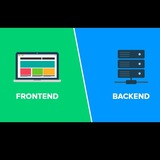
#gemini #builder #frontend #backend #agent #agen #jules #stitch #google #ai #fullstack #replicate #image
https://youtu.be/lkJalleME-A
#gemini #builder #frontend #backend #agent #agen #jules #stitch #google #ai #fullstack #replicate #image
YouTube
Gemini Builder: NEW Powerful Autonomous AI Coding Agent Can Build & Design ANYTHING & IS FULLY FREE!
If you’re building a B2B AI app, your users need to sign in — securely, and without you rebuilding auth from scratch. Try Scalekit for free: https://bit.ly/3LyYPIi
Meet Gemini Builder, Google’s shockingly powerful autonomous AI coding agent that can design…
Meet Gemini Builder, Google’s shockingly powerful autonomous AI coding agent that can design…
https://youtu.be/ZGHRTbvnPa8?si=SipJ-J3IphNexXNY
#qwen #ai #cli #code #free #open #source #agen #agent
#qwen #ai #cli #code #free #open #source #agen #agent
YouTube
Qwen Code CLI + Qwen3 Coder 2K Request Per Day (it's FREE)
Qwen Code CLI + Qwen3 Coder 2K Request Per Day (it's FREE)
Learn how to build a complete full-stack AI application using Qwen 3 CLI ⚡, Next.js 16 🚀, Gemini 2.5 Flash 🧠, and Neon PostgreSQL 🟦. In this step-by-step guide, I show how to generate components…
Learn how to build a complete full-stack AI application using Qwen 3 CLI ⚡, Next.js 16 🚀, Gemini 2.5 Flash 🧠, and Neon PostgreSQL 🟦. In this step-by-step guide, I show how to generate components…
https://youtu.be/iLxGvLTDv3s?si=odijzVxqvUc0Yuso
#keep #it #simple #apps #aplikasi #sederhana #kuat #kekuatan #fokus #satu
#keep #it #simple #apps #aplikasi #sederhana #kuat #kekuatan #fokus #satu
YouTube
Apps so simple you won’t believe they make money
Build your own SIMPLE app → https://build.starterstory.com/build/ai-build-accelerator?utm_source=youtube&utm_campaign=SSBsimpleapps
Access the database → https://www.starterstory.com/simple?utm_source=youtube&utm_campaign=SSBsimpleapps
Follow Starter Story:…
Access the database → https://www.starterstory.com/simple?utm_source=youtube&utm_campaign=SSBsimpleapps
Follow Starter Story:…