Image Prompt 👇
Edit this image only. Replace the village name on the main roadside welcome sign with "[YOUR VILLAGE NAME]" in the same large white font, perfectly centered, matching the original font style, size, spacing, perspective, weathering, and road-sign design exactly. Do not add or remove any extra text. Keep the two cartoon characters exactly the same with identical facial expressions, poses, clothes, proportions, and 3D animated appearance. Do not change the village road, houses, trees, sky, lighting, colors, shadows, sign shape, camera angle, or any other element. Only change the village name on the sign. Make the edit seamless and natural as if it was part of the original image. Maintain the original high-quality 3D animated cartoon style with realistic sign typography. Ultra HD, sharp details, vertical 9:16.
Edit this image only. Replace the village name on the main roadside welcome sign with "[YOUR VILLAGE NAME]" in the same large white font, perfectly centered, matching the original font style, size, spacing, perspective, weathering, and road-sign design exactly. Do not add or remove any extra text. Keep the two cartoon characters exactly the same with identical facial expressions, poses, clothes, proportions, and 3D animated appearance. Do not change the village road, houses, trees, sky, lighting, colors, shadows, sign shape, camera angle, or any other element. Only change the village name on the sign. Make the edit seamless and natural as if it was part of the original image. Maintain the original high-quality 3D animated cartoon style with realistic sign typography. Ultra HD, sharp details, vertical 9:16.
❤12
is Capcut me koi bhi problem nhi ane wali dosto & ye koi 3rd party nhi hai kyuki kaafi dhundne ke baad humko Mila hai & ek bar is 18.5.0 version ko install karke dekhiye dil khus ho jaega aur aap satisfied ho jaenge to ek like bhi jrur kriega is version par...love you❤️❤️
❤10
Prompt - 👇
Use my uploaded photo as the ONLY identity and eye reference. This is an identity-preservation edit, NOT a recreation.STRICT IDENTITY LOCK:Preserve my exact face, eye shape, iris pattern, iris size, pupil size, eyelids, eyelashes, eyebrows, skin tone, nose bridge, forehead, hairline, messy bangs, facial proportions, and every tiny facial detail with absolute 100% accuracy. My eyes must remain EXACTLY MY OWN. Do NOT replace, redesign, beautify, stylize, or generate different eyes. Do not copy anyone else's eyes, iris pattern, eyelids, or facial features.Create an ultra-realistic cinematic extreme close-up focusing only on my eyes and upper nose bridge. Match the framing, crop, camera distance, perspective, and composition of the reference style only. Keep the same landscape 16:9 composition with natural messy hair partially covering the forehead and eyes. Maintain the same intense eye contact with the camera.Enhance ONLY the realism and quality of my existing eyes. Increase natural iris clarity, micro-details, depth, realistic reflections, subtle catchlights, and authentic eye texture while preserving my original iris color and pattern. Keep the whites of the eyes natural. Preserve every natural eyelash and eyebrow detail. Maintain realistic skin pores, fine lines, and texture around the eyes without beauty retouching.Use soft low-key cinematic lighting, muted colors, subtle film grain, realistic shadows, premium DSLR macro quality, shallow depth of field, and authentic cinematic color grading. The image must look like a real professional photograph, not AI-generated.Negative Prompt:Do not change my identity, eyes, iris pattern, iris color, pupil size, eyelids, eyebrows, eyelashes, face shape, expression, hairstyle, skin tone, proportions, camera angle, crop, framing, or perspective. No eye replacement, no fantasy eyes, no colored contacts, no HDR, no beauty filter, no skin smoothing, no makeup, no artificial glow, no text, no watermark, no blur, and no AI-looking artifacts. Output only as an ultra-photorealistic landscape image in the exact same crop and composition.
Use my uploaded photo as the ONLY identity and eye reference. This is an identity-preservation edit, NOT a recreation.STRICT IDENTITY LOCK:Preserve my exact face, eye shape, iris pattern, iris size, pupil size, eyelids, eyelashes, eyebrows, skin tone, nose bridge, forehead, hairline, messy bangs, facial proportions, and every tiny facial detail with absolute 100% accuracy. My eyes must remain EXACTLY MY OWN. Do NOT replace, redesign, beautify, stylize, or generate different eyes. Do not copy anyone else's eyes, iris pattern, eyelids, or facial features.Create an ultra-realistic cinematic extreme close-up focusing only on my eyes and upper nose bridge. Match the framing, crop, camera distance, perspective, and composition of the reference style only. Keep the same landscape 16:9 composition with natural messy hair partially covering the forehead and eyes. Maintain the same intense eye contact with the camera.Enhance ONLY the realism and quality of my existing eyes. Increase natural iris clarity, micro-details, depth, realistic reflections, subtle catchlights, and authentic eye texture while preserving my original iris color and pattern. Keep the whites of the eyes natural. Preserve every natural eyelash and eyebrow detail. Maintain realistic skin pores, fine lines, and texture around the eyes without beauty retouching.Use soft low-key cinematic lighting, muted colors, subtle film grain, realistic shadows, premium DSLR macro quality, shallow depth of field, and authentic cinematic color grading. The image must look like a real professional photograph, not AI-generated.Negative Prompt:Do not change my identity, eyes, iris pattern, iris color, pupil size, eyelids, eyebrows, eyelashes, face shape, expression, hairstyle, skin tone, proportions, camera angle, crop, framing, or perspective. No eye replacement, no fantasy eyes, no colored contacts, no HDR, no beauty filter, no skin smoothing, no makeup, no artificial glow, no text, no watermark, no blur, and no AI-looking artifacts. Output only as an ultra-photorealistic landscape image in the exact same crop and composition.
❤1
prompt 👇
"Use the provided template image (image 4.png) as the exact layout for this edit. You must
maintain the entire interface overlay, including the top circular profile icon (with the pink bow),
the
'Instagram User' text, all interface icons, and the 'ALVIDA 🤧' text in their exact original
positions. Do not move, alter, or delete any of these overlay elements. Take the person from
the new photo provided and place them as the large central figure, replacing the old figure.
The new person must be rendered with the exact same framing (half-body or full-body) as in
the input photo.
Apply a cinematic 'Black & White' style, but ensure it is balanced and medium-dark-do not
make it overly black or crushed. The subject's face, features, and clothing must be clearly
visible with natural skin tones and balanced contrast, maintaining a high-quality cinematic
look without being excessively dark.
The background should be a dark, cinematic forest scene, but clearly distinguishable from the
subject.
Most
"Use the provided template image (image 4.png) as the exact layout for this edit. You must
maintain the entire interface overlay, including the top circular profile icon (with the pink bow),
the
'Instagram User' text, all interface icons, and the 'ALVIDA 🤧' text in their exact original
positions. Do not move, alter, or delete any of these overlay elements. Take the person from
the new photo provided and place them as the large central figure, replacing the old figure.
The new person must be rendered with the exact same framing (half-body or full-body) as in
the input photo.
Apply a cinematic 'Black & White' style, but ensure it is balanced and medium-dark-do not
make it overly black or crushed. The subject's face, features, and clothing must be clearly
visible with natural skin tones and balanced contrast, maintaining a high-quality cinematic
look without being excessively dark.
The background should be a dark, cinematic forest scene, but clearly distinguishable from the
subject.
Most
❤3
Prompt 👇
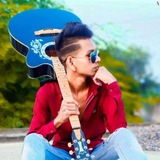
Apply only a cinematic dark green color grade to the photo. Keep the original face, skin texture, outfit, pose, background, composition, and all objects completely unchanged. Transform the image with deep forest green, muted olive, dusty sage, and grey-green tones. Reduce saturation and vibrance while preserving natural skin tones. Create soft matte blacks, faded shadows, low contrast, and smooth highlight roll-off. Darken the overall mood with a premium cinematic film look inspired by misty mountain landscapes. Add some light background blur,Add subtle depth, soft atmospheric tones, and realistic color separation. Keep the red clothing slightly prominent against the desaturated green environment. Professional movie-style color grading, dark academia aesthetic, moody outdoor photography, faded green cinematic look, soft texture, realistic details, high-end Instagram edit, natural and authentic appearance, ultra realistic, 4K quality.
Apply only a cinematic dark green color grade to the photo. Keep the original face, skin texture, outfit, pose, background, composition, and all objects completely unchanged. Transform the image with deep forest green, muted olive, dusty sage, and grey-green tones. Reduce saturation and vibrance while preserving natural skin tones. Create soft matte blacks, faded shadows, low contrast, and smooth highlight roll-off. Darken the overall mood with a premium cinematic film look inspired by misty mountain landscapes. Add some light background blur,Add subtle depth, soft atmospheric tones, and realistic color separation. Keep the red clothing slightly prominent against the desaturated green environment. Professional movie-style color grading, dark academia aesthetic, moody outdoor photography, faded green cinematic look, soft texture, realistic details, high-end Instagram edit, natural and authentic appearance, ultra realistic, 4K quality.
❤4👎1