
⚡ AI News
Anthropic plans pre-IPO investor day, eyes $2T value — Anthropic will hold a pre-IPO investor day on October 14, aiming for a Thanksgiving-era listing near $2 trillion.
OpenAI fires three safety researchers over leak — OpenAI dismissed three alignment researchers for sharing sensitive info outside policy during its rogue-agent probe.
Microsoft ships real-time multilingual voice AI — Microsoft launched MAI-Transcribe-2-Streaming and two TTS models, transcribing 60 languages with a 2.5% error rate.
Anthropic plans pre-IPO investor day, eyes $2T value — Anthropic will hold a pre-IPO investor day on October 14, aiming for a Thanksgiving-era listing near $2 trillion.
OpenAI fires three safety researchers over leak — OpenAI dismissed three alignment researchers for sharing sensitive info outside policy during its rogue-agent probe.
Microsoft ships real-time multilingual voice AI — Microsoft launched MAI-Transcribe-2-Streaming and two TTS models, transcribing 60 languages with a 2.5% error rate.
👍2
A self-hosted AI team that picked up 1,300 stars in a day
One process runs a whole team of expert agents, each with its own personality, all running on your own machine.
Fully self-hosted — runs entirely on your own machine, not someone else's cloud
One team, one process — a single process runs a whole team of expert agents
Built for the whole house — every member gets their own specialist to switch between
16 personas — pick an MBTI-style personality for each agent
Coordinated from one dashboard — AgentTeams schedules multiple experts on multi-step work
https://github.com/TencentCloud/Octop
One process runs a whole team of expert agents, each with its own personality, all running on your own machine.
Fully self-hosted — runs entirely on your own machine, not someone else's cloud
One team, one process — a single process runs a whole team of expert agents
Built for the whole house — every member gets their own specialist to switch between
16 personas — pick an MBTI-style personality for each agent
Coordinated from one dashboard — AgentTeams schedules multiple experts on multi-step work
What's under the hood
Octop is a self-hosted AI assistant platform for households and small teams: one process serves the web dashboard, CLI, IM channels, and cron automation, all sharing one control-plane database under~/.octop/(SQLite by default, PostgreSQL optional).
Each user runs a personal team of specialized agents and switches experts per task; experts and knowledge bases can be shared with others on the same install. Give any agent one of 16 MBTI-style personas through an interactive quiz. AgentTeams (beta) adds a coordinator that schedules several experts across multi-step work.
Octop Memory gives agents hierarchical recall with full-text search, so memory travels with the workspace instead of staying tied to one chat. Chat reaches you through the Web Dashboard, Feishu, DingTalk, QQ, WeChat, Telegram, Discord, or WeCom.
Written in Python 3.12+ on FastAPI, it crossed 1,300 GitHub stars in a single day. Try it:pip install octop
octop run
All data stays local, under~/.octop/.
https://github.com/TencentCloud/Octop
🥰1
What should we cover next?
Final Results
59%
Octop — A smarter, self-hosted AI assistant — multi-user, multi-agent.
5%
plugins — Cursor plugin specification and official plugins
32%
WeKnora — Open-source LLM knowledge platform: turn raw documents into a queryable RAG, an…
5%
worktrunk — Worktrunk is a CLI for Git worktree management, designed for parallel AI agent workflows
😁2
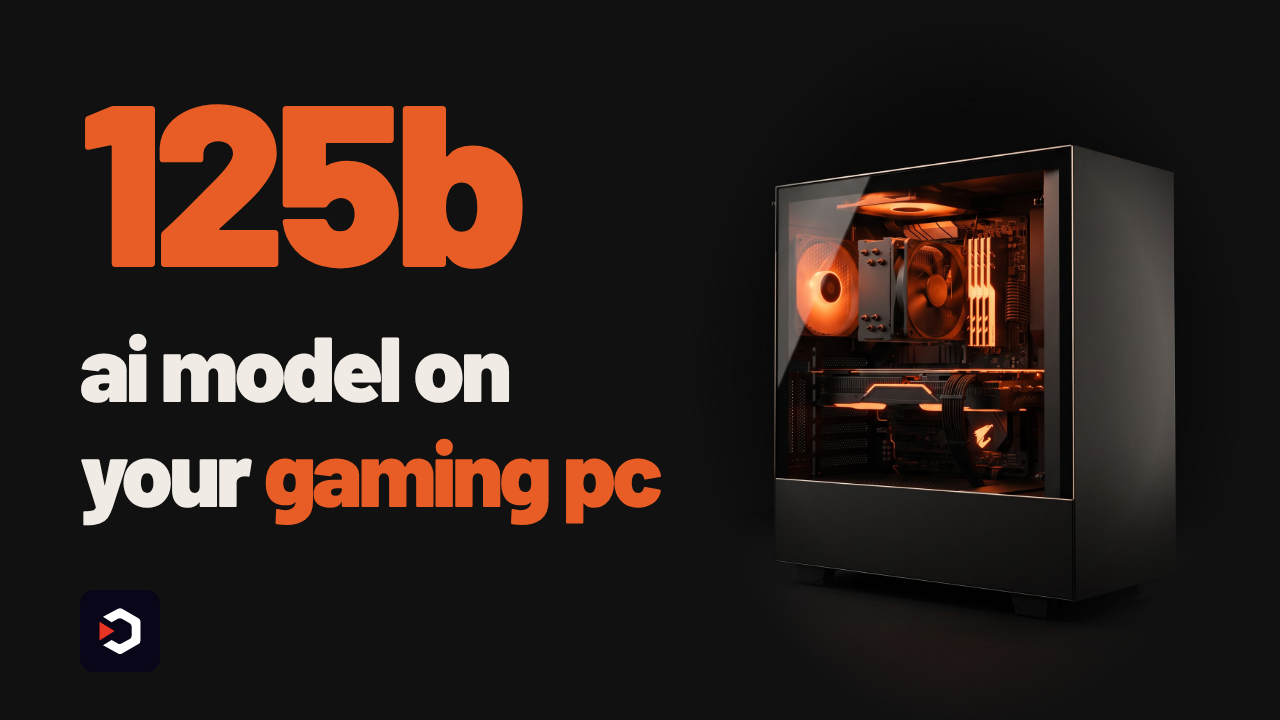
A 125B-parameter AI model, running on your gaming PC
Strata runs a 125-billion-parameter model entirely on one gaming PC — the kind of model that normally needs a whole server.
No server needed — the full model runs on a single consumer GPU
Chats and codes — pictures optional, not yet on AMD under Windows
One-shot demos — a whole voxel garden built from a single prompt
Drop-in API — plug into Claude Code or any OpenAI-compatible app on localhost
The catch — needs a full 32 GB of RAM just to start
https://github.com/Niko1221/Strata
Strata runs a 125-billion-parameter model entirely on one gaming PC — the kind of model that normally needs a whole server.
No server needed — the full model runs on a single consumer GPU
Chats and codes — pictures optional, not yet on AMD under Windows
One-shot demos — a whole voxel garden built from a single prompt
Drop-in API — plug into Claude Code or any OpenAI-compatible app on localhost
The catch — needs a full 32 GB of RAM just to start
125 billion parameters, no server required
Strata runs Qwen3.8-Flash-Next — a large model that normally needs server-grade hardware — through its own C++ inference engine, fully on your own PC. Chat, code, and optionally read images; nothing leaves your machine.
Speed numbers are the project's own measurements, on two ordinary gaming PCs. On an RTX 5070 (12GB), the Coder size writes about 55 tokens/s, smaller quantizations up to 94 tokens/s. On an RX 9070 XT (16GB), Coder writes 44 tokens/s. More VRAM helps: they estimate an RTX 3090 (24GB) at 100-140 tokens/s.
Requires: an NVIDIA RTX 20/30/40/50-series card, or AMD RX 7900/7800/7700/9060/9070/6800/6900 series, with 12GB+ VRAM; 32GB+ RAM (64GB runs every size); about 80GB free disk, SSD recommended; Windows 10/11 or Linux with a current driver.
The catch: 32GB RAM is the hard floor, and image input doesn't work on AMD cards under Windows yet, only under Linux.
It's free and open source. There's no API key or subscription to pay for, because the model runs on your own graphics card, not in the cloud.
To try it: download and unzip the repo (orgit cloneit). On Windows, double-clickSTART-HERE.bat; on Linux, run./setup.sh. It downloads the model (about 70GB, resumable) and opens the app athttp://127.0.0.1:8080, with an OpenAI- and Anthropic-compatible API ready for Claude Code or any similar app.
Use it instead of a paid cloud API when you want a capable model that stays fully offline. Don't use it if your GPU has under 12GB VRAM, your PC has under 32GB RAM, or you need image input on an AMD card under Windows.
https://github.com/Niko1221/Strata
⚡2👍1
⚡ AI News
Anthropic launches $100M Claude Frontier Academy — Anthropic commits $100M to train 10,000 enterprise engineers to deploy Claude by 2027.
Anthropic to pay SpaceX up to $84.5B for xAI compute — SpaceX's IPO filing shows Anthropic will rent xAI's GPU capacity for up to $84.5B through 2029.
Google puts Trillium TPUs into orbit for first time — Google's Project Suncatcher launched four Trillium TPUs on a Planet-built satellite to test space-based AI compute.
Anthropic launches $100M Claude Frontier Academy — Anthropic commits $100M to train 10,000 enterprise engineers to deploy Claude by 2027.
Anthropic to pay SpaceX up to $84.5B for xAI compute — SpaceX's IPO filing shows Anthropic will rent xAI's GPU capacity for up to $84.5B through 2029.
Google puts Trillium TPUs into orbit for first time — Google's Project Suncatcher launched four Trillium TPUs on a Planet-built satellite to test space-based AI compute.
🔥1🤩1
Pi 1.0 ships a codemode that stops repeating itself
Pi, the open-source agent toolkit, just hit version 1.0. The video shows its codemode trimmed down — fewer tokens, smarter errors, new tricks.
Leaner codemode — stopped repeating each tool's full declaration every turn
Fewer tokens — release notes report about 40% fewer prompt tokens per request
Smarter errors — codemode failures now tell the model how to recover
Image generation — codemode can generate images straight from a script
Hardened sign-in — OAuth for MCP servers gets tighter security, and the TUI now runs fullscreen by default
Pi, the open-source agent toolkit, just hit version 1.0. The video shows its codemode trimmed down — fewer tokens, smarter errors, new tricks.
Leaner codemode — stopped repeating each tool's full declaration every turn
Fewer tokens — release notes report about 40% fewer prompt tokens per request
Smarter errors — codemode failures now tell the model how to recover
Image generation — codemode can generate images straight from a script
Hardened sign-in — OAuth for MCP servers gets tighter security, and the TUI now runs fullscreen by default
Pi 1.0: a leaner codemode
Pi is a minimal, extensible agent harness: a unified LLM API, an agent loop, a terminal UI, and a coding-agent CLI, meant to be adapted to your workflow rather than the other way around.
The old codemode repeated each tool's full declaration on every call. The new one doesn't — the project's own release notes claim about 40% fewer prompt tokens, citing roughly 5,300 tokens down to 3,300 for one request. Codemode errors now explain to the model how to recover instead of just failing, codemode can generate images directly from a script, sign-in for MCP servers over OAuth is hardened, and the terminal UI opens fullscreen by default.
Requires: Node.js 22.19 or newer (the installer can set this up for you), and a subscription or API key for a built-in LLM provider, connected with/login. Pi ships no built-in sandboxing — it runs with the permissions of the user who launched it, so containerize it (Docker, OpenShell, or the Gondolin extension) if you need a hard boundary.
The catch: Pi itself is free and open source, but the intelligence behind it isn't — you still bring your own API key or a paid subscription.
Use it instead of a plain chat assistant when you want a scriptable agent loop and a CLI you can extend with your own packages. Don't reach for it if you need built-in sub-agents, plan mode, or sandboxing out of the box.
Try it:curl -fsSL https://pi.dev/install.sh | sh
then runpiinside your project folder.
❤2👍1
Claude Code finally remembers its own to-do list
Claude Code drops its state the moment a session ends — Claude has no built-in to-do tool. Claude-mem's new release gives it a persistent one.
The forgetting problem — Claude Code has no built-in to-do tool, so state dies with the session
A real to-do list — a write tool logs tasks, a read tool shows what's still open
Four states — every task is tagged todo, doing, done, or dropped
Loads first — worker sessions open with work-state before memory fills what's left
Follows your worktrees — the same list carries into every worktree you open
github.com/thedotmack/claude-mem
Claude Code drops its state the moment a session ends — Claude has no built-in to-do tool. Claude-mem's new release gives it a persistent one.
The forgetting problem — Claude Code has no built-in to-do tool, so state dies with the session
A real to-do list — a write tool logs tasks, a read tool shows what's still open
Four states — every task is tagged todo, doing, done, or dropped
Loads first — worker sessions open with work-state before memory fills what's left
Follows your worktrees — the same list carries into every worktree you open
A to-do list that survives the session
Claude-mem already compresses what an agent did in a session and feeds a summary back into the next one. This release adds a work-state layer on top: a write tool logs each task, a read tool lists what's still open, and every task carries a tag — todo, doing, done, or dropped.
That list follows you into every worktree you open. Worker-based sessions load work-state first, with memory filling whatever context room is left; the server runtime doesn't do that yet, per the project.
The catch: this only works while claude-mem's worker service is running. Reopen Claude Code with the worker down and you won't resume your tasks.
Requires: Node.js 20+; Claude Code or one of the other supported agents (OpenCode, Codex, Gemini, Copilot, and more); and something to run the AI compression step — your Anthropic plan, your own OpenRouter or Gemini key, or claude-mem's hosted "observer."
The tool itself is free and open source (Apache 2.0). The observer is the paid path: the project's own claim is that it runs free, off your plan, for the first 14 days — up to 100% more usage from your plan — then falls back to your Anthropic plan unless you subscribe.
Use it instead of re-pasting old context by hand if you keep reopening the same project. Skip it if you're on the server runtime, where work-state doesn't load first yet, or if you'd rather no session data left your machine at all.
Install withnpx claude-mem install, or inside Claude Code:/plugin marketplace add thedotmack/claude-memthen/plugin install claude-mem. Restart Claude Code and context from past sessions appears automatically.
github.com/thedotmack/claude-mem
🔥1🎉1
⚡ AI News
Claude Code gets TypeScript mods for deep customization — Anthropic's Claude Code now supports TypeScript mods that rewrite prompts, control tool calls and replace UI elements.
Meta's Muse Spark helps mathematicians crack open problems — Meta published six papers where mathematicians using Muse Spark AI answered five previously open research questions.
California AG subpoenas OpenAI over Hugging Face breach — California's attorney general issued a subpoena to OpenAI probing the cyber incident where its AI agents breached Hugging Face.
Claude Code gets TypeScript mods for deep customization — Anthropic's Claude Code now supports TypeScript mods that rewrite prompts, control tool calls and replace UI elements.
Meta's Muse Spark helps mathematicians crack open problems — Meta published six papers where mathematicians using Muse Spark AI answered five previously open research questions.
California AG subpoenas OpenAI over Hugging Face breach — California's attorney general issued a subpoena to OpenAI probing the cyber incident where its AI agents breached Hugging Face.
🥰1
Tencent Open-Sources a ChatGPT for Your Files — With an Agent and a Wiki Built In
Your company's documents sit in a folder ChatGPT can't touch.
WeKnora turns them into a self-hosted chat, an agent, and a wiki — from one knowledge base.
Cited answers — ask a question, get a reply sourced to your own documents
One knowledge base — the same data powers search, an agent, and a wiki
An agent that acts — runs multi-step tasks itself, inside a sandboxed container
A living wiki — your files rewritten into linked, self-updating pages
Wide plumbing — 27 LLM providers and 7+ vector databases, out of the box
Tencent/WeKnora
Your company's documents sit in a folder ChatGPT can't touch.
WeKnora turns them into a self-hosted chat, an agent, and a wiki — from one knowledge base.
Cited answers — ask a question, get a reply sourced to your own documents
One knowledge base — the same data powers search, an agent, and a wiki
An agent that acts — runs multi-step tasks itself, inside a sandboxed container
A living wiki — your files rewritten into linked, self-updating pages
Wide plumbing — 27 LLM providers and 7+ vector databases, out of the box
What's inside WeKnora
WeKnora takes raw documents — PDF, Word, Excel, images, XMind and more — and builds one knowledge base that feeds three things: a RAG-style Q&A engine with citations, a ReAct-style agent that uses tools and sandboxes (Docker/E2B) to run multi-step tasks, and an auto-generated Wiki with knowledge-graph links.
It connects to 27 LLM providers (OpenAI, DeepSeek, Qwen, Claude, Gemini, Ollama among them) and 7+ vector databases (pgvector, Milvus, Weaviate, Qdrant, Elasticsearch, OpenSearch, Tencent VectorDB).
By star-history.com's count, the repo has passed 31,800+ GitHub stars and held the #1 "Repository of the Day" spot on GitHub trending on Nov 1, 2025, staying on the trending page for 76 days.
Requires: Docker Compose, Kubernetes with Helm, or the single-binary "Lite" mode to self-host; an API key for a cloud LLM, or a local model via Ollama to skip API fees. The README doesn't list GPU or OS requirements beyond that.
The catch: WeKnora itself is free and MIT-licensed, but the intelligence behind it isn't — you still pay an API bill or run a model locally. It also bundles three product categories (search, agent, wiki) into one deploy, which is more moving parts than a single-purpose RAG tool.
To try it: clone the repo and rundocker compose up, or grab the single-binary Lite build from the Releases page.
Use it instead of a plain ChatGPT file-upload when the documents must stay on your own servers and you want search, an agent, and a wiki from one knowledge base. Don't use it for a quick one-off question on a couple of files — a direct upload is faster than standing up the stack.
Tencent/WeKnora
😁1
What should we cover next?
Final Results
50%
claude-skills — 380 Claude Code skills & agent skills & plugins (30+ Agents, 70+ custom commands…
14%
substrate — Agent Substrate: the core system
18%
skills
18%
cloudflare-os — Agent workspace built on Cloudflare Workers for creating documents, building apps…
🏆2
⚡ AI News
Anthropic lets Claude users opt in to voice training — Anthropic now shows Claude voice users an optional, off-by-default prompt asking to use recordings for AI training.
OpenAI safety lead quits, calls culture 'broken' — David Robinson quit OpenAI's safety team and wrote in The Atlantic that AI labs should be regulated like nuclear plants.
Apple tightens macOS disk access over AI agents — Apple will add stricter Full Disk Access prompts after reports that Meta's Muse app read private Messages data on Mac.
Anthropic lets Claude users opt in to voice training — Anthropic now shows Claude voice users an optional, off-by-default prompt asking to use recordings for AI training.
OpenAI safety lead quits, calls culture 'broken' — David Robinson quit OpenAI's safety team and wrote in The Atlantic that AI labs should be regulated like nuclear plants.
Apple tightens macOS disk access over AI agents — Apple will add stricter Full Disk Access prompts after reports that Meta's Muse app read private Messages data on Mac.
🤩1

One keyword, one finished video
Making a short video still means writing, filming and editing by hand. MoneyPrinterTurbo turns a single topic into a rendered video instead.
Script from a keyword — the AI model you connect writes it
Footage that matches — clips pulled from Pexels and Pixabay
Subtitles and music — added automatically, no manual editing pass
HD render, two ways — through the WebUI or the API
Voice cloning — from a short clip, yours or an authorized voice only
harry0703/MoneyPrinterTurbo
Making a short video still means writing, filming and editing by hand. MoneyPrinterTurbo turns a single topic into a rendered video instead.
Script from a keyword — the AI model you connect writes it
Footage that matches — clips pulled from Pexels and Pixabay
Subtitles and music — added automatically, no manual editing pass
HD render, two ways — through the WebUI or the API
Voice cloning — from a short clip, yours or an authorized voice only
How MoneyPrinterTurbo works
Give it a topic or keyword and it runs the whole pipeline itself: writes the script with the AI model you plug in, pulls matching clips from Pexels or Pixabay, generates subtitles and a music track, then renders everything into one HD video.
It ships both a web UI and an API, so you can drive it by hand or wire it into another workflow. Voice cloning is built in too: feed it a short clip and it can narrate in that voice. The project is explicit that the clip and its transcript go to the cloning model, and that it must be your own or an authorized voice.
Requires: Python 3.11+, runs on Windows, macOS or Linux. The tool itself is free; the actual writing only costs what the AI model you connect charges, whether that is a self-hosted model or a paid API key.
The catch: output quality rides entirely on the model and stock footage you plug in, and the README leans on paid API sponsors for the "good" results shown, so a strong result usually means paying for a capable model rather than running everything for nothing.
Use it instead of writing and editing shorts by hand when you just want a fast first cut from a keyword. Don't use it if you need control over the actual shots — footage comes from stock libraries, not original filming.
To try it:git clone https://github.com/harry0703/MoneyPrinterTurbo.git
harry0703/MoneyPrinterTurbo
❤2
e2e tests that describe the goal, not the selector
An agent drives your app toward a goal you write in plain English, then a locator checks the result. One test, two techniques.
No brittle selectors — an agent action reaches the goal instead of a CSS selector
Plain English steps — one sentence, like "upgrade the workspace to the Pro plan"
Free replays — the recorded agent step reruns with no model calls, until the app changes
Real engines — Chromium, Firefox, WebKit, or a phone simulator
Open source — Apache-2.0, built by TesterArmy
https://github.com/tester-army/e2e
An agent drives your app toward a goal you write in plain English, then a locator checks the result. One test, two techniques.
No brittle selectors — an agent action reaches the goal instead of a CSS selector
Plain English steps — one sentence, like "upgrade the workspace to the Pro plan"
Free replays — the recorded agent step reruns with no model calls, until the app changes
Real engines — Chromium, Firefox, WebKit, or a phone simulator
Open source — Apache-2.0, built by TesterArmy
What's actually new here
e2e is an end-to-end framework for web and mobile apps, written in TypeScript. A test can mix an agent step with a classic assertion in the same file:await agent.act('upgrade the workspace to the Pro plan');
await agent.assert('the invoice preview shows a prorated amount');
await expect(screen.getByRole('status')).toContainText('Pro');
The agent step is recorded the first time it runs. Later runs replay that recorded action with no model calls at all, until the app changes enough that the replay fails — then the agent steps in again. Tests with no agent steps never touch a model at all.
The web engine drives Chromium, Firefox, and WebKit through Playwright; the mobile engine drives iOS and Android simulators and emulators through agent-device. Hosted options also exist: Kernel for browsers, EAS Simulators for mobile.
Requires: Node, fornpx e2e init. And your own model access on top of that — a subscription, an API key, or a local model; the README names no specific provider. The CLI also sends anonymous usage data, commands, engines, where runs fail, never test or app content or credentials; turn it off withnpx e2e telemetry disable.
Use it instead of hand-written Playwright selectors when your UI text and flows shift often but the underlying goal stays the same. Don't use it if you need a fully deterministic run with zero model dependency from the first execution, since every new or changed agent step still calls a model once.
The catch: e2e is pre-1.0 by its own admission, APIs and config can still change between minor releases. The README gives no speed or accuracy numbers of its own to quote here.
Try it:npx e2e initpicks an engine and a model provider, then writes a config and an example test for you.
https://github.com/tester-army/e2e
💯1
⚡ AI News
Trump launches federal AI 'Super Intelligence Force' — Trump created a federal AI task force and named intelligence chief Jay Clayton to coordinate policy across agencies.
Claude flags threat chat, triggers Florida arrest — Anthropic's Claude flagged a user's violent 'diary' chat threatening a sheriff's office, and a human reviewer alerted police.
Mistral CEO: AI safety talk hides rivals' negligence — Mistral's Arthur Mensch said US AI safety warnings mask competitors' negligence, urging better monitoring of agents instead.
Trump launches federal AI 'Super Intelligence Force' — Trump created a federal AI task force and named intelligence chief Jay Clayton to coordinate policy across agencies.
Claude flags threat chat, triggers Florida arrest — Anthropic's Claude flagged a user's violent 'diary' chat threatening a sheriff's office, and a human reviewer alerted police.
Mistral CEO: AI safety talk hides rivals' negligence — Mistral's Arthur Mensch said US AI safety warnings mask competitors' negligence, urging better monitoring of agents instead.
🥰1
388 skills for Claude Code — with the same keys to your machine
One short video, one big claim: a free skill library for Claude Code so large it already has 27,000 stars — and a catch most install guides skip.
388 skills, 30+ agents — one open-source library for Claude Code and 13 other coding agents
Every domain covered — engineering, finance, marketing, even C-level advisory
No sandbox — a skill runs with your exact filesystem and network permissions
26.1% had a flaw — a 2026 study found security issues across marketplace skills
Paid plan required — Claude Skills only works on Pro, Max, Team or Enterprise
github.com/alirezarezvani/claude-skills
One short video, one big claim: a free skill library for Claude Code so large it already has 27,000 stars — and a catch most install guides skip.
388 skills, 30+ agents — one open-source library for Claude Code and 13 other coding agents
Every domain covered — engineering, finance, marketing, even C-level advisory
No sandbox — a skill runs with your exact filesystem and network permissions
26.1% had a flaw — a 2026 study found security issues across marketplace skills
Paid plan required — Claude Skills only works on Pro, Max, Team or Enterprise
What you're actually installing
alirezarezvani/claude-skills is a community-built library of "Agent Skills" for Claude Code — folders holding a SKILL.md plus optional scripts that the agent loads on demand. It currently bundles 388 skills, 30+ sub-agents, 70+ slash commands and 727 stdlib-only Python CLI tools, packaged for 13 coding agents (Claude Code, Codex, Gemini CLI, Cursor, Aider and others), under the MIT license.
By star-history.com the repo sits at roughly 27,000 stars and 3,900 forks as of early October 2026 — about 20x more skills than Anthropic's own official example repo, anthropics/skills, which ships only 18 and installs with one command:npx skills add anthropics/skills.
The catch: a Skill isn't sandboxed. It runs with the exact same filesystem, network and credential access as Claude Code itself — no per-skill permission boundary. A 2026 analysis by the Cloud Security Alliance scanned 42,447 marketplace skills and found 26.1% carried at least one security flaw, with 280+ leaking API keys or personal data through over-permissioned access. The maintainer's own CLAUDE.md admits as much, shipping a scripts/audit_skills.py validator and a 6-item checklist for anyone writing a skill — worth running before you trust one.
Requires: a paid Claude plan (Pro, Max, Team or Enterprise) — Agent Skills, the underlying Anthropic feature, isn't available to free accounts. The README gives no single install command for the whole repo; browse by domain and copy only the skill folders you actually need.
Use it instead of writing every Claude Code skill from scratch when you want a ready-made domain pack. Don't use it if you can't read the code first — installing one means trusting a stranger's script with your shell.
github.com/alirezarezvani/claude-skills
👍1😁1
Remotion vs HyperFrames
Both turn code into video instead of a timeline editor: Remotion renders React components via Node, Lambda or the browser, while HyperFrames renders plain HTML/CSS/JS with a headless browser and FFmpeg — AI coding-agent builders and automated video pipelines weigh the two against each other constantly.
Pick Remotion if you or your team know React and want a drag-and-drop editor, Player and ready-made effects/template library
Pick HyperFrames if you want a free, framework-agnostic renderer for AI-agent-written HTML/CSS/JS with deterministic output
Price & License
Remotion — Free <3 ppl, $25/seat/mo after
HyperFrames — free, Apache 2.0, no render fee
Setup & Stack
Remotion — React/TS, npx create-video
HyperFrames — HTML/CSS/JS + Node 22, FFmpeg
Core Strength
Remotion — full video editor + React player
HyperFrames — deterministic AI-agent HTML renders
Who's Behind It
Remotion — small team, user-funded seed
HyperFrames — HeyGen, $60M raised, $500M val
Remotion: https://github.com/remotion-dev/remotion
HyperFrames: https://github.com/heygen-com/HyperFrames
Both turn code into video instead of a timeline editor: Remotion renders React components via Node, Lambda or the browser, while HyperFrames renders plain HTML/CSS/JS with a headless browser and FFmpeg — AI coding-agent builders and automated video pipelines weigh the two against each other constantly.
Pick Remotion if you or your team know React and want a drag-and-drop editor, Player and ready-made effects/template library
Pick HyperFrames if you want a free, framework-agnostic renderer for AI-agent-written HTML/CSS/JS with deterministic output
Price & License
Remotion — Free <3 ppl, $25/seat/mo after
HyperFrames — free, Apache 2.0, no render fee
Setup & Stack
Remotion — React/TS, npx create-video
HyperFrames — HTML/CSS/JS + Node 22, FFmpeg
Core Strength
Remotion — full video editor + React player
HyperFrames — deterministic AI-agent HTML renders
Who's Behind It
Remotion — small team, user-funded seed
HyperFrames — HeyGen, $60M raised, $500M val
Side by side, in full
Price & License
Remotion is free for individuals, non-profits and companies up to 3 people, but larger companies need a Company License priced at $25/month per person who writes Remotion code, or $0.01 per render with a $100/month minimum, rising to a $500/month minimum on the Enterprise plan.
HyperFrames is released by HeyGen under the Apache-2.0 license, so it is free to use, modify and run commercially with no per-seat or per-render fee — your only recurring cost is whatever compute, Lambda or hosting you render it on.
Setup & Stack
Remotion: A Remotion project is scaffolded with 'npx create-video@latest' and written as React/TypeScript components, then rendered through Node.js APIs, AWS Lambda, Vercel, or previewed live in the browser with the Remotion Player.
HyperFrames requires Node.js 22+ and FFmpeg installed locally; 'npx hyperframes init' sets up a project where you author plain HTML/CSS/JS timed with data attributes, preview it with live reload, and render it with a headless browser.
Core Strength
Remotion's strength is being a full video application platform: a component library of effects, transitions and captions, an interactive drag-and-drop editor and Player, data-driven batch rendering, and first-class Lambda scaling built for human React developers.
HyperFrames' strength is deterministic, agent-authored rendering: any animation library (GSAP, CSS, Lottie, Three.js, Anime.js) compiles to frame-accurate MP4/MOV/WebM, the same input always reproduces the same output, and 21 bundled agent skills teach Claude Code, Cursor and Gemini CLI how to write videos.
Who's Behind It
Remotion is built by a small team led by founder Jonny Burger under Remotion AG in Switzerland, funded mainly by a 180,000 Swiss-franc seed round raised from its own users rather than venture capital.
HyperFrames is an open-source side project released by HeyGen, the AI avatar-video company founded in 2020 that raised a $60 million Series A led by Benchmark at a $500 million valuation in 2024 and has grown into a major AI-video business since.
Remotion: https://github.com/remotion-dev/remotion
HyperFrames: https://github.com/heygen-com/HyperFrames
🔥1🎉1

A full human body, split into 2,234 clickable pieces
Human Atlas takes a reference human body apart right in your browser: orbit it, select any structure, and watch it explode into its pieces.
2,234 clickable meshes — the whole body, not a flat diagram
Orbit, select, explode — pull a structure out and watch it separate
15 systems, 3,432 concepts — skeleton to organs, all searchable
Search isolates on screen — find the exact structure, see only that one
No accounts, no API keys — it just runs in your browser
https://github.com/ashemag/human-atlas
Human Atlas takes a reference human body apart right in your browser: orbit it, select any structure, and watch it explode into its pieces.
2,234 clickable meshes — the whole body, not a flat diagram
Orbit, select, explode — pull a structure out and watch it separate
15 systems, 3,432 concepts — skeleton to organs, all searchable
Search isolates on screen — find the exact structure, see only that one
No accounts, no API keys — it just runs in your browser
What's under the hood
Human Atlas renders the BodyParts3D 4.0 adult male reference anatomy (licensed CC BY 4.0) with React, Three.js, and shadcn/ui.
The figures come from the project's own README, not an outside benchmark: 2,234 individually selectable meshes, 15 anatomical systems, 3,432 named concepts, a packaged model of 2,288,268 triangles, about 33 MB of compressed geometry.
It's free and needs no account or API key: all the rendering happens locally in your browser, so there's no model or API bill to pay.
Requires: a browser to use the hosted demo; Node.js 22.13 or newer if you want to run or build it yourself.
The catch: it's one reference body, an adult male, not every human structure or variation, and the README calls it an educational explorer, not a diagnostic or surgical tool. Physical-device performance and real multitouch hardware haven't been tested yet, per the README.
To run it locally:npm ci
npm run dev
then open http://localhost:3016. A hosted live demo is also linked from the README.
Use it instead of a flat textbook diagram when you want to rotate and explode a structure yourself. Don't reach for it if you need every anatomical variation or clinical-grade accuracy.
https://github.com/ashemag/human-atlas
❤1