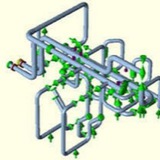
Modal Frequency checking Method (Modal Analysis) using Caesar II ⬇️
While performing stress analysis for process piping you might have come across the term two phase flow. The stress analysis basis or flexibility specification of most of the relevant organization informs the stress engineers to properly support these lines using hold-downs, guides and axial stops. The main reason is that two phase flow lines are vibration prone lines. Many organizations prefer to keep the natural frequency of those lines in excess of 4 Hz to reduce the possibility of vibration. Now the question is how to calculate the natural frequency of the complex piping system?
There comes the importance of a Caesar II dynamic module called Modal analysis module. The complex job of calculating the natural frequency of the piping system becomes very easy with the use of this module. The vibration response or dynamic response of any system can be easily determined using modal analysis. In actual case, Modal analysis breaks up a complex system into a number of modes of vibration, each of which is having a unique vibration response. This article will elaborate the steps followed for performing modal analysis module using Caesar II.
There comes the importance of a Caesar II dynamic module called Modal analysis module. The complex job of calculating the natural frequency of the piping system becomes very easy with the use of this module. The vibration response or dynamic response of any system can be easily determined using modal analysis. In actual case, Modal analysis breaks up a complex system into a number of modes of vibration, each of which is having a unique vibration response. This article will elaborate the steps followed for performing modal analysis module using Caesar II.
To start the modal analysis you must have a stress system. So from isometric model the system following conventional methods and perform the static analysis and make the system safe in all respect with respect to static analysis. Now follow the below mentioned steps for dynamic Modal analysis.
* Click on Analysis-Dynamic Analysis as shown in Fig. 1 to open the dynamic module in Caesar II. It will open the window which is shown in Fig. 2.
* Click on Analysis-Dynamic Analysis as shown in Fig. 1 to open the dynamic module in Caesar II. It will open the window which is shown in Fig. 2.
Now click on Analysis type and select Modal from the drop down menu. You will get the following window as shown in Fig. 3. ⬇️
* You will get four input spreadsheets as lumped masses, snubbers, control parameters and advanced.
* Click on Control parameters and it will open the window shown in Fig. 4.
* Change the frequency cut off to your desired frequency based on your project specification. If you need to arrest all frequencies below 5 Hz and set that value as 5.
* Now select the static load case for which you want to extract the natural frequencies. Normally it is advisable to select the operating temperature case.
* Click on Control parameters and it will open the window shown in Fig. 4.
* Change the frequency cut off to your desired frequency based on your project specification. If you need to arrest all frequencies below 5 Hz and set that value as 5.
* Now select the static load case for which you want to extract the natural frequencies. Normally it is advisable to select the operating temperature case.
*Now you are set for analysis, So click on the run button similar to what you do for static analysis. The analysis will extract all the natural frequencies which the piping system will experience below your cut off frequency values. Fig. 5 shows such a typical modal run screen.
* After analysis run is complete the output screen will open. Select Natural frequencies to check the extracted natural frequencies of the system. Most of the time we check the animation view to get a feel of the actual vibration process. So select Natural frequencies and then click on animation button as shown in Fig. 6.
*In the animation view check how the system is experiencing vibration. Accordingly provide supporting. Normally guide and line stop supports with zero gaps will be required to arrest the vibration frequencies. Accordingly provide supporting. Sometimes hold down supports will be required.
* As soon as you will provide guide and line stop supports the system will become more rigid and expansion stresses will increase. So each time you change some support type you have to perform static analysis and make the system safe from all consideration and then proceed to dynamic module.
* As soon as you will provide guide and line stop supports the system will become more rigid and expansion stresses will increase. So each time you change some support type you have to perform static analysis and make the system safe from all consideration and then proceed to dynamic module.
Surge(Water Hammer) Protection System-Water hammer
⬇️⬇️
⬇️⬇️