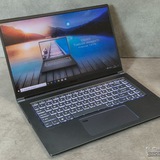
Color Mismatch Issue on Vector 16 HX AI A2XW
I own a Vector 16 HX AI A2XW and I am experiencing a serious display color accuracy issue.
The colors on my screen look different compared to other devices and appear oversaturated when content is viewed online or on external displays. This creates major problems when doing color correction in Adobe Premiere Pro and Adobe After Effects, as the exported results do not match what I see on my laptop.
The device is new, and it does not support MSI True Color, so I don’t have access to an sRGB mode or color profile adjustments.
This makes the laptop unreliable for professional editing work.
Is there any official ICC profile, firmware update, or recommended solution to ensure accurate color reproduction?
Thank you.
https://redd.it/1radssr
@MSILaptops
I own a Vector 16 HX AI A2XW and I am experiencing a serious display color accuracy issue.
The colors on my screen look different compared to other devices and appear oversaturated when content is viewed online or on external displays. This creates major problems when doing color correction in Adobe Premiere Pro and Adobe After Effects, as the exported results do not match what I see on my laptop.
The device is new, and it does not support MSI True Color, so I don’t have access to an sRGB mode or color profile adjustments.
This makes the laptop unreliable for professional editing work.
Is there any official ICC profile, firmware update, or recommended solution to ensure accurate color reproduction?
Thank you.
https://redd.it/1radssr
@MSILaptops
Reddit
From the MSILaptops community on Reddit
Explore this post and more from the MSILaptops community
MSI Katana GF66 Bricked Gaming Laptop Workaround
https://preview.redd.it/b3x5bmu6aqkg1.jpg?width=1500&format=pjpg&auto=webp&s=d482e6e91e64c3d9aaab7bd55ffa6b08ae90ed2f
I say "workaround" in the title as there seems to be no true practical solution to this common MSI Katana GF66 gaming laptop issue.
What many MSI Katana GF66 owners complain about is the abrupt dying of their gaming laptops: The MSI Katana GF66 stops running, completely off, and the Power button on the keyboard doesn't work. Sure, some computer experts can do expensive repairs on the MSI Katana GF66, but I strongly recommend simply using it as a dedicated, stand-alone gaming laptop from now on.
So... here's the workaround, as the other hardware-software checks mentioned by so many users online are already covered... but ineffective.
1. Unplug the 20-volt power source from the MSI Katana GF66.
2. Turn the MSI Katana GF66 upside-down, remove the 13 screws from the underside, and carefully pry off the plastic underside with a thin, sharp knife.
3. Inside, with the MSI Katana GF66 upside down, unplug the 3-volt non-rechargeable lithium CMOS-BIOS-Clock battery. The tiny, cheap battery is very likely dead, or in need of a replacement anyway. The +/- plug for this is fairly universal.
4. Unplug the internal 11.4V Lithium-Polymer battery.
5. Located next to the internal 11.4V Lithium-Polymer battery is the tiny internal Embedded Controller (EC) reset button. Give it a 60-second long-push.
6. And while you're inside the MSI Katana GF66, put a tiny drop of 3-In-One light household oil on the pivot joint of both internal screen hinges, as breaking metal hinges seems to be a common complaint with these MSI Katana GF66 laptops. The hinged lid will now open and close much easier now, which should help.
7. Turn the MSI Katana GF66 to its upright position and, just as a precaution, press and long-hold the Power Button in the upper-right keyboard for 60 seconds.
8. Turn the MSI Katana GF66 upside-down, and plug back in both the 3-volt non-rechargeable lithium CMOS-BIOS-Clock battery, as well as the internal 11.4V Lithium-Polymer battery. A 24-hour discharge waiting period is generally not needed.
9. Replace the plastic underside to a snap-fit into place, leaving the 13 screws out.
10. Turn the MSI Katana GF66 to its upright position, plug in the 20-volt power source, open the lid, and push the Power Button in the upper-right keyboard.
11. Your MSI Katana GF66 will start and restart multiple times until opening to Windows.
12. In your Desktop Taskbar, set the clock time to automatic update.
13. Leave your MSI Katana GF66 on!
14. Turn the MSI Katana GF66 upside-down, and replace the 13 screws in the underside cover.
Important: Standard procedure from now on with the MSI Katana GF66 12UC:
\- Never turn the laptop off again... only Sleep Mode, when not in use, will prevent your MSI Katana GF66 from crashing again! Actually, many home laptop users do just that with their functioning laptops: simply lift the top and begin computing.
\- As this setup bypasses your password, use your MSI Katana GF66 as a dedicated laptop for gaming only, and not for your banking, or any other sensitive and personal applications.
\- Simply close the lid, putting the laptop on sleep mode until needed again.
\- But before doing so, make sure that the laptop battery saving settings are for Sleep Mode, and never Hibernation Mode, as Hibernation Mode will brick your MSI Katana GF66 again, and require a repeat of all the steps above.
\- The Power Button in the laptop keyboard should be considered permanently dysfunctional from now on.
\- If too many such resets are performed, the MSI Katana GF66 laptop will not allow a restart-login for a full 2 hours. So be patient.
\- The MSI Katana GF66 uses 13 watts of power when idle, and 4 watts while in Sleep Mode. And with its OEM 53.5Whr battery, the MSI Katana GF66 can be briefly stored or moved around for a good 24 hours while in Sleep Mode, before having to be plugged in to 20-volts again.
\- The MSI Katana GF66, being a typical gaming laptop,
https://preview.redd.it/b3x5bmu6aqkg1.jpg?width=1500&format=pjpg&auto=webp&s=d482e6e91e64c3d9aaab7bd55ffa6b08ae90ed2f
I say "workaround" in the title as there seems to be no true practical solution to this common MSI Katana GF66 gaming laptop issue.
What many MSI Katana GF66 owners complain about is the abrupt dying of their gaming laptops: The MSI Katana GF66 stops running, completely off, and the Power button on the keyboard doesn't work. Sure, some computer experts can do expensive repairs on the MSI Katana GF66, but I strongly recommend simply using it as a dedicated, stand-alone gaming laptop from now on.
So... here's the workaround, as the other hardware-software checks mentioned by so many users online are already covered... but ineffective.
1. Unplug the 20-volt power source from the MSI Katana GF66.
2. Turn the MSI Katana GF66 upside-down, remove the 13 screws from the underside, and carefully pry off the plastic underside with a thin, sharp knife.
3. Inside, with the MSI Katana GF66 upside down, unplug the 3-volt non-rechargeable lithium CMOS-BIOS-Clock battery. The tiny, cheap battery is very likely dead, or in need of a replacement anyway. The +/- plug for this is fairly universal.
4. Unplug the internal 11.4V Lithium-Polymer battery.
5. Located next to the internal 11.4V Lithium-Polymer battery is the tiny internal Embedded Controller (EC) reset button. Give it a 60-second long-push.
6. And while you're inside the MSI Katana GF66, put a tiny drop of 3-In-One light household oil on the pivot joint of both internal screen hinges, as breaking metal hinges seems to be a common complaint with these MSI Katana GF66 laptops. The hinged lid will now open and close much easier now, which should help.
7. Turn the MSI Katana GF66 to its upright position and, just as a precaution, press and long-hold the Power Button in the upper-right keyboard for 60 seconds.
8. Turn the MSI Katana GF66 upside-down, and plug back in both the 3-volt non-rechargeable lithium CMOS-BIOS-Clock battery, as well as the internal 11.4V Lithium-Polymer battery. A 24-hour discharge waiting period is generally not needed.
9. Replace the plastic underside to a snap-fit into place, leaving the 13 screws out.
10. Turn the MSI Katana GF66 to its upright position, plug in the 20-volt power source, open the lid, and push the Power Button in the upper-right keyboard.
11. Your MSI Katana GF66 will start and restart multiple times until opening to Windows.
12. In your Desktop Taskbar, set the clock time to automatic update.
13. Leave your MSI Katana GF66 on!
14. Turn the MSI Katana GF66 upside-down, and replace the 13 screws in the underside cover.
Important: Standard procedure from now on with the MSI Katana GF66 12UC:
\- Never turn the laptop off again... only Sleep Mode, when not in use, will prevent your MSI Katana GF66 from crashing again! Actually, many home laptop users do just that with their functioning laptops: simply lift the top and begin computing.
\- As this setup bypasses your password, use your MSI Katana GF66 as a dedicated laptop for gaming only, and not for your banking, or any other sensitive and personal applications.
\- Simply close the lid, putting the laptop on sleep mode until needed again.
\- But before doing so, make sure that the laptop battery saving settings are for Sleep Mode, and never Hibernation Mode, as Hibernation Mode will brick your MSI Katana GF66 again, and require a repeat of all the steps above.
\- The Power Button in the laptop keyboard should be considered permanently dysfunctional from now on.
\- If too many such resets are performed, the MSI Katana GF66 laptop will not allow a restart-login for a full 2 hours. So be patient.
\- The MSI Katana GF66 uses 13 watts of power when idle, and 4 watts while in Sleep Mode. And with its OEM 53.5Whr battery, the MSI Katana GF66 can be briefly stored or moved around for a good 24 hours while in Sleep Mode, before having to be plugged in to 20-volts again.
\- The MSI Katana GF66, being a typical gaming laptop,

with a typical undersize battery, is not truly portable, and should always be plugged in to use anyway.
\- After doing all of this, I downloaded and installed the latest BIOS from the MSI Katana GF66 website. I then installed Windows 11 operating system, followed up with Driver Booster freeware, which quickly got everything up to speed, followed by the more thorough but manual Driver Identifier freeware, as the drivers downloaded from the MSI Katana GF66 website are not all user friendly.
Well... that's the best I can offer on this, so I hope it helps.
https://redd.it/1rabsge
@MSILaptops
\- After doing all of this, I downloaded and installed the latest BIOS from the MSI Katana GF66 website. I then installed Windows 11 operating system, followed up with Driver Booster freeware, which quickly got everything up to speed, followed by the more thorough but manual Driver Identifier freeware, as the drivers downloaded from the MSI Katana GF66 website are not all user friendly.
Well... that's the best I can offer on this, so I hope it helps.
https://redd.it/1rabsge
@MSILaptops
Reddit
From the MSILaptops community on Reddit
Explore this post and more from the MSILaptops community
Looking to price check a MSI laptop I’m looking to sell used
I have a MSI GL65 9SC I purchased In 2019. I7, 8GB ram and NVIDIA GTX 1650 graphics card. Laptop is in great shape. All buttons working no issues with screen. Obviously the battery is shot and has to be plugged in 24/7 to work. Can’t find much info on these used online. I’m probably not digging deep enough to find a price but what is a fair used price on this laptop? Looking to sell it to a buddy and give him a friendly discount. Thanks!
https://redd.it/1raloq2
@MSILaptops
I have a MSI GL65 9SC I purchased In 2019. I7, 8GB ram and NVIDIA GTX 1650 graphics card. Laptop is in great shape. All buttons working no issues with screen. Obviously the battery is shot and has to be plugged in 24/7 to work. Can’t find much info on these used online. I’m probably not digging deep enough to find a price but what is a fair used price on this laptop? Looking to sell it to a buddy and give him a friendly discount. Thanks!
https://redd.it/1raloq2
@MSILaptops
Reddit
From the MSILaptops community on Reddit
Explore this post and more from the MSILaptops community
Any issues running fivem on msi vector 16 5070ti?
I’m interested in buying this laptop as Walmart has a pretty price point on this. I’ve seen two people say it overheats and crashes when playing fivem. Anyone have this issue? Sharing link for full specs.
MSI Vector 16 inch QHD+ 240Hz Gaming Laptop AMD Ryzen 9 8940HX NVIDIA GeForce RTX 5070Ti - 16GB RAM 1TB SSD Gray (2025)
https://www.walmart.com/ip/MSI-Vector-16-inch-QHD-240Hz-Gaming-Laptop-AMD-Ryzen-9-8940HX-NVIDIA-GeForce-RTX-5070Ti-16GB-DDR5-1TB-SSD-Gray-2025/16587853259?wmlspartner=wlpa&selectedSellerId=0&wmlspartner=wlpa&cn=FY25-ENTP-PMAX_cnv_dps_dsn_dis_ad_entp_e_n&gclsrc=aw.ds&adid=2222222229816587853259_0000000000_21407473164&wl0=&wl1=x&wl2=m&wl3=&wl4=&wl5=9210121&wl6=&wl7=&wl8=&wl9=pla&wl10=8175035&wl11=online&wl12=16587853259&veh=sem&gad_source=1&gad_campaignid=21690411341&gbraid=0AAAAADmfBIr5ZxFPHJwHXRxMZzRBmiuhs&gclid=Cj0KCQiAqeDMBhDcARIsAJEbU9ROqk5BUD8YZRc-EwdLOv3FuYJlGCr90qmu4VxOcBTB1QY3joBR3GEaAu2pEALw_wcB
https://redd.it/1ra8d07
@MSILaptops
I’m interested in buying this laptop as Walmart has a pretty price point on this. I’ve seen two people say it overheats and crashes when playing fivem. Anyone have this issue? Sharing link for full specs.
MSI Vector 16 inch QHD+ 240Hz Gaming Laptop AMD Ryzen 9 8940HX NVIDIA GeForce RTX 5070Ti - 16GB RAM 1TB SSD Gray (2025)
https://www.walmart.com/ip/MSI-Vector-16-inch-QHD-240Hz-Gaming-Laptop-AMD-Ryzen-9-8940HX-NVIDIA-GeForce-RTX-5070Ti-16GB-DDR5-1TB-SSD-Gray-2025/16587853259?wmlspartner=wlpa&selectedSellerId=0&wmlspartner=wlpa&cn=FY25-ENTP-PMAX_cnv_dps_dsn_dis_ad_entp_e_n&gclsrc=aw.ds&adid=2222222229816587853259_0000000000_21407473164&wl0=&wl1=x&wl2=m&wl3=&wl4=&wl5=9210121&wl6=&wl7=&wl8=&wl9=pla&wl10=8175035&wl11=online&wl12=16587853259&veh=sem&gad_source=1&gad_campaignid=21690411341&gbraid=0AAAAADmfBIr5ZxFPHJwHXRxMZzRBmiuhs&gclid=Cj0KCQiAqeDMBhDcARIsAJEbU9ROqk5BUD8YZRc-EwdLOv3FuYJlGCr90qmu4VxOcBTB1QY3joBR3GEaAu2pEALw_wcB
https://redd.it/1ra8d07
@MSILaptops
Walmart.com
MSI Vector 16 inch QHD+ 240Hz Gaming Laptop AMD Ryzen 9 8940HX NVIDIA GeForce RTX 5070Ti - 16GB RAM 1TB SSD Gray (2025) - Walmart.com
Buy MSI Vector 16 inch QHD+ 240Hz Gaming Laptop AMD Ryzen 9 8940HX NVIDIA GeForce RTX 5070Ti - 16GB RAM 1TB SSD Gray (2025) at Walmart.com
This media is not supported in your browser
VIEW IN TELEGRAM
How the hell is my hinge starting to come off already, I've only had this laptop since December 2024
https://redd.it/1r9f2za
@MSILaptops
https://redd.it/1r9f2za
@MSILaptops
LF Laptop recommendations 😢
SHS Student here, currently looking for a good laptop na 30-35k or 40k max. Mayroon kayang affordable but palong-palo sa specs/performance? Medyo gamer din ako pero strict lang sa budget so sulit talaga ang habol. What are your recommendations for me? 💔🥀
https://redd.it/1raori7
@MSILaptops
SHS Student here, currently looking for a good laptop na 30-35k or 40k max. Mayroon kayang affordable but palong-palo sa specs/performance? Medyo gamer din ako pero strict lang sa budget so sulit talaga ang habol. What are your recommendations for me? 💔🥀
https://redd.it/1raori7
@MSILaptops
Reddit
From the MSILaptops community on Reddit
Explore this post and more from the MSILaptops community
Issues
I tried turning on my Katana 17 this morning and nothing would happen, so I looked up a YouTube tutorial and it told me to do something called an EC reset by holding the power button for 30 seconds.
Did that, the computer starts, and I’m shown SECURE BOOT VIOLATION Invalid signature detected.
I press ok and now I’m on a red and black screen that says MSI click bios, and I’m not sure what to do.
There’s options on the side in read like F9: optimized defaults, and F10: Save & Reset
Any help would be great as I’m not very tech savvy , I don’t want to change anything on my computer but I don’t know if it’s alright to save & exit.
https://redd.it/1raspyk
@MSILaptops
I tried turning on my Katana 17 this morning and nothing would happen, so I looked up a YouTube tutorial and it told me to do something called an EC reset by holding the power button for 30 seconds.
Did that, the computer starts, and I’m shown SECURE BOOT VIOLATION Invalid signature detected.
I press ok and now I’m on a red and black screen that says MSI click bios, and I’m not sure what to do.
There’s options on the side in read like F9: optimized defaults, and F10: Save & Reset
Any help would be great as I’m not very tech savvy , I don’t want to change anything on my computer but I don’t know if it’s alright to save & exit.
https://redd.it/1raspyk
@MSILaptops
Reddit
From the MSILaptops community on Reddit
Explore this post and more from the MSILaptops community
MSI Raider 16 HX AI A2XW
Hey everyone!
I just got my hands on the new MSI Raider. I ended up grabbing it from Canada Computers since it was quite a bit cheaper than other laptops with similar specs. My configuration has the Intel Core Ultra 9, RTX 5090, and 64GB of RAM.
I’ll be putting it through its paces with a mix of gaming, heavy Python scripting, and GIS workloads. Before I start setting everything up, I wanted to ask if anyone here has the same model?
Would love to know if there’s anything specific I should watch out for, settings I should tweak out of the box, or just general advice for this machine.
Thanks in advance!
https://redd.it/1rasye3
@MSILaptops
Hey everyone!
I just got my hands on the new MSI Raider. I ended up grabbing it from Canada Computers since it was quite a bit cheaper than other laptops with similar specs. My configuration has the Intel Core Ultra 9, RTX 5090, and 64GB of RAM.
I’ll be putting it through its paces with a mix of gaming, heavy Python scripting, and GIS workloads. Before I start setting everything up, I wanted to ask if anyone here has the same model?
Would love to know if there’s anything specific I should watch out for, settings I should tweak out of the box, or just general advice for this machine.
Thanks in advance!
https://redd.it/1rasye3
@MSILaptops
Reddit
From the MSILaptops community on Reddit
Explore this post and more from the MSILaptops community
Adding a Sound Equalizer to Realtek Audio Console on MSI Katana GF76 12UE
https://preview.redd.it/y3pedlmqmwkg1.png?width=1644&format=png&auto=webp&s=85c05970d7e78192ff68a1f4a359ffe1c09107fb
# Guide:
1. Open the Registry Editor.
2. Navigate to:
3. Create (or modify) a DWORD (32-bit) value named
4. Create (or modify) a DWORD (32-bit) value named
5. Create (or modify) a DWORD (32-bit) value named
6. Restart your device.
7. I recommend not updating your audio drivers after this.
https://redd.it/1rb12ar
@MSILaptops
https://preview.redd.it/y3pedlmqmwkg1.png?width=1644&format=png&auto=webp&s=85c05970d7e78192ff68a1f4a359ffe1c09107fb
# Guide:
1. Open the Registry Editor.
2. Navigate to:
HKEY_LOCAL_MACHINE\SYSTEM\CurrentControlSet\Control\Class\{4d36e96c-e325-11ce-bfc1-08002be10318}\0005\Settings3. Create (or modify) a DWORD (32-bit) value named
FeatureMask (Set the value to ffffffff).4. Create (or modify) a DWORD (32-bit) value named
ForceEnableEverything (Set the value to 1).5. Create (or modify) a DWORD (32-bit) value named
ShowAllInOne (Set the value to 1).6. Restart your device.
7. I recommend not updating your audio drivers after this.
https://redd.it/1rb12ar
@MSILaptops

Anyone Else Have Sound Stuttering Issues?
I seem to have some sound stuttering issues from time to time on my Crosshair 16HX. Basically it sounds like interference once in a while. I'm not sure why this is happening. Anyone else have this? I guess I could simply try and reinstall the sound drivers but I wanted to know if anyone else had this issue.
https://redd.it/1rb20jh
@MSILaptops
I seem to have some sound stuttering issues from time to time on my Crosshair 16HX. Basically it sounds like interference once in a while. I'm not sure why this is happening. Anyone else have this? I guess I could simply try and reinstall the sound drivers but I wanted to know if anyone else had this issue.
https://redd.it/1rb20jh
@MSILaptops
Reddit
From the MSILaptops community on Reddit
Explore this post and more from the MSILaptops community
Help- msi gf63 thin
my laptop as of recent is... in some rough shape. it began hard crashing recently and each tim I run a check when able it says nothing is wrong and all is operational.
the ssd is fine, the ram, it says my gpu and cpu is OK, even the battery.
as I try to continue using it, it has full lock ups where I cant even turn it on. it shuts itself off, lingers on a black screen, and hard crashes even on the boot up.
the laptop is about 3 years old. ive replaced just the keyboard and put some new thermal paste in hopes it was a heating issue, but nothing seems to be fixing the crashes.
right now, it powers on, but the screen is unresponsive
https://redd.it/1rb1o0x
@MSILaptops
my laptop as of recent is... in some rough shape. it began hard crashing recently and each tim I run a check when able it says nothing is wrong and all is operational.
the ssd is fine, the ram, it says my gpu and cpu is OK, even the battery.
as I try to continue using it, it has full lock ups where I cant even turn it on. it shuts itself off, lingers on a black screen, and hard crashes even on the boot up.
the laptop is about 3 years old. ive replaced just the keyboard and put some new thermal paste in hopes it was a heating issue, but nothing seems to be fixing the crashes.
right now, it powers on, but the screen is unresponsive
https://redd.it/1rb1o0x
@MSILaptops
Reddit
From the MSILaptops community on Reddit
Explore this post and more from the MSILaptops community
Finally Happened to me as well! MSI GE76 Hinge broke on its own.
My laptop is almost 4 years old and I thought I was lucky and my hinge is not going to break. But it happened today. It broke on its own. I was not even opening the screen. It was in open state since night and it just broke.
When will the class action lawsuit bring justice?
https://redd.it/1rbbjg2
@MSILaptops
My laptop is almost 4 years old and I thought I was lucky and my hinge is not going to break. But it happened today. It broke on its own. I was not even opening the screen. It was in open state since night and it just broke.
When will the class action lawsuit bring justice?
https://redd.it/1rbbjg2
@MSILaptops
Reddit
From the MSILaptops community on Reddit
Explore this post and more from the MSILaptops community