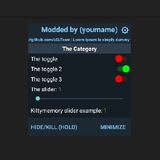
Big list of esp and aimbot sources I made some time ago 😅
https://platinmods.com/threads/esp-and-aimbot-source-code-collections.129671/
https://platinmods.com/threads/esp-and-aimbot-source-code-collections.129671/
Platinmods - Android MODs, MOD APK Mobile Games & Apps
ESP and Aimbot source code collections
A lot of modders here asking for ESP and Aimbot and have been looking for it for so long time, so finally, free ESP and Aimbot source codes for y'all. I am sharing here to stop beggers from...
🤔1
This is LGL aka Menu modder here. I will be a lot busy this month, so i won't be active until next year maybe. Thank you for support
1639468738(1).zip
15.4 MB
⭐ Among Us Il2cpp Dump ⭐
➜ VERSION latest ✓
➜ 32 BIT ✓
➜ Credits( @Layout_musk)
⚠️𝗡𝗼𝘁𝗶𝗰𝗲: Share with credit
-----------------------------------
📲 @Layout_musk - (To request new layout of Vip )
➜ VERSION latest ✓
➜ 32 BIT ✓
➜ Credits( @Layout_musk)
⚠️𝗡𝗼𝘁𝗶𝗰𝗲: Share with credit
-----------------------------------
📲 @Layout_musk - (To request new layout of Vip )
DarkMod's Semi-JNI Mod Menu fixed for AIDE
https://github.com/LGLTeam/DarkMod-Floating
https://github.com/LGLTeam/DarkMod-Floating
❤2👍1
dump.cs
19.8 MB
⭐ FreeFire Il2cpp Dump ⭐
➜ VERSION 1.69.0 ✓
➜ 32 BIT ✓
➜ SRC :
➜ Credits( @Layout_musk)
⚠️𝗡𝗼𝘁𝗶𝗰𝗲: Share with credit
-----------------------------------
📲 @Layout_musk - (To request new layout of Vip )
➜ VERSION 1.69.0 ✓
➜ 32 BIT ✓
➜ SRC :
➜ Credits( @Layout_musk)
⚠️𝗡𝗼𝘁𝗶𝗰𝗲: Share with credit
-----------------------------------
📲 @Layout_musk - (To request new layout of Vip )
👍2
Mod menu without overlay permission demo project. I plan to implement it on my main mod menu project too
https://github.com/LGLTeam/Mod-Menu-Without-Overlay-Permission-Demo
https://github.com/LGLTeam/Mod-Menu-Without-Overlay-Permission-Demo
• Spring Musk |™ -SharaBha
com.activision.callofduty.shooter.apk
CODM CRASH FIXED AFTER ADDING MOD USE THIS APK FOR YOUR MOD
👍4
FreeFire-1.69 Dump By LGLTeam.rar
19.3 MB
⭐ FreeFire Il2cpp Dump ⭐
➜ VERSION 1.69.0 ✓
➜ 32 BIT ✓
➜ SRC : [ idk ]
➜ Credits( @Layout_musk)
⚠️𝗡𝗼𝘁𝗶𝗰𝗲: Share with credit
-----------------------------------
📲 @Layout_musk - (To request new layout of Vip )
➜ VERSION 1.69.0 ✓
➜ 32 BIT ✓
➜ SRC : [ idk ]
➜ Credits( @Layout_musk)
⚠️𝗡𝗼𝘁𝗶𝗰𝗲: Share with credit
-----------------------------------
📲 @Layout_musk - (To request new layout of Vip )
FreeFireMax-1.69 Dump By LGLTeam.rar
19.8 MB
⭐ FreeFire Max Decrypted ⭐
➜ VERSION 2.69.1 ✓
➜ 32 BIT ✓
➜ SRC : [ idk ]
➜ Credits( @Layout_musk)
⚠️𝗡𝗼𝘁𝗶𝗰𝗲: Share with credit
-----------------------------------
📲 @Layout_musk - (To request new layout of Vip )
➜ VERSION 2.69.1 ✓
➜ 32 BIT ✓
➜ SRC : [ idk ]
➜ Credits( @Layout_musk)
⚠️𝗡𝗼𝘁𝗶𝗰𝗲: Share with credit
-----------------------------------
📲 @Layout_musk - (To request new layout of Vip )
❤4
FreeFireMax-Freefire Dec.rar
44 MB
⭐️ FreeFireMax/Freefire Decrypted ⭐️
➜ VERSION 2.69.1/1.69.1 ✓
➜ 32 BIT ✓
➜ SRC : [ idc ]
➜ Credits( @Layout_musk)
⚠️𝗡𝗼𝘁𝗶𝗰𝗲: Share with credit
-----------------------------------
📲 @Layout_musk - (To request new layout of Vip )
➜ VERSION 2.69.1/1.69.1 ✓
➜ 32 BIT ✓
➜ SRC : [ idc ]
➜ Credits( @Layout_musk)
⚠️𝗡𝗼𝘁𝗶𝗰𝗲: Share with credit
-----------------------------------
📲 @Layout_musk - (To request new layout of Vip )
❤1
static monoString *U3DStrFormat(float distance,float hp, std::string bot) {
    char buffer[128] = {0};
    sprintf(buffer, ("[ %.f M ] [ %.f Health] %s"), distance,hp,bot.c_str());
    return U3DStr(buffer);
}
Share with Credit @Layout_musk
Assembly-CSharp.rar
9.7 MB
⭐️ FreeFire Assembly-Csharp ⭐️
➜ VERSION 1.69.0 ✓
➜ 32 BIT ✓
➜ SRC : [ idk ]
➜ Credits( @Layout_musk)
⚠️𝗡𝗼𝘁𝗶𝗰𝗲: Share with credit
-----------------------------------
➜ VERSION 1.69.0 ✓
➜ 32 BIT ✓
➜ SRC : [ idk ]
➜ Credits( @Layout_musk)
⚠️𝗡𝗼𝘁𝗶𝗰𝗲: Share with credit
-----------------------------------
❤2👍1
Guyz Don't Start to Mod Apks/Games From The Apk has High Secured (i.e:FF,PUBG,CODM). Believe me it will be Totally Hard for you to understand those Rather than these games Try the simple games which has low protection (i.e:Fwd Assault,Bullet Force,etc). You Can Get Better progress on Learning when you start from base rather than copying other's code
#LGLTeam
#LGLTeam
❤4🌚1
⭐️ CODM Offsets ⭐️
➜ VERSION 1.0.30 ✓
➜ 32 BIT ✓
➜ SRC : [ ]
get_position :
WorldToScreenPoint :
get_main :
get_transform:
SetResolution :
➜ Credits( @Layout_musk)
⚠️𝗡𝗼𝘁𝗶𝗰𝗲: Share with credit
-----------------------------------
➜ VERSION 1.0.30 ✓
➜ 32 BIT ✓
➜ SRC : [ ]
get_position :
0x651a640WorldToScreenPoint :
0x60b002cget_main :
0x60b0718get_transform:
0x690b61cSetResolution :
0x6b0b378➜ Credits( @Layout_musk)
⚠️𝗡𝗼𝘁𝗶𝗰𝗲: Share with credit
-----------------------------------
❤1
Method 1 : Manual Fix Manually installing the certificates
Mount system as r/w (ES File Explorer should do this automatically).
Using ES File Explorer (I had problems using other root browsers), head over to '/data/data/com.guoshi.httpcanary.premium/cache' and copy 'HttpCanary.pem' and 'HttpCanary.p12' to your phones accessible storage (such as Downloads or Documents).
Open up the 'settings app > Biometrics & Security > Other Security Settings > Install from device storage'.
Select CA certificate and press 'install anyway'.
Browse to 'HttpCanary.pem' and install it.
On the 'Install from device storage' screen, now press 'VPN and app user certificate'
Browse to 'HttpCanary.p12' and enter the password which is 'HttpCanary' and do not modify the name.
Fixing the application to detect the certificates
Head back over to '/data/data/com.guoshi.httpcanary.premium/cache' and create an empty file named 'HttpCanary.jks'.
Create a copy of the 'HttpCanary.pem' file in the same directory and rename it to '87bc3517.0'.
Mount system as r/w (ES File Explorer should do this automatically).
Using ES File Explorer (I had problems using other root browsers), head over to '/data/data/com.guoshi.httpcanary.premium/cache' and copy 'HttpCanary.pem' and 'HttpCanary.p12' to your phones accessible storage (such as Downloads or Documents).
Open up the 'settings app > Biometrics & Security > Other Security Settings > Install from device storage'.
Select CA certificate and press 'install anyway'.
Browse to 'HttpCanary.pem' and install it.
On the 'Install from device storage' screen, now press 'VPN and app user certificate'
Browse to 'HttpCanary.p12' and enter the password which is 'HttpCanary' and do not modify the name.
Fixing the application to detect the certificates
Head back over to '/data/data/com.guoshi.httpcanary.premium/cache' and create an empty file named 'HttpCanary.jks'.
Create a copy of the 'HttpCanary.pem' file in the same directory and rename it to '87bc3517.0'.
❤3
LGL Team
Method 1 : Manual Fix Manually installing the certificates Mount system as r/w (ES File Explorer should do this automatically). Using ES File Explorer (I had problems using other root browsers), head over to '/data/data/com.guoshi.httpcanary.premium/cache'…
Only for rooted phone users (A11) for fixing Ssl certificate of http canary
👍2❤1